






Earn More Bitcoin With Less Watts!

If you’re running Bitcoin or Scrypt ASIC miners at home or through a hosting company, you already know the biggest line item eating into your profits isn’t the miner itself, it’s the electric bill. With hosting rates and home electric costs both climbing, and summer temperatures pushing ambient shed conditions into the 90s and beyond, squeezing more hash rate out of every watt has never mattered more.
That’s exactly what this experiment set out to test: does switching from stock Bitmain firmware to third-party VNISH firmware actually deliver more efficient mining, or is it just marketing?
Full list of supported VNISH ASIC miners found here as of September 5th 2026
The Setup
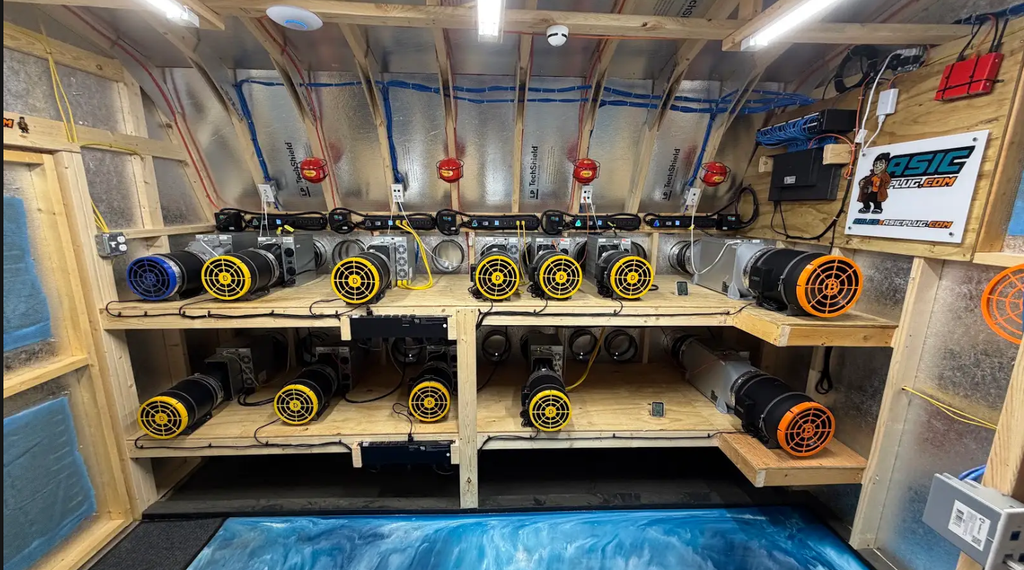
The test took place at a home mining property in Pennsylvania, split across two dedicated mining sheds plus a storage building. Both shed runs on a 400-amp dedicated commercial single phase service, housing a mix of Bitcoin and Scrypt miners.
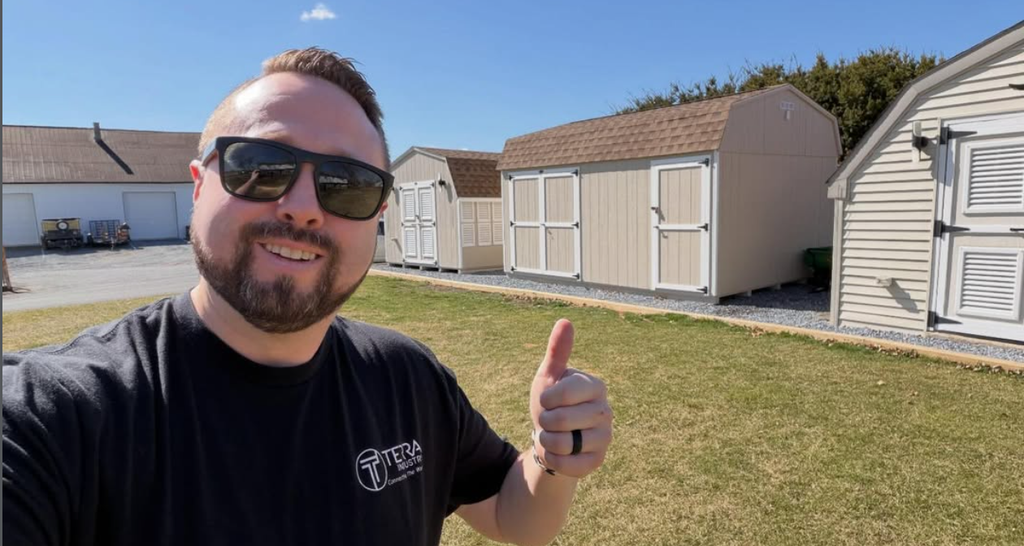
For this specific test, two freshly returned hosted miners were used:
- Bitmain S21 (200 TH/s model) — Bitcoin miner
- Bitmain L9 (16.5 GH/s model) — Scrypt miner
Both units were tested under genuinely tough conditions: 95°F (35°C) ambient temperature, which is realistic for anyone running miners through summer in most of the United States.
The Method
The experiment was structured as a straightforward head to head comparison:
- Run each miner on stock Bitmain firmware for one hour, logging hash rate and watts at the wall, measured with a dedicated watt meter.
- Flash both miners to VNISH firmware using the same baseline preset settings (200 TH for the S21, 16.2 TH for the L9) so the comparison starts from an even footing.
- Let the VNISH auto tuning process run for several hours (VNISH recommends 4–5 hours to fully tune).
- Re-measure hashrate and watts at the wall under the same conditions and compare.
Installing VNISH: The Short Version
For anyone wanting to replicate this, the install process breaks down into a few key steps:
- HashCore Toolkit is used to find miners on your local subnet and push firmware without manual file uploads.
- Firmware files are matched automatically to your specific hashboard model, removing the guesswork of picking the wrong file.
- Miners are selected in HashCore, and firmware is deployed via the “Install Firmware” batch command, pointing at the correct firmware folder and version.
- The process takes only a few minutes to push, but auto-tuning afterward can take 4–5 hours before you see stable numbers.
- VNISH is free to download and install, but like all third-party ASIC firmware, it carries a dev fee, 2.8% in this case. That’s a cost worth weighing against any efficiency gains before committing your whole fleet.
Full list of compatible VNISH ASIC miners found here as of September 5th 2026
Download HashCore Toolkit and supported firmware bundle here
Feel free to follow along this step by step video on How to Install VNISH for Beginners!
The RESULTS
| Miner | Firmware | Hash Rate | Watts | Notes |
|---|---|---|---|---|
| S21 (200 TH advertised) | Stock Bitmain | 196 TH | ~4,072W | 95°F ambient |
| S21 (200 TH advertised) | VNISH | 192 TH | ~3,945W | 95°F ambient |
| L9 (16.5 GH advertised) | Stock Bitmain | 16.48 GH | ~3,542W | 95°F ambient |
| L9 (16.5 GH advertised) | VNISH | 16.2 GH | ~3,146W | 95°F ambient |
On the Bitcoin miner (S21): the difference was modest, a slight drop in hash rate paired with a modest drop in power draw. Not a dramatic swing on its own, but the real value shows up in the efficiency features covered below, not just the raw baseline numbers.
On the Scrypt miner (L9): the difference was much more pronounced, roughly a 400 watt reduction for a comparable hashrate. Running that difference through a basic electricity cost calculator worked out to about $23/month, or roughly $278/year, per unit. Scale that across a fleet of 10, 20, or 100 units and the savings compound quickly.
iS IT WORTH THE DEV FEE?
That 2.8% dev fee isn’t nothing, and it’s a fair question to ask before flashing an entire fleet. Here’s the way to actually think about it: on the L9, stock Bitmain firmware pulled 3,542 watts at the wall. VNISH brought that down to roughly 3,146 watts, a savings of about 396 watts, or roughly 10% off the stock baseline. But that 10% figure is the gross savings, the dev fee comes out of that before it hits your bottom line. Back out the 2.8% dev fee, and the real, net savings is 7.2% of the stock baseline cost.
To put a dollar figure on the net number, using the actual measured stock baseline of 3,542 watts and a $0.08/kWh electric rate:
- Baseline cost per machine = 3,542W × 24 hours ÷ 1000 × $0.08/kWh = $6.80/day
- Net savings after the dev fee = $6.80 × 7.2% = $0.49/day, per machine
- That works out to roughly $14.69/month, or about $178.72/year, per L9 — after the dev fee is already accounted for
The real story shows up once you scale that across a fleet. Here’s what that same 7.2% net savings looks like at different fleet sizes:
| Machines | Daily Savings (Net) | Monthly Savings (Net) | Annual Savings (Net) |
|---|---|---|---|
| 1 | $0.49 | $14.69 | ~$178.72 |
| 5 | $2.45 | $73.45 | ~$893.60 |
| 10 | $4.90 | $146.89 | ~$1,787.21 |
| 25 | $12.24 | $367.23 | ~$4,468.02 |
| 50 | $24.48 | $734.47 | ~$8,936.04 |
| 75 | $36.72 | $1,101.70 | ~$13,404.06 |
| 100 | $48.96 | $1,468.94 | ~$17,872.08 |
| 500 | $244.82 | $7,344.69 | ~$89,360.40 |
That last row is the one worth sitting with. At industrial scale, a 500 machine deployment, this single firmware change is worth nearly $90,000 a year in net electricity savings on L9s alone, dev fee already subtracted out, before even factoring in the uptime and hashboard longevity benefits from auto-switch presets and auto-restart. Even at a modest mining scale of 10–25 units, you’re looking at $1,800–$4,500/year back in your pocket, net of fees, for a firmware flash that took a few minutes to deploy.
This is exactly why the 2.8% dev fee shouldn’t scare anyone off outright, once it’s netted out, you’re still keeping the majority of the efficiency gain. And weighed against higher uptime, better thermal management, and hands-off automatic recovery, that net 7.2% can pay for itself many times over, particularly for anyone running miners through hot summer months, at scale, or through a third-party hosting facility where every watt is billed back.
As with any hardware experiment, keep in mind that silicon lottery is real, individual chip variance means your results may run slightly better or worse than what’s shown here. Testing your own units under your own conditions is always the best way to know for sure.
the features that matter
The headline stock-vs-VNISH comparison is only part of the story. The bigger value in switching firmware comes from a handful of configuration features that aren’t available on stock firmware at all:
- Target temperature and fan minimums, dialing in a target chip temperature (around 72°F in this test) and setting a fan floor to keep airflow high on units that run hot, like the S21 line.
- Auto-switch presets, this is the standout feature. Instead of running a fixed overclock profile regardless of conditions, VNISH can automatically shift between a high performance preset and a lower, more conservative preset based on chip temperature, power draw, and stability. On a brutally hot day, the miner can throttle itself down to protect the hashboards; as temperatures drop, it ramps back up automatically. This is something stock firmware simply doesn’t do at a chip level. This feature alone can prolong the life of your ASIC, hashboards, power supplies and fans!
- Restart on low hashrate, an automatic reboot trigger (set to 5% below expected performance in this test) that catches a miner that’s stalled or underperforming without requiring a manual check, a VPN login, or a support ticket to a hosting company.
A more detailed walkthrough on these settings and configurations can be found in this video- How to Install VNISH for Beginners!
For anyone with hosted miners, these auto-tuning and self-protection features are arguably a bigger win than the raw wattage difference, better uptime, fewer hashboards sent out for repair due to overheating, and less manual babysitting by onsite operators.
Bottom Line
Switching from stock Bitmain firmware to VNISH didn’t produce a night and day difference in raw hashrate on the Bitcoin miner, but it delivered a meaningful power reduction on the Scrypt miner and more importantly unlocked automation and thermal management features that stock firmware doesn’t offer at all. For miners fighting summer heat, chasing lower electric bills, or trying to reduce manual maintenance on a hosted fleet, it’s a firmware upgrade worth testing on your own hardware.