
Beginners Guide to Mine BITCOIN with $150!
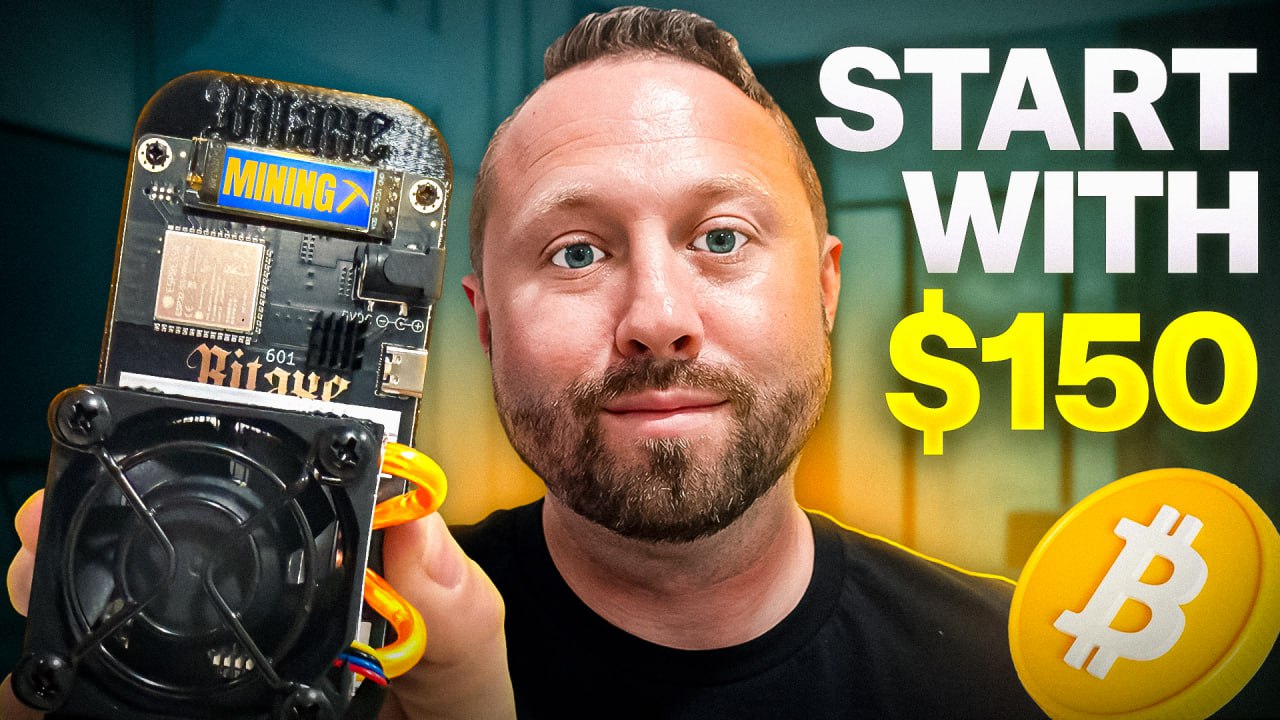
So, you’re thinking about jumping into home crypto mining, right? Maybe you’ve been researching, maybe you’re totally overwhelmed with all the options—miners, wallets, power usage, algorithm types—the list goes on. Trust me, I get it, and I’ve been there! That’s exactly why I put together this complete beginner’s guide to mining Bitcoin from home for just $150. Whether you’re just getting started or ready to buy your first hardware, you’ll find everything you need right here.
Let’s break it down: We’ve got a slick miner, a simple step-by-step cold storage wallet, performance tests, solo mining strategies, money-saving tips and more! Ready to mine your first Bitcoin block? Maybe… Let’s dig in!
For more on this topic, check out this detailed video: Beginners Guide to Mine BITCOIN with $150!
Getting Started: The World of Home Bitcoin Mining
Welcome back crypto miners! If you’re new to the world of home mining, you know it can be a lot to take in. Let me tell you, you’re not alone. From figuring out what miner to buy, to picking out your first wallet, the learning curve can feel steep.
“If you’re jumping in to home mining, you’re starting to do your research and you’re like, man, what miner do I pick up for my first home miner? It could be really overwhelming, let alone you try to look at different crypto wallets out there. Oh, my gosh. Good luck.” – The Hobbyist Miner
That’s why today, we’re diving into the $150 combo from Helium Deploy — designed to give new home miners a smooth start. `
What’s Inside the $150 Combo?
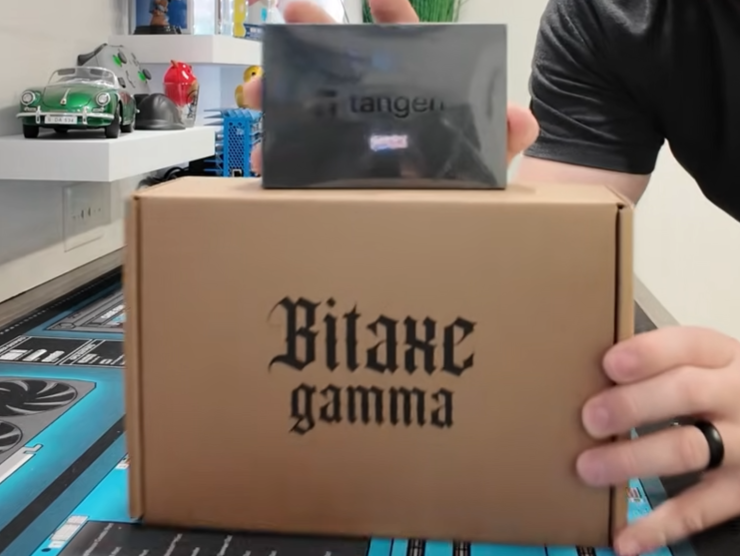
Nothing beats that fresh unboxing feeling—especially when it’s mining gear that could land you your first sweet, sweet block reward. Let’s get right into what’s included in this beginner-friendly mining starter pack.
What’s in the Box?
Opening this Helium Deploy package, you’ll find:
- Bitaxe Gamma 601 Version 2 Solo Bitcoin Miner (1.5 Terahash Model)
- Tangem Cold Storage Wallet (the one I personally use)
- Power brick & adapter cables
- Handy Quickstart Card (with the breakdown, specs, and how-tos)
BitaxE Gamma 601 Miner: Build & Specs
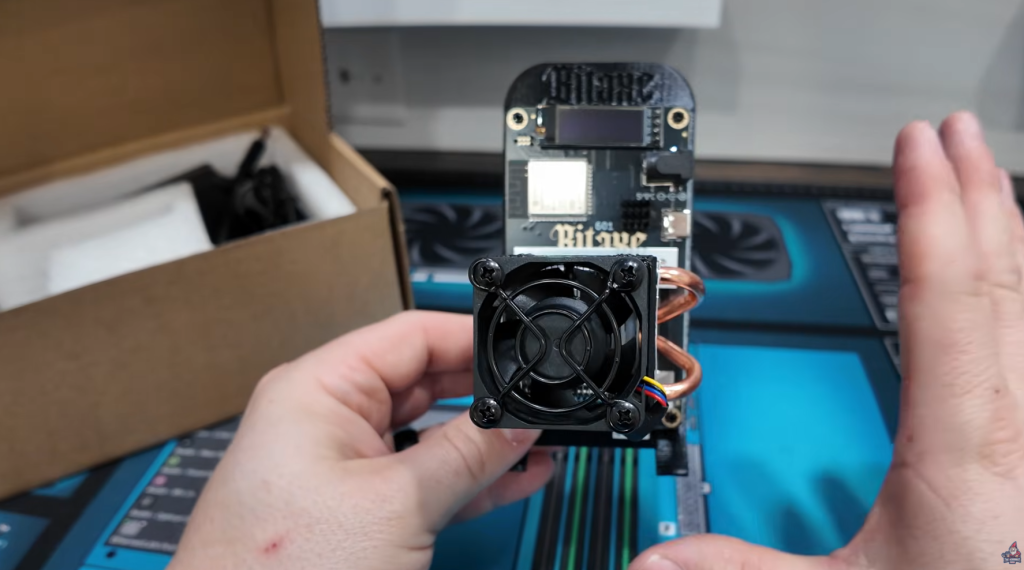
Let’s start with the star of the show—the Bitaxe Gamma 601 Version 2.
- Hashrate: 1.5 TH/s (Terahash per second)
- Power Consumption: Advertised at just 25-28 watts!
- Cooling: Massive, unique heatsink with thick copper heatpipes and a PWM fan.
- Ports: Barrel power connector & USB-C (for flashing/updating)
- Screen: Removable mini display showing IP address, hash rate, pool, temps, etc.
- Stand: 3D printed, keeps the unit upright and looking clean
This thing is built for home use. The cooling system is wild—a major step up from standard models. The PWM fan adjusts on the fly via software (I always recommend automatic mode for set-and-forget operation).
Design and Extras
- You’ll note a gap between the heatsinks for supreme cooling—great for pushing for those higher hash rates or overclocks!
- Giant copper heatpipes on the sides boost heat transfer.
- Plug-and-play setup: Simply plug into a normal wall outlet—no special power required.
Accessories
- Power brick and all required adapters (NEMA 5-15 to barrel connector)
- All cables included for instant setup
Securing Your Bitcoin

Let’s not forget—mining is pointless without a secure place to store your coins! That’s where the Tangem cold storage wallet comes in: easy to use, super secure, and built for crypto newbies.
Tangem Overview
- What is it?
- A physical cold storage card (NFC-enabled) that works with your phone
- Two cards are included in the set (for backup/security)
- Why do I recommend Tangem?
- Simple to set up, seriously—just follow my step-by-step video. It’s beginner-proof.
- Your phone controls access, but the magic key is the physical card. Lose your phone? No problem. Lose your card? No problem, if you have your backup!
- Flexible security: add biometrics, PIN codes, or facial recognition for extra safety
- Your private keys never touch the internet
- Pro storage tip: I keep one card in my regular wallet (so I always have it), and the second card safely stored in a fireproof bag in my safe. You could also give the backup card to a trusted relative for extra redundancy.
- Can someone steal your coins with just the card? Nope! You need both the card and your phone (with app access and proper PIN/biometrics).
Setup Resources
- Tangem Wallet Setup Guide (Video)
Seriously, watch this after reading for step-by-step help.
Setup and First POWER UP!
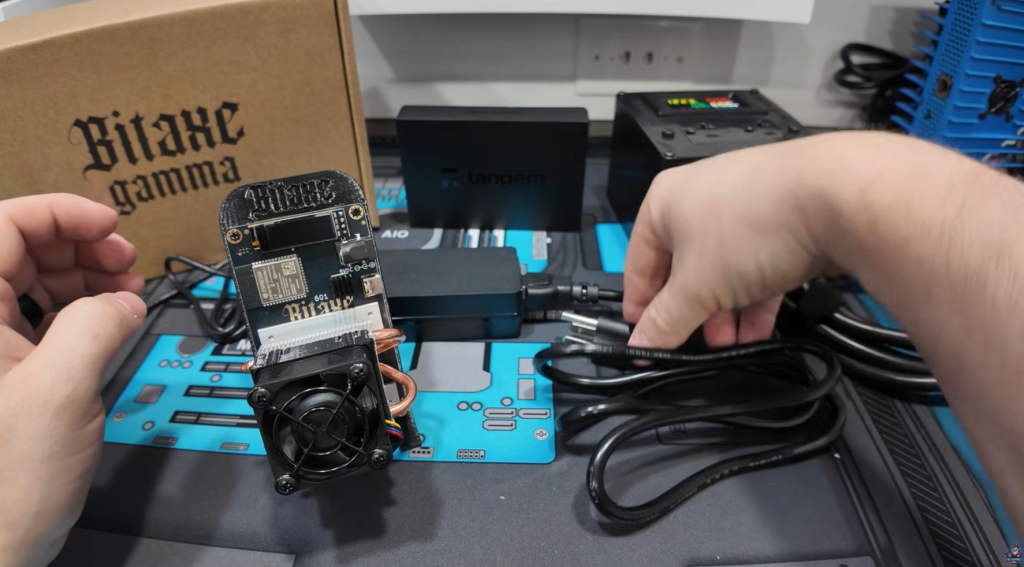
Okay, let’s roll up our sleeves and get mining!
Connecting Your Bitax Gamma 601

What You Need:
- Your Bitaxe 601 miner
- The included power brick and adapter cables
- A WiFi network
Step 1: Plug It All In
- Plug the power adapter into the wall (NEMA 5-15 outlet).
- Connect the barrel power connector to the miner.
- Flip the power switch (if present) or just plug in—fan will spin up right away.
Step 2: Connect to Miner via WiFi
- As soon as the miner powers up, it creates its own WiFi network (look for “Bitaxe XXXX”).
- Use your phone or laptop to connect to this WiFi.
- A setup screen pops up automatically.
- Enter your home WiFi details to connect the miner to your network.
- Save—and the unit auto-restarts.
Now, the little screen shows your miner’s IP address, real-time hash rate, temps, and “pool” details.
Step 3: Miner Configuration
- Using your phone/computer, surf to the miner’s IP address (displayed on the screen).
- The web interface is powered by AxeOS (super flexible, open-source).
- Out of the box, miner may default to the manufacturer’s pool—remember to change this to your own wallet and pool address!
“You don’t want to mine to someone else’s pool and wallet. Make sure you enter your own! People have done it!” – The Hobbyist Miner
What to Expect in the Real World!

Power Usage
Advertised power draw for the Bitaxe Gamma 601 v2 is:
- 25 watts (plus or minus 10%)
- Card and official specs note 28 watts
Measured Power Draw
I tested it at the wall (with a watt meter):
- Actual draw: ~33.5 watts
A little above spec (by about 5 watts), but still incredibly efficient. At average residential electric rates, this will be less than $3 a month for 24/7 runtime!
Noise Levels
This thing is a home miner, but let’s be honest—the beefy fan is a bit louder than you’d want in a quiet office.
- Measured: Around 47 decibels
- Translation: Totally fine for a shed, garage, or big room. Not ideal if you’re sleeping next to it.
Hashrate
Official spec: 1.5 TH/s
Real-World Performance
- Startup: It quickly climbed to 1.5-1.6 TH/s
- Spikes: It is normal to drop below or launch above the advertised hashrate. Your hashrate will never been a solid consistent line.
Solo Mining Tips: Odds, Strategies, and More
What’s Solo Mining?
Solo mining means you’re not sharing rewards with a pool. You only get paid if your miner finds a block (like a lottery ticket every 10 minutes). The upside? If you win, it’s all yours. The downside, you could never hit a block!
How Good Are Your Chances?
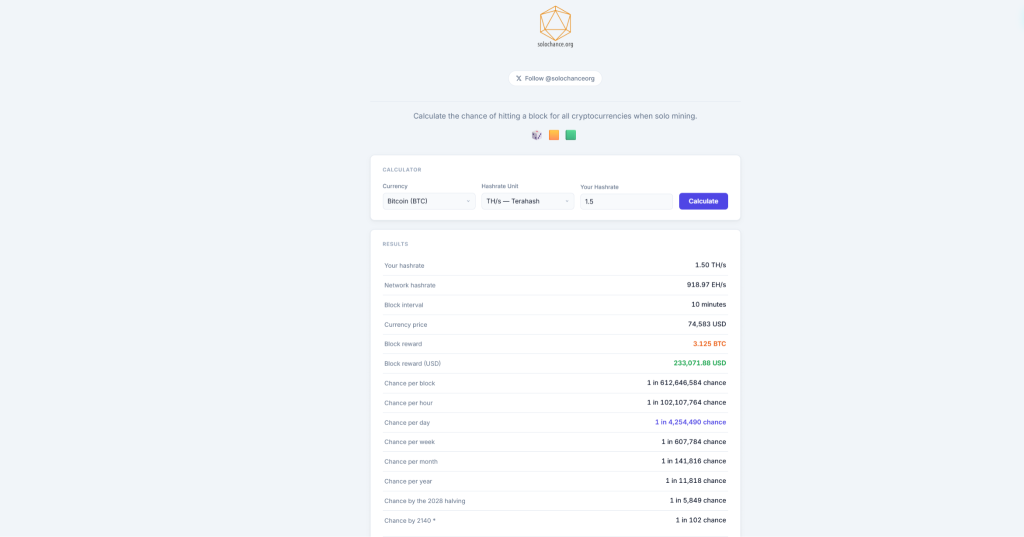
Let’s run through some real stats using SoloChance.org
- Bitcoin (BTC) at 1.5 TH/s
- Odds of finding a block in one year: 1 in 11,626
- Current block value: ~$230,000+
TL;DR: Low odds, jaw-dropping payout if you hit.
- Bitcoin Cash (BCH) at 1.5 TH/s
- Odds: 1 in 81 per year
- Block reward: ~$1,499
- DigiByte (DGB) at 1.5 TH/s
- Odds: 1 in 1 per month, or 1 in 39 per day
- Block value: ~$1
“Is that an amazing chance for Bitcoin? No. Is it better than your state lottery? Yep, it traditionally is. You’re not buying a new lottery ticket every 10 minutes—you buy this miner, set it and forget it, and run it for eternity!” – The Hobbyist Miner
Choose Your Strategy
- Looking for a big payout? Run it for Bitcoin, cross your fingers.
- Want more frequent wins (smaller rewards)? Target BCH or DigiByte.
Remember, solo mining is “set-and-forget.” Don’t expect daily payouts, but when it hits—it’s life-changing.
Running Your Own Bitcoin Pool & Node
Why Run Your Own Node?
- Direct Pool Control: You run the “pool” your miners hit, instead of relying on a third party.
- Privacy & Security: Your node, your rules, your data.
- Network Resilience: Boosts the Bitcoin network.
“I actually have a full video showing how to set this up on any old PC you’ve got lying around. It’s super beginner-friendly, and I definitely recommend checking it out.” – The Hobbyist Miner
Is $150 Bitcoin Mining Right for You?
Let’s be real: Mining Bitcoin from home—even with the best starter miner—won’t make you rich overnight. Your odds of solo finding that “golden block” are slim, but the thrill of the hunt and the educational experience are priceless. Plus, with the chance to hit smaller chains (like BCH or DGB) more often, you’ll learn the ropes of mining, hardware tuning, wallet safety, and even node running.
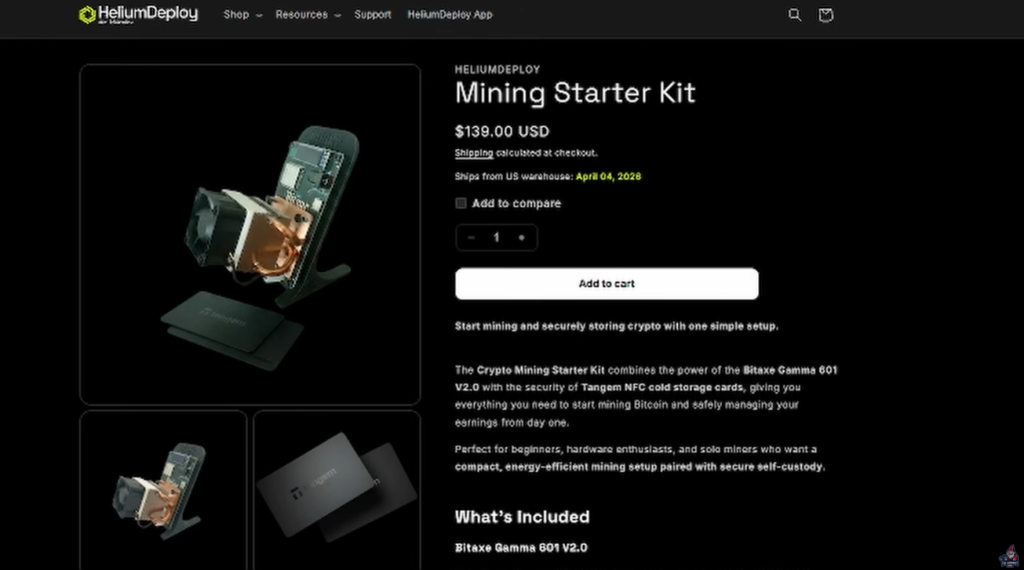
For just $150 (or less with bundle discounts and my promo code!), you get:
- Reliable, super-efficient solo miner (Bitaxe 601 v2)
- Super-safe, beginner-friendly cold storage wallet (Tangem 2-card)
- Power and network cables—all included
- The experience and excitement of running your own mining operation from home
If you’re ready to dip your toes into mining without breaking the bank, this bundle is one of the best ways to do it. And hey, you might just hit the big one.
Ready to get mining?
Purchase the Bitcoin Mining Starter Kit Bundle Here
Use Checkout Code “TheHobbyistMiner” for a Discount!
See You Next Time!
Got questions? Join The Hobbyist Miner Comunity Discord for great fellow crypto miner conversation, community help and more! Join entirely free here!