
NEW Mini Home Miner for Solo Bitcoin Mining! The BTC Solo Pro
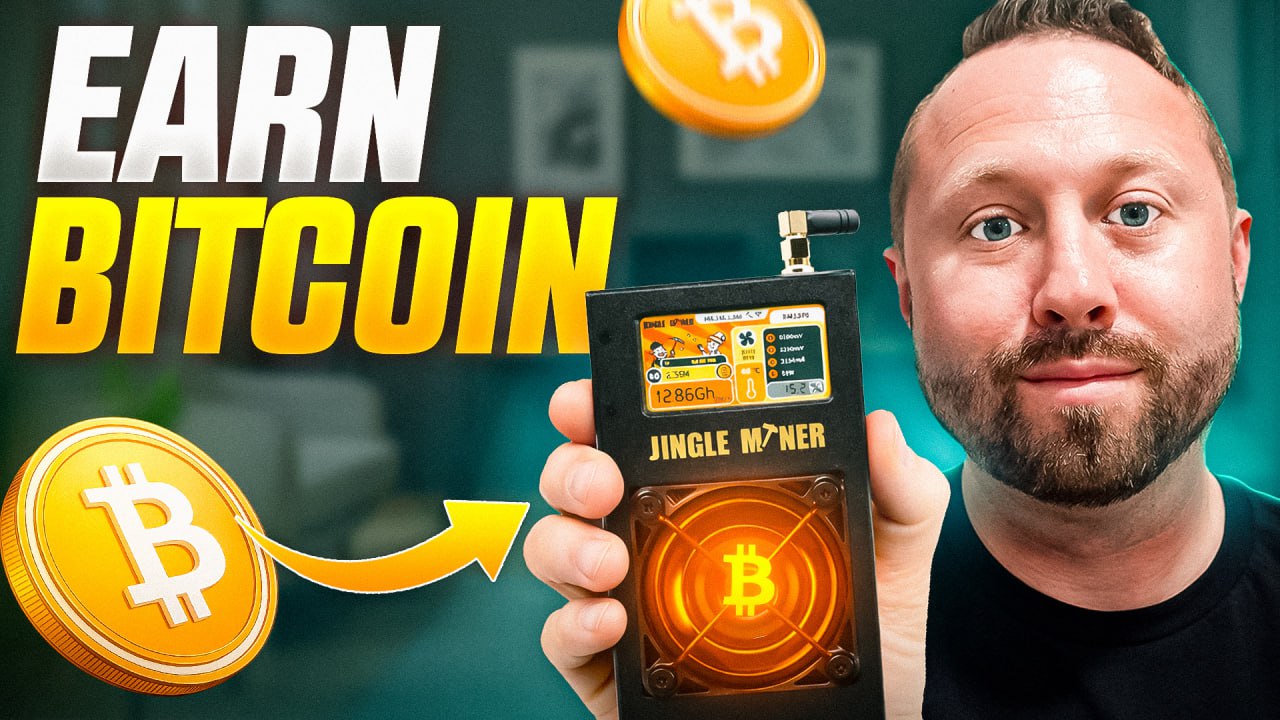
Welcome back, crypto miners! It’s always a good day when there’s a new miner to check out, and today is even better: we’re diving into an unboxing, review, and full setup of the Jingle Miner BTC Solo Pro—a brand new solo home Bitcoin miner from the folks at Jingle Mining. Whether you’re a home-mining hobbyist or just curious about mining Bitcoin on your own terms, this one’s for you.
Let’s jump into the details: unboxing, hardware features, setup, pool options, mining lottery odds, and live results!
For more on this topic, check out this detailed video: NEW Mini Home Miner for Solo BITCOIN Mining!
First Impressions & Unboxing
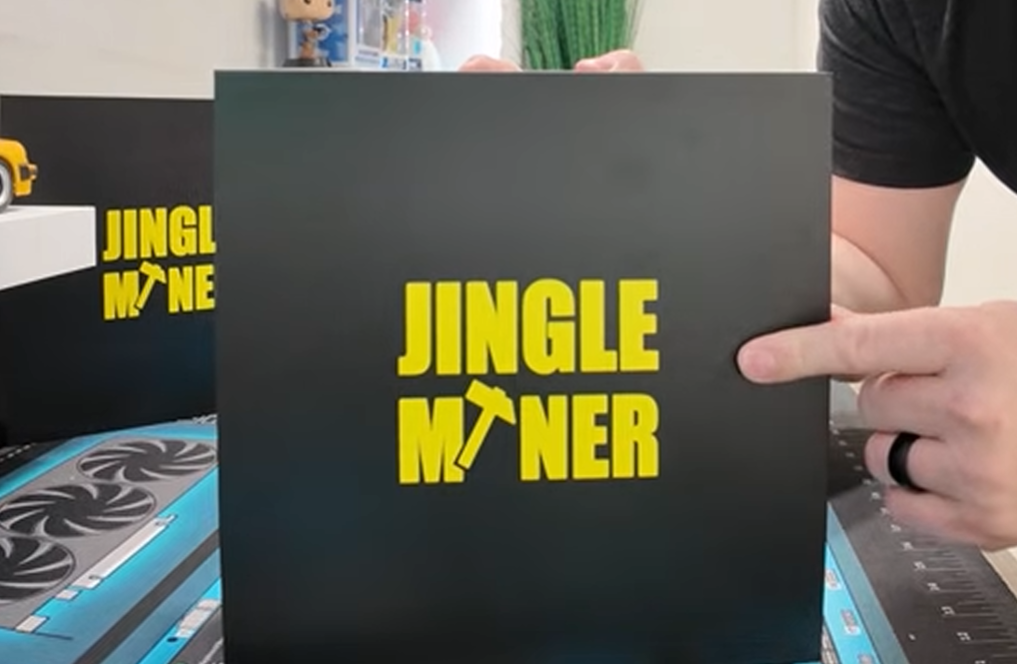
There’s something exciting about new miner day: the anticipation, the shiny new toy, and the promise of more hash power at home. Today, it’s all about the Jingle Miner BTC Solo Pro.
What’s In the Box? – Watch Here!
- Jingle Miner BTC Solo Pro unit
- Power cable (make sure you select the right plug for your region!)
- Power brick with barrel connector
- Detachable antenna for Wi-Fi
- Protective plastic wrap
The miner itself is tiny compared to most Bitcoin ASICs—think slightly bigger than a paperback book. Pulling out the antenna, you’re reminded you’re not just dealing with a computer, but mini-ASIC power in a home-friendly form factor.
Hardware Tour: Jingle Miner BTC Solo Pro
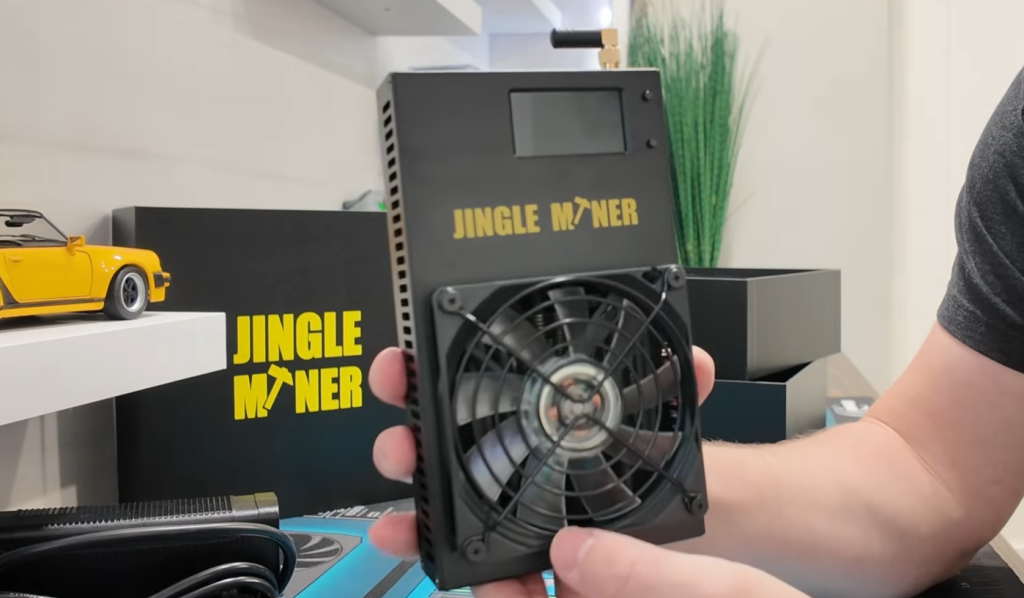
Let’s take a close look at the Solo Pro, piece by piece.
Size & Construction
- The case is made from solid aluminum or metal, not plastic or cheap 3D-printed materials.
- It feels hefty and premium for its class.
Key Features
- Front: Big cooling fan (spoiler: it’s RGB!), bright screen, two navigation buttons.
- Side: USB Type-C port.
- Top: Barrel power input and antenna port for Wi-Fi.
- Bottom: Four rubber feet for stability.
Initial Thoughts:
- “This thing is so small. I mean, it’s fine. It just makes me laugh.”
- It’s sturdy and doesn’t tip over easily.
- Spec sticker on the back gives key info:
Power Up: RGB, Screen & Interface
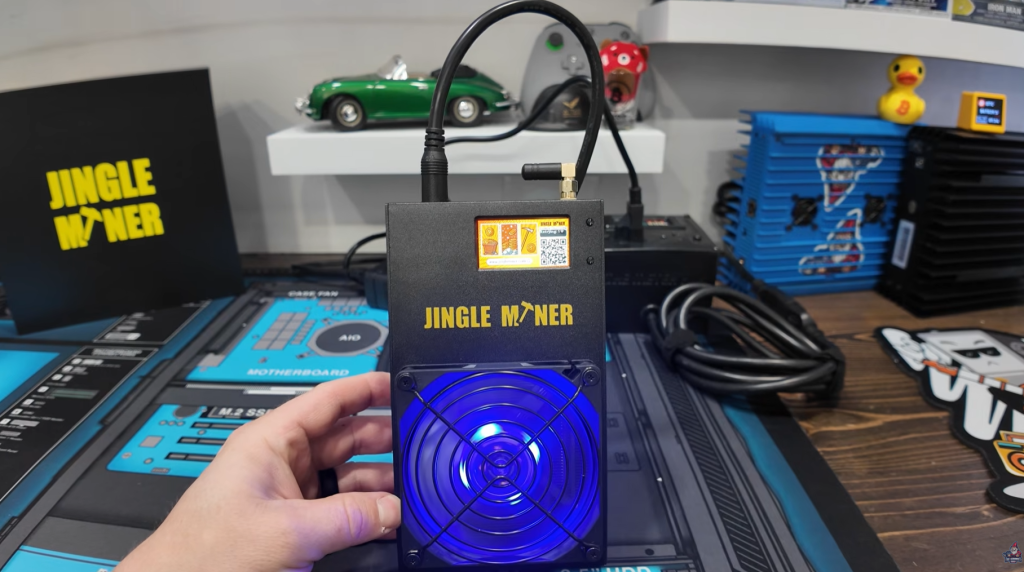
Setting up is almost plug-and-play. Power up the Solo Pro and you’re treated to a mini light show: the entire front fan lights up with full RGB color. If you’re a sucker for PC case bling, you’ll love it.
“RGB gives more Hashpower Right?” – The Hobbyist Miner
Power Setup
- Connect the hefty power brick and barrel connector.
- Ensure you’re using the correct power cable.
The screen boots up with a welcome logo, a QR code for quick setup, and helpful prompts.
Wi-Fi Setup Simplicity
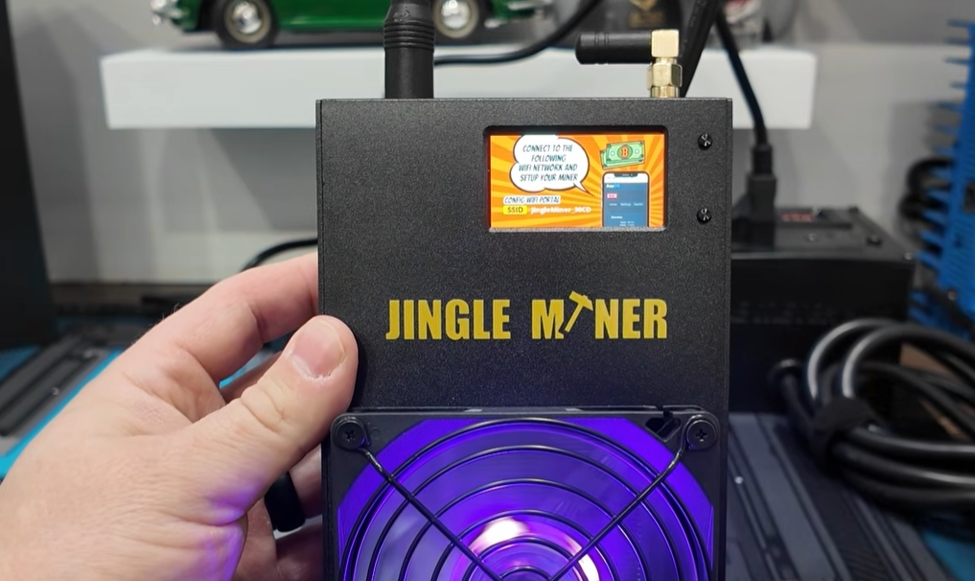
- The miner creates its own Wi-Fi hotspot. Connect with your phone, pop in your home Wi-Fi details and your ready!
- Takes less than a minute. The device then reboots and joins your network—super easy even for mining newcomers.
Diving into Metrics: On-Screen and Web Features
The Front Screen
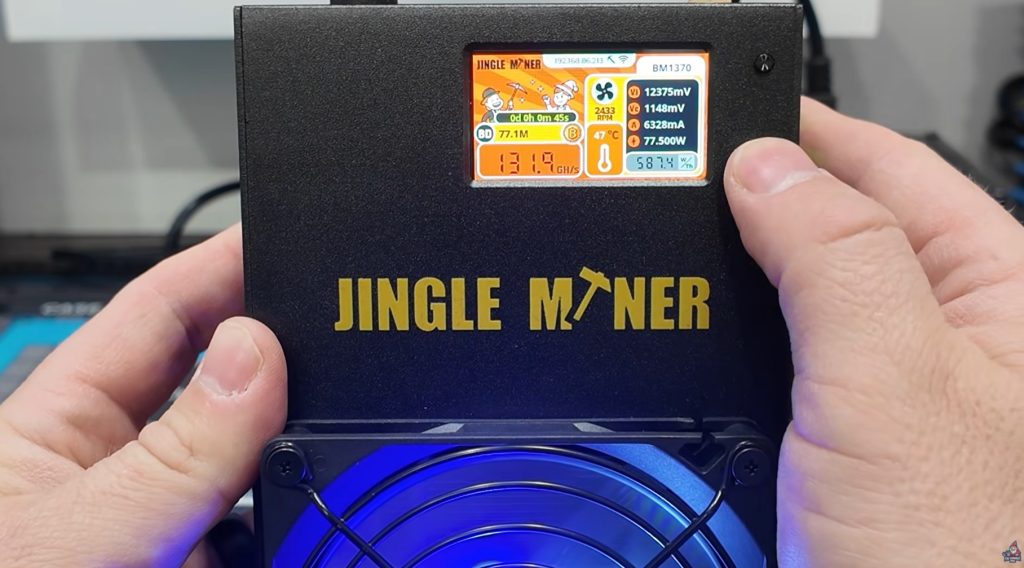
- Displays hash rate, device uptime, Bitcoin price (once loaded), network stats, and more.
- The two buttons let you cycle through stats or turn off the screen to save power.
Web GUI
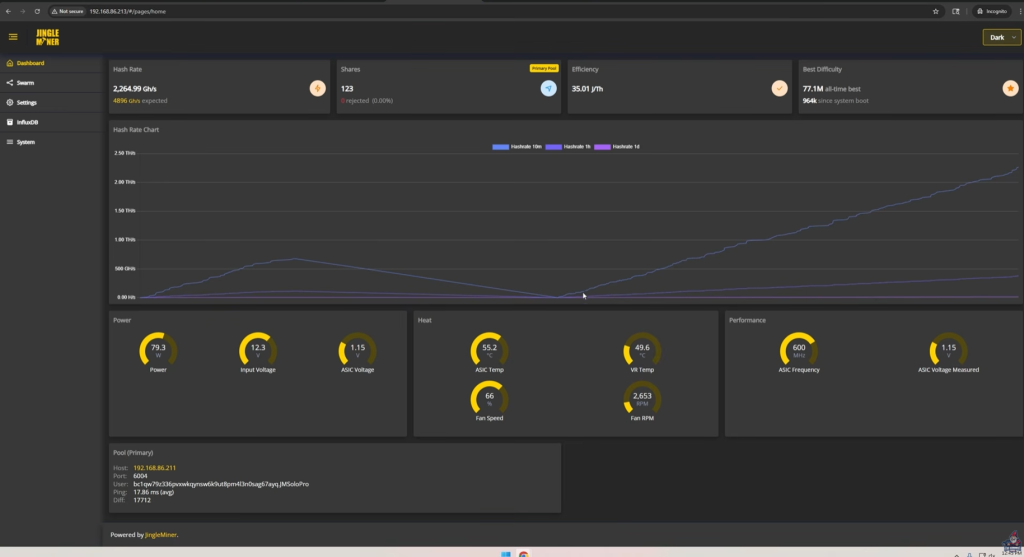
- Once on your Wi-Fi, visit the miner’s local IP for advanced controls.
- Metrics galore: real-time hashrate, power use, chip temperatures, efficiency, and individual stats.
Navigation is simple and user-friendly—no guesswork; anyone familiar with smart gadgets can figure it out.
“Pretty slick interface. You do have the option to swap to light mode if you’re interested. Lots of great metrics here on hash rate, efficiency, power, heat and performance.” – The Hobbyist Miner
Specs, Pricing, and Where to Buy
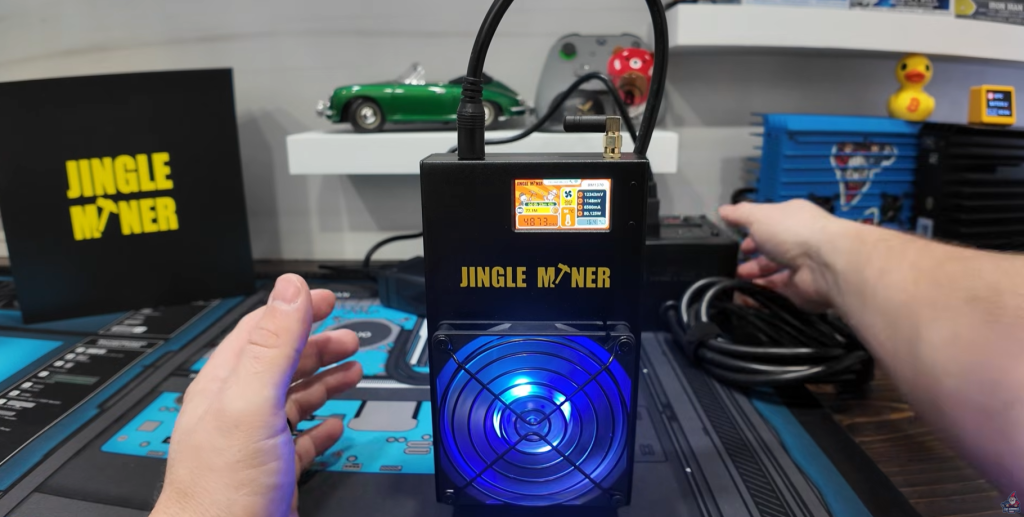
Current BTC Home Miners from Jingle Mining
| Model | Hashrate | Price (approx) | Power use | Wi-Fi | Ethernet |
| BTC Hashcard (12.5TH) | 12.5 TH/s | $599 | 200W | Yes | No |
| BTC Solo Pro (4.8TH) | 4.8 TH/s | $299 | 96W* | Yes | No |
(Hashcard model featured previously on Hobbyist Miner channel)
[*] The Watts are what Jingle Mining advertises—more on actual power use soon.
Build Details
- 4.8TH/s SHA256 hashrate
- 96W advertised power draw (actual: ~90W, measured at wall)
- Wi-Fi only connectivity. No Ethernet port!
- Solid aluminum/metal chassis
- RGB cooling fan
- Small, almost silent, and runs at home voltages
The Bitcoin Lottery: What Solo Mining Really Means

Let’s be very clear: This isn’t a guaranteed money machine! Solo mining Bitcoin is like playing the lottery with your own hardware.
How Solo Mining Works
- Every 10 minutes, a new block is found on the Bitcoin network.
- Solo miners do not join a big pool; they hope to find the block themselves. If your miner is the one to solve the block, you win the entire reward (currently 3.125 BTC!).
- If you don’t hit a block, you profit nothing per day.
Odds Example (Using @4.8TH/s)
Using Sololuck.com, if you enter 4.8TH/s:
- Chance per year of hitting a block: 1 in 4,146
- Cost to play: Buy miner once ($299), run it for a years—no extra “tickets.”
What You Can Win
At current prices (~$68,000/BTC), one full block is worth:
3.125 BTC x $68,000 ≈ $212,500
“But don’t let dreams blind reality. The odds are long, and many never hit a block. Still, over a year, your miner is “rolling the dice” every 10 minutes automatically!” – The Hobbyist Miner
Home Pool Setup: How & Why

If you’re going to solo mine, running your own node and pool at home is the purest form.
“You could do this with an old computer sitting around, a little mini computer, even a Raspberry Pi. I highly recommend that you mine to your own solo node and pool at home.” – The Hobbyist Miner
Why Run a Home Node?
- Privacy: Direct connection—no pool operator tracking you.
- Decentralization: You run part of the Bitcoin infrastructure.
- Customization: Run multiple coins (BTC, BCH, DOGE, etc.) from the same hardware with community builds. More found HERE!
My Setup Example
- Node: Mini PC running Umbrel, powered by the RetroMike’s community build.
- Pool: Node runs four different mining pools (BTC, BCH, DOGE, DigiByte).
- Connection: Each Solo Pro can mine directly to your local pool.
For a full walkthrough on setting up your own node & pool, check this YouTube video.
How To Point the Miner
- Open settings in the Solo Pro’s web GUI.
- Enter:
- Pool address (e.g., 192.168.1.X:PORT)
- Bitcoin address for rewards
- Hit “Apply” and you’re ready to solo mine!
Follow Along With Me in this Video
Customization: Mining Modes & Fan Control
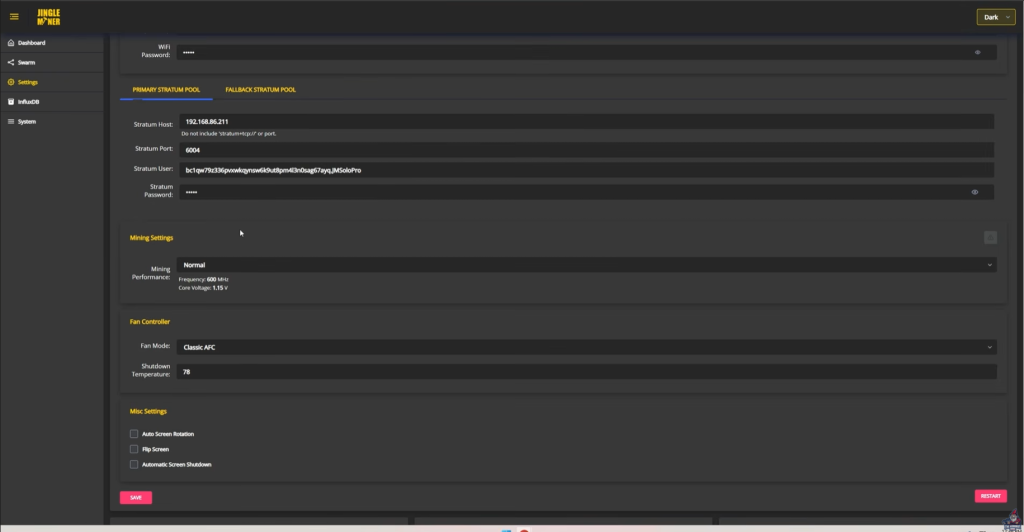
One standout feature: the Solo Pro isn’t just “set and forget.” You can tinker:
- Mining Modes:
- Normal: Default
- Overclocked: Push for more hash
- Custom: DIY settings for board and fan
“I love the fact that we as home miners have that ability. I like when home solo bitcoin miners give us that flexibility which is great.” – The Hobbyist Miner
- Fan Controls:
- Auto (AFC): Let it manage cooling
- Manual: Choose your fan speed
- Experimental PID: Try new algorithms
Pro Tip: Don’t make it silent by turning down the fan too much—you’ll bake the chips and risk a dead miner!
Hashrate and Efficiency Results
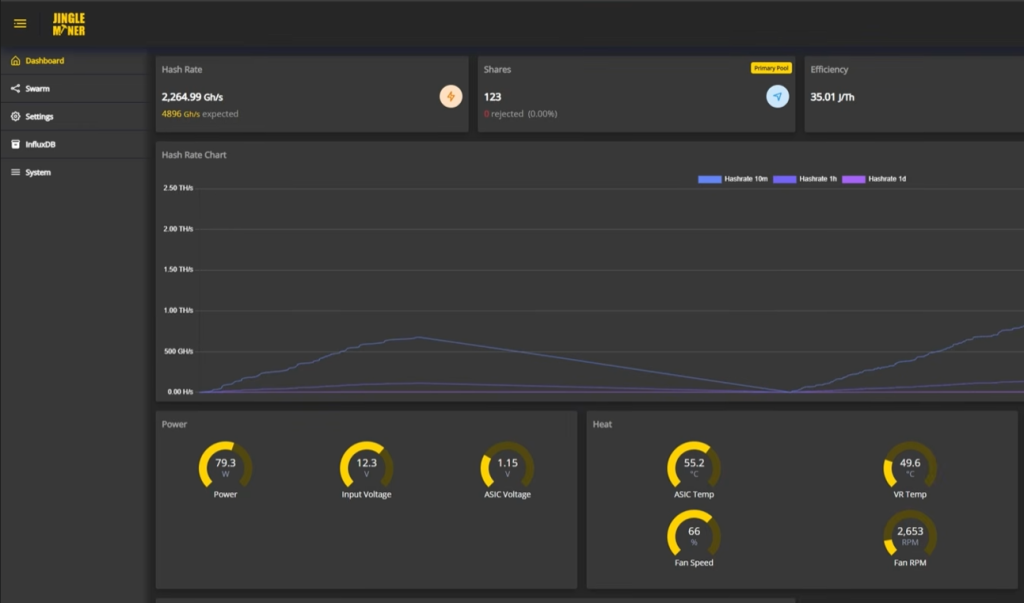
Let’s get to performance: does the Solo Pro do what it says?
Warm-Up Period
- Takes about 20-25 minutes from cold start to hit full 4.8TH/s.
- Live hashrate visible on both front screen and the web portal.
Hashrate Results
- Advertised: 4.8TH/s
- Reality: Reached 4.830TH/s after 25 minutes—right on target.
Power Consumption
- Advertised: 96W
- Actual (Measured @wall): 90W (yup, even less than advertised!)
“It’s actually really nice to be below the advertised watts. That happens very, very rarely. So 4.8 terahash at 90 watts total.” – The Hobbyist Miner
Noise Level (dB meter test):
- Idle: 49 to 50 decibels
- A little louder than your average desk fan—fine for an office, maybe a little much for a bedroom.
Final Thoughts: Is the BTC Solo Pro Right for You?

Let’s wrap this up with the pros, cons, and who this miner is really made for.
Key Takeaways
Pros:
- Super easy to set up—truly plug and play, great for home enthusiasts.
- Build quality is solid—metal, not plastic.
- Low power draw—can run in any room, on any home outlet.
- Accurate (or better) efficiency—beats advertised power at wall.
- Customizable—fan speeds, overclocking, and more.
- RGB bling! Fan lighting is cool, not necessary, but adds a modern vibe.
- Quiet-ish—not silent, but totally doable for home or office.
- Wi-Fi connectivity—no need for ethernet cables.
Cons:
- No Ethernet port—Wi-Fi only may annoy some network purists.
- Won’t make you rich unless you hit the “block lottery”—it’s a fun hobby, not a salary.
Is This Miner for You?
- Yes if: You want to experiment with home mining, love the thrill of solo mining, or want a mining device you can run quietly in any room.
- No if: You need guaranteed, predictable income from mining (join a pool with a bigger ASIC!).
Final Words
“Thanks for sticking through this detailed breakdown of the Jingle Miner BTC Solo Pro. Whether you’re starting your home mining journey, adding to your solo mining arsenal, or just have the itch to get your hands on some new tech, this miner is a solid option for the pure fun of “mining the Bitcoin lottery” at home.” – The Hobbyist Miner
Ready to try your luck and possibly hit a Bitcoin Block!? Snag a Jingle Miner BTC Solo Pro from Jingle Mining today. Use code “HOBBYISTMINER” for a Discount at Checkout!
See You Next Time!
Got questions? Join The Hobbyist Miner Comunity Discord for great fellow crypto miner conversation, community help and more! Join entirely free here!