Rare All-White NerdQAxe++ New Home Bitcoin Miner! – Hands-On Unboxing, Full Review, and Real Solo Mining Results
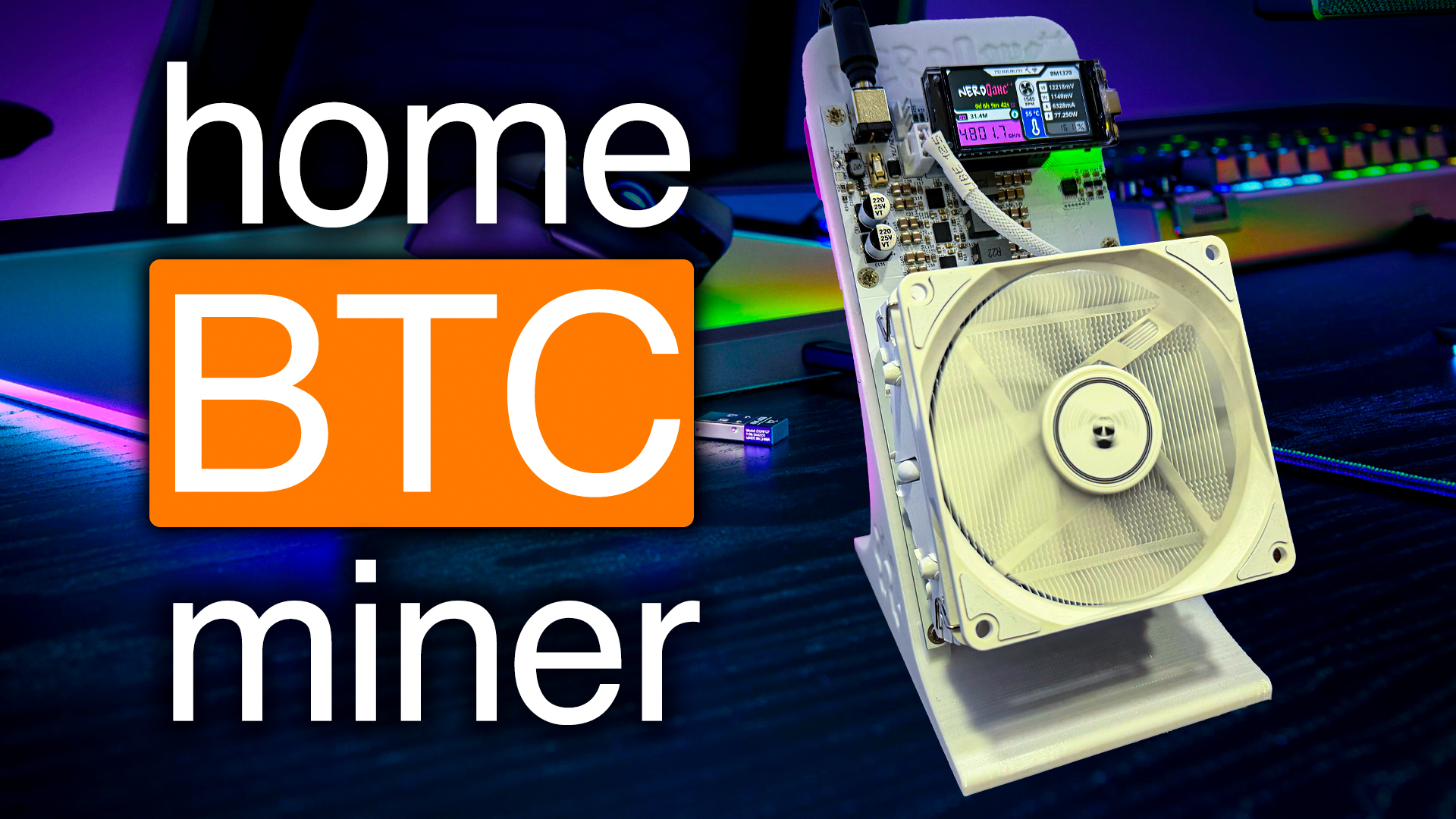
Are you a GPU miner from back in the day, obsessed with those sleek all-white builds? Maybe you always had your rig looking as clean as possible – white GPUs, white cables, the whole nine yards. Well, I have something that’s going to get your attention big time: the brand new Nerd QXAxe++ Snowbird Limited Edition. This miner is not just another Bitcoin box – it’s a piece of pure, snow-white mining art. So let’s do what we do best: unbox it, set it up, push it to its limits, and talk real numbers about running this thing solo at home.
For more on this topic check out this detailed video: Rare All-White NerdQAxe++ New Home Bitcoin Miner!
Table of Contents
- First Impressions – The Unboxing Experience
- Design Deep Dive – The Whiteout Look
- What’s in the Box? Accessories & Hardware
- Plugging In & Getting Connected
- Solo Mining with the Nerd QXAxe++: What It’s Really Like
- Running the Numbers – Electricity, Hashrate and Payouts
- Mining Directly to Your Own Node – It’s Cooler Than You Think
- Tuning, Overclocking, & Pool Management
- Price and Should You Buy?
- Let’s Talk! Your Hashrate, Your Experiences
First Impressions – The Unboxing Experience
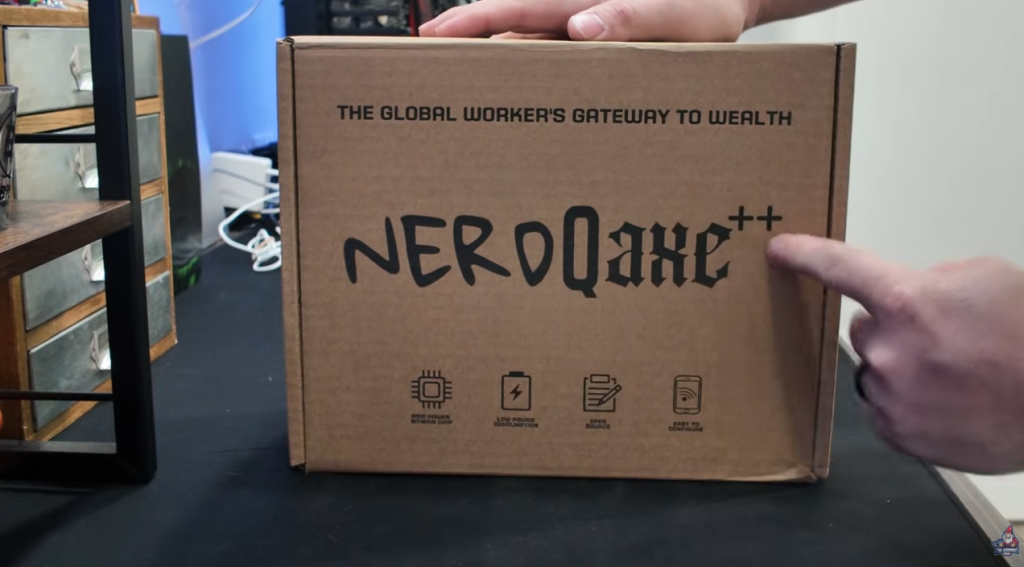
Alright, let’s dig in. There’s something special about that first unboxing – the anticipation, the new gear smell, the faint hint of static electricity, and the bragging rights of having hardware nobody else on your street owns (yet). So, the Nerd QXAxe++ Snowbird Limited Edition. Here’s how it comes:
First off, the packaging is top-tier. Not your run-of-the-mill brown box with some foam thrown in, but something actually felt-like – literally felt-y to the touch. This miner is packaged like it’s meant to be shown off, not hidden in the garage or mining shed. The folks behind this really went above and beyond.
They brand this edition as “Snowbird,” and wow, it makes sense as soon as you get eyes (and hands) on it. The vibe is high-end boutique, not industrial server farm.
Here’s what stood out right from the first unbox:
- Felted, fancy packaging
- That new hardware smell
- Every inch of the hardware is snow white (more on that in a second)
Just unboxing it, you’ll find yourself considering putting it on your office shelf instead of the shed. This thing is a conversation starter.
Checkout the unboxing for yourself in this video
Design Deep Dive – The Whiteout Look

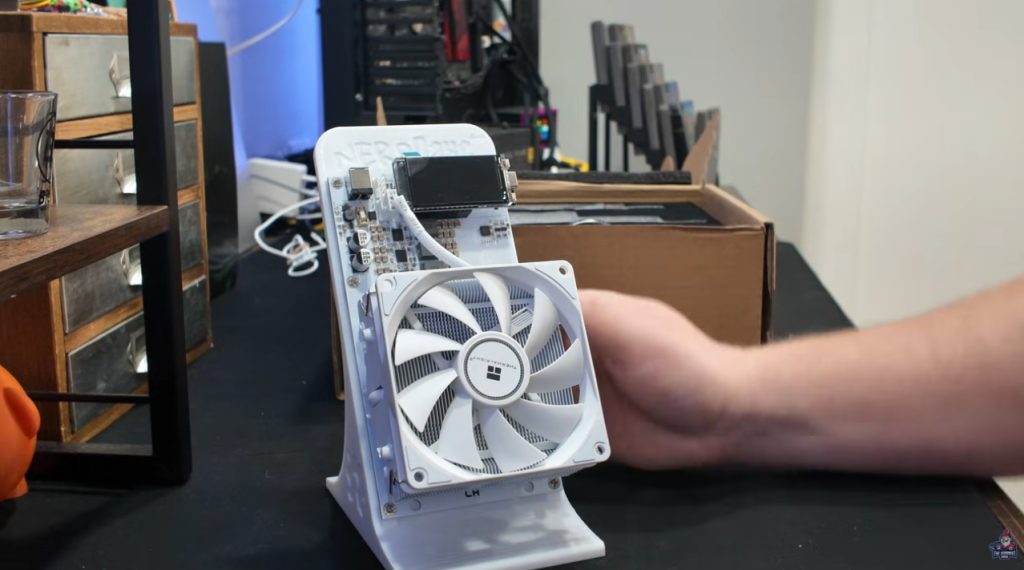
Calling all white build elitists: you’re going to drool. The Snowbird Limited Edition is white on white on white.
Let’s break down the details:
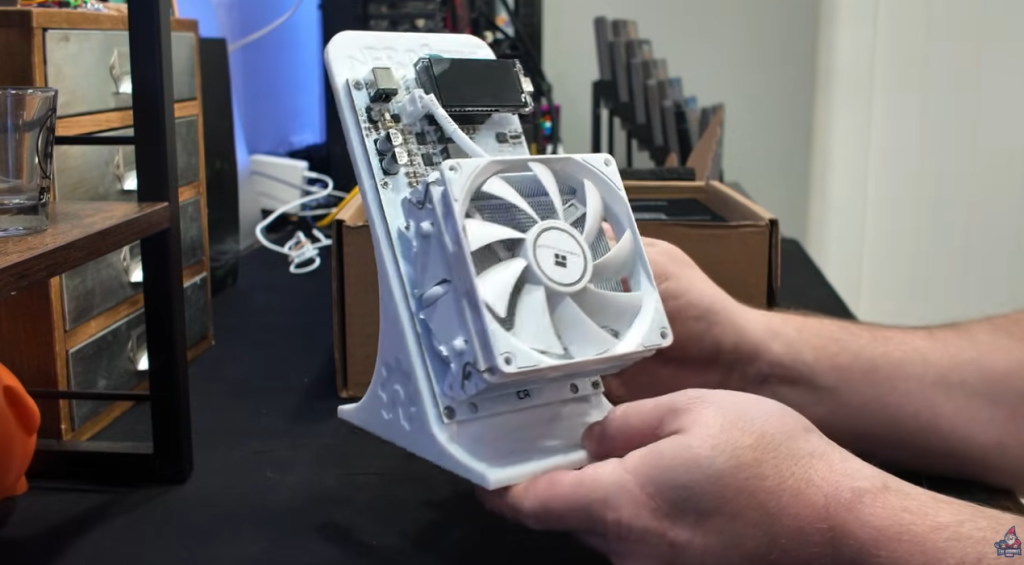
- White 3D printed stand: Even the stand is pure white, not some off-white or recycled grey.
- White fan: Nice touch – it’s not easy to source white fans, especially ones with decent bearings and airflow.
- White heatsink: This is crazy. Most heatsinks are cheap, shiny aluminum or anodized black for a reason (ease of manufacturing) – these went with a full powder-coat white.
- White heat pipes: Even the heat pipes got the full treatment.
- White fan cable: No ugly mismatched colors here.
Even the bracket for the ASIC chip is powder-coated white. Every detail, down to the last fastener, is matched – if you’re obsessed with aesthetics and that clean look, nothing else on the market comes close.
“The board itself is white too. This is one of the highest-quality 3D-printed stands I’ve seen – not flimsy and cheap, but really sturdy.” – The Hobbyist Miner
Thermalright provides the cooling fan, and if you know PC cooling, you know that’s a reputable brand.
What’s in the Box? Accessories & Hardware
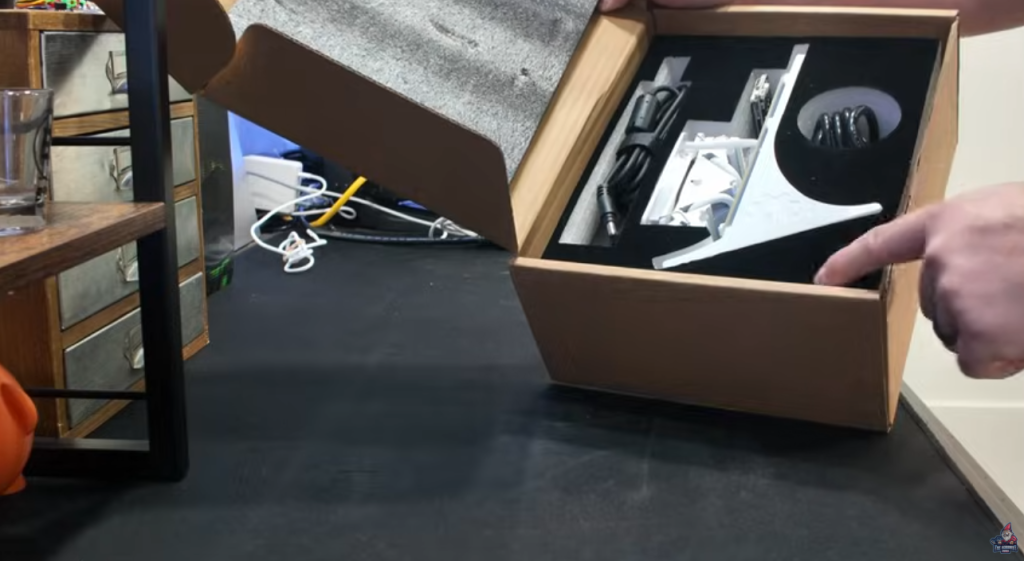
Enough gawking – what comes with the box? Let’s run through the accessories and focus on that actual hardware.
- Power Cable
- Rated for 110V–240V, meaning you’re covered no matter where you live
- 3A max input, up to 10A output (so you’re not going to trip any breakers)
- Barrel Plug
- Traditional DC barrel style for powering the unit
- Standard C13 to NEMA515 Cable
- For use if you have traditional server-grade power strips or extension cords
No surprises, just everything you need to run the hardware out of the box. Let’s get to what you really care about: plugging it in and seeing those bright digits on the display.
Plugging In & Getting Connected
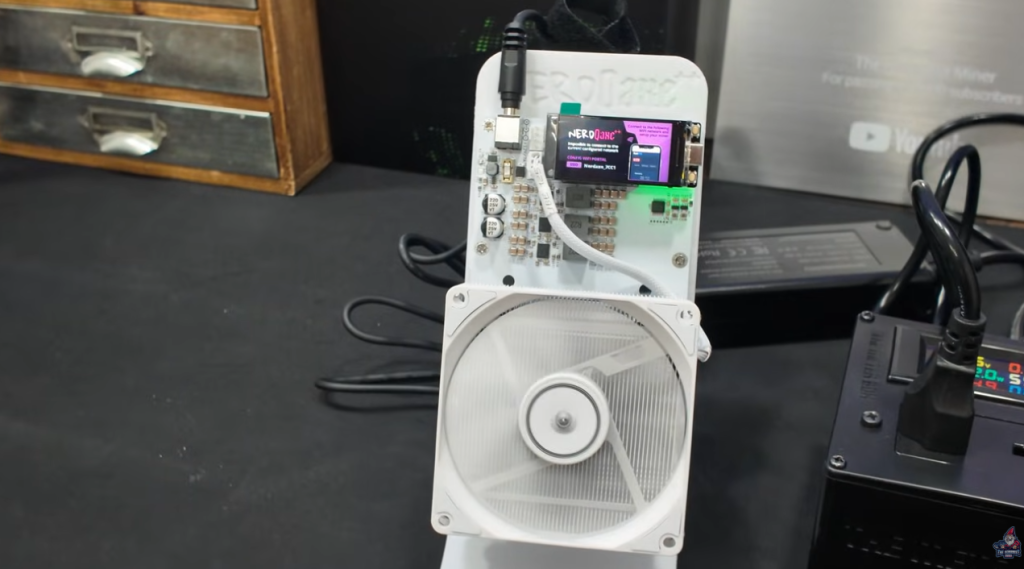
Time to power up! Here’s the setup:
- Nerd QXAxe++ Snowbird Limited Edition plugged into a watt meter (time for some real data)
- Display screen right up front
Not mining yet? That’s normal. When you first power it up, it’s sitting idle – that burns pretty close to zero watts. The display shows you an SSID you’ll connect to with your phone.
Quick Setup Steps:
- Connect your phone to the SSID shown on the display.
- Open a browser and go to 192.168.4.1.
- You’ll land on the web interface.
- Stick in your home WiFi SSID and password.
- The miner connects to your real WiFi, and you’re off to the races.
This kind of setup is fast – you don’t need to be a network wizard.
Some nerd stuff for the interested: The miner is set, out of the box, to run at 5 terahash per second (TH/s) at about 80 watts. We’re going to see what it actually does (and, of course, how much we can push it with overclocking).
Solo Mining with the Nerd QXAxe++: What It’s Really Like
Let’s get real for a second. This is not a plug-and-play money printer. If you’re coming from the “how much do I earn per day” mindset, you might want to look elsewhere.
“Solo Bitcoin miners are for purely playing that bitcoin lottery.” – The Hobbyist Miner
What does that really mean? Unlike big ASICs that crank out some daily Bitcoin payouts, solo miners like the Nerd QXAxe++ are here to play the lottery. Here’s how that works:
- Every 10 minutes, someone somewhere in the world finds a Bitcoin block (the block reward is huge, like $284,000 at the time of this writing)
- With solo mining, you’re just hoping that your miner is the lucky one to hit it
- It’s real mining, but the payout is all or nothing.
Why Bother With Solo Mining?
- Long odds, but high fun
- No need to re-buy “lottery tickets” (your mining just keeps trying for free)
- It’s more about the journey than the destination
Mindset Check: Not for the ROI Chasers
Let’s look at the numbers – and why you shouldn’t buy this just hoping to stack BTC daily:
- At 5 TH/s and 80 watts, earning per day is about $0.19 (at $0.15 per kWh)
- The cost in electricity is about $0.29/day
- That means you’re running at a loss of $0.10/day
So, don’t buy this expecting to pay off your mortgage. This is for folks who love mining tech, love the thrill of the “Bitcoin lottery,” or just like to flex a cool-looking miner on the shelf.
“This is not a shortcut to paying big bucks for a full-size ASIC miner that’s going to bring you in significant Bitcoin per day.” – The Hobbyist Miner
Let’s dig deeper.
Running the Numbers – Electricity, Hashrate and Payouts

To show you just how lottery-ish this is, let’s use sololuck.com:
- Plugging in 5 TH/s for 365 days
- Your odds of hitting a block? 1 in 4,348 per year.
- That block is worth, as of the review, $284,259 USD
So… yeah, it’s mostly for the fun. But every ticket (miner) is a chance!
Mining Directly to Your Own Node – It’s Cooler Than You Think
Mining Directly to a Local Bitcoin Node
Rather than connecting my miners to a big public pool and sharing my Bitcoin block reward(if I was to hit a block), I’m sending all my hashpower straight to a local Bitcoin node at home — and you can set up the exact same thing. I walk through the whole process in my setup video.
“I actually have a full video showing how to set this up on any old PC you’ve got lying around. It’s super beginner-friendly, and I definitely recommend checking it out.” – The Hobbyist Miner
If you’d rather buy a Bitcoin Node that is setup and configured for you out of the box, checkout the Bitcoin Merch XNode Bitcoin Node
Tuning, Overclocking, & Pool Management
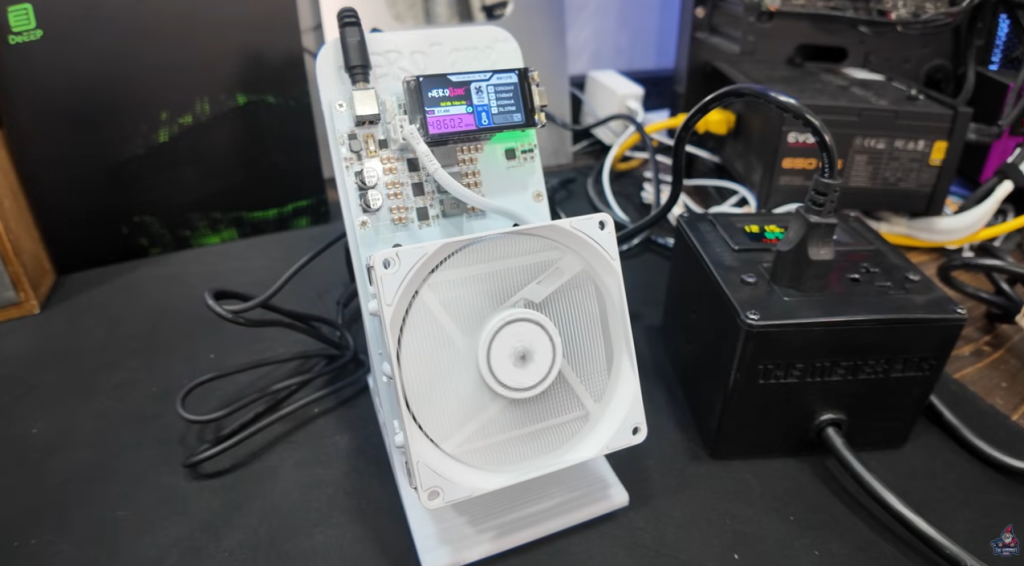
Out of the box, the NerdQXAxe++ Snowbird Limited boots to 5 TH/s and ~80W, but can we push it further? You know I love overclocking – let’s get that extra juice.
Pool Setup Walk-Through
Here’s how simple it is in the NerdQXAxe++’s web GUI:
- Enter your pool’s IP (192.168.x.x), as provided by your node or pool dashboard.
- Add the port (2018 is the default for many setups).
- Enter your mining address and worker name (<yourBTCaddress>.NerdQAxWhite).
- Hit save – done!
- Optionally: toggle overclocking settings.
Overclocking & Power Setup
You can push these miners further – often bottlenecked by two things:
- Chip temperature: When you push more voltage, heat spikes
- Power supply limits: 120W supply might cap you; lots of folks upgrade to 200W units for more safety headroom
Some brave souls even dunk these units in full immersion cooling setups for hardcore overclocking (I’ve got a linked video guide on that if you’re feeling adventurous).
Price and Should You Buy?
Let’s talk price.
- Standard price: $499 (was $499, recently on sale for $449 for the colored – not limited – versions)
- Snowbird Limited Edition (all-white): $499
- Where to Buy: Bitcoin Merch
- Discount Code: “TheHobbyistMiner
Who should buy this miner?
- Fans of premium, top-class aesthetics
- Old-school white GPU build obsessives
- Bitcoin solo miners for fun, not ROI
- Anyone who wants a “showpiece” at home or in the office
Who might want to skip?
- People who only care about daily profitability
- Folks looking for ROI over looks or fun
“Solo Bitcoin miners are for purely playing that bitcoin lottery… You buy it once and you don’t have to rebuy a “ticket” every 10 minutes like you would a lottery ticket. It just runs and runs and runs.” – The Hobbyist Miner
See you next time – happy mining, and may the solo hashrate odds be ever in your favor!