
The Perfect Beginner Home Solo Bitcoin Miner— Jingle Miner BTC Hash Card
Welcome back, fellow crypto miners! Today, we’re diving deep into a brand new piece of mining tech that’s making some serious waves—the Jingle Mining BTC Hash Card. If you’ve been searching for a high hash rate miner at a wallet-friendly price, you’ll want to stick around for this one. We’re going to unbox it, set it up, put it through its paces, and even compare it with one of its hottest competitors. Plus—we have a giveaway opportunity you won’t want to miss at the end!
Table of Contents
- Unboxing the Jingle Miner BTC Hash Card
- First Impressions & Packaging
- Exploring the Specs and Features
- Setting Up the Miner (Wired & Wireless)
- BTC Hash Card vs. Power Mining Nerd Octax: Which Wins?
- Solo Mining Odds: Playing the “Bitcoin Lottery”
- Node Setup & Homepool Magic
- Multi-Coin Mining with SHA256
- Performance Review: Hash Rate, Power, and More
- Noise Levels and Safety Discussion
- Giveaway Details: Win Your Own BTC Hash Card!
- Final Thoughts
Unboxing the Jingle Miner BTC Hash Card

What’s In the Box?
Let’s get right to the exciting part—cracking open that box! JingleMining has done a solid job with the packaging this time around.
Inside you’ll find:
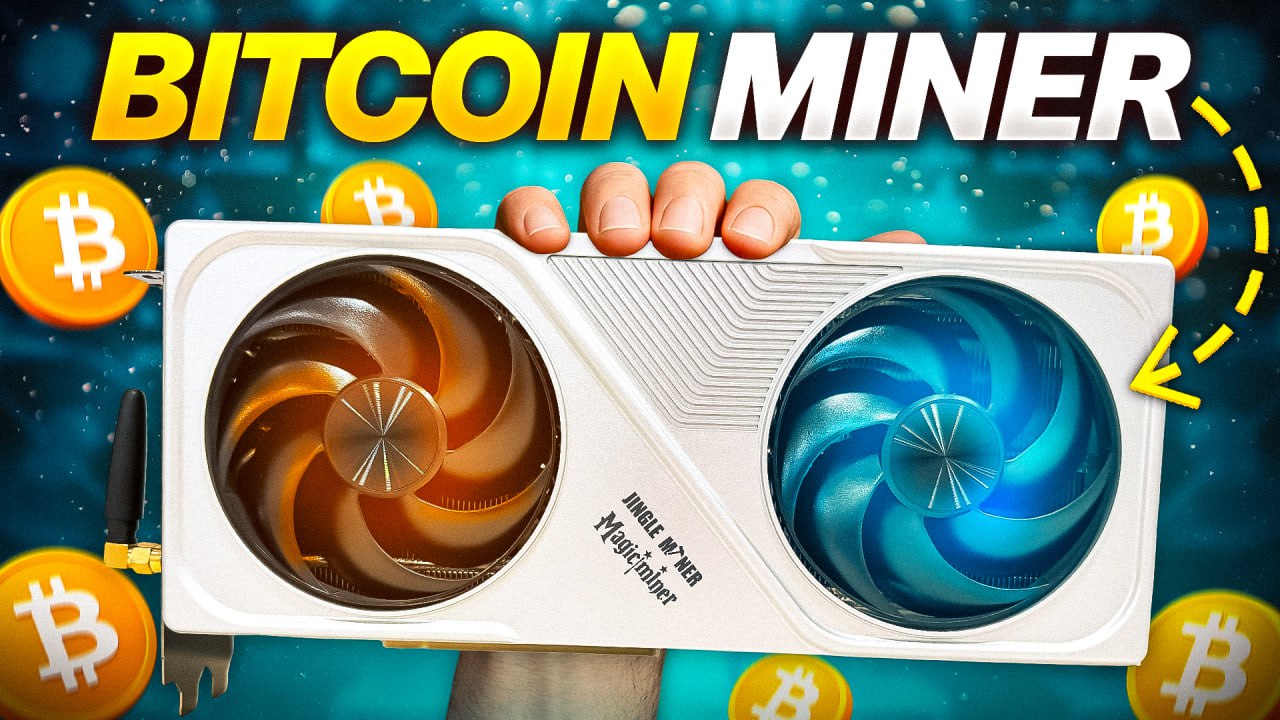
- The Jingle Miner BTC HashCard itself (looking suspiciously like a beefy GPU)
- Power supply (400W, overbuilt for our miner’s 200W needs)
- PCI-style stand (pretty basic, but gets the job done)
- Collab insert with Magic Miner & QR code
- Power cable and universal outlet adapter
Unbox The Jingle Miner BTC Hashcard with me – Click Here
First Impressions
The miner comes swaddled in foam for proper protection—which is always a big thumbs-up. You’ll notice the power supply resembles those old HP server units, but in this case it’s much tidier and professionally put together, with a neat braided cable sleeve.
Jingle Mining’s “stand” for the miner? Well, it’s a little wonky and clearly 3D printed. While it works, there’s nothing special about it. (More on better stand options in a bit.)
First Impressions & Packaging
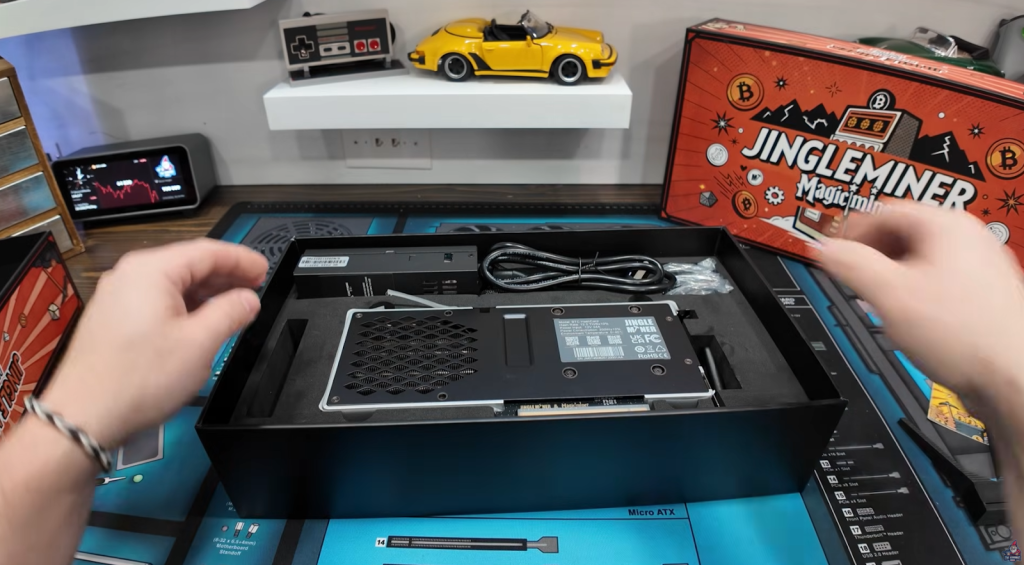
Opening the box, you get a sense that Jingle Mining is trying to blend the nostalgic feel of GPU mining with the current ASIC solo mining movement. The BTC Hash Card is literally built to mimic a graphics card—it even has a faux PCI slot (no, it’s just for show and doesn’t actually interface with a motherboard).
Accessories Overview
- Custom Power Supply: Not the cheap, DIY-style you sometimes get with mining gear; Jingle Mining did it right with safe, clean assembly.
- Adapter: Includes a universal plug converter, but honestly, it’s better to pick up a proper C13 to C14 cable for safety.
- Stand: The stock stand is nothing to write home about, but shoutout to Kaytrim, a community member who 3D prints a much-improved stand for this miner (and GPUs in general). You can find his stuff on here.
Exploring the Specs and Features

This miner is not your average USB stick or micro-ASIC—it’s a full-bodied SHA256 ASIC masquerading as a GPU. Here’s the quick rundown:
| Feature | Specs |
| Hash Rate | 12.5 TH/s (+/-) |
| Power Supply | 12V @ 34A, PS rated 400W |
| Power Draw | 200W (+/- 10%) — tested later |
| Connectivity | Ethernet (recommended) & WiFi |
| Solo Operation | Yes, standalone, no PC required |
| Screen | Large color display (shows stats, BTC) |
| Operating Temps | 0–40°C |
A Closer Look
The built-in color screen is actually useful, showing:
- Live hash rate
- Fan speed
- Temperatures
- Power usage
- Real-time BTC price
The miner fires up via a simple toggle power button on the backside. For the cleanest experience, always use a wired Ethernet connection (especially if you’re running a home node), but you can set up WiFi via the ad hoc setup if needed.
Setting Up the Miner (Wired & Wireless)

Plugging Everything In
- Plug in the PCIe 8-pin for power.
- Connect the power supply to the wall. Double and triple check your adapters if needed—but again, get the proper cable for best results.
- Choose your network: Plug in Ethernet (recommended), or follow the screen instructions to set up WiFi.
Once you hit the toggle switch, you’ll see the fans spin up. Don’t worry, they’re not loud— think “ceiling fan on low” instead of “hairdryer on high.” The vivid screen pops up, displaying some crucial info (IP address, temps, hash rate, live BTC price).
Watch the First Power Up of the Jingle Miner BTC Hashcard with Me Here
Network Setup
If you’re running Ethernet, the miner will grab an IP address. For WiFi setup, you connect to it directly via your phone, then link it to your home WiFi network.
BTC Hash Card vs. Power Mining Nerd Octax: Which Wins?
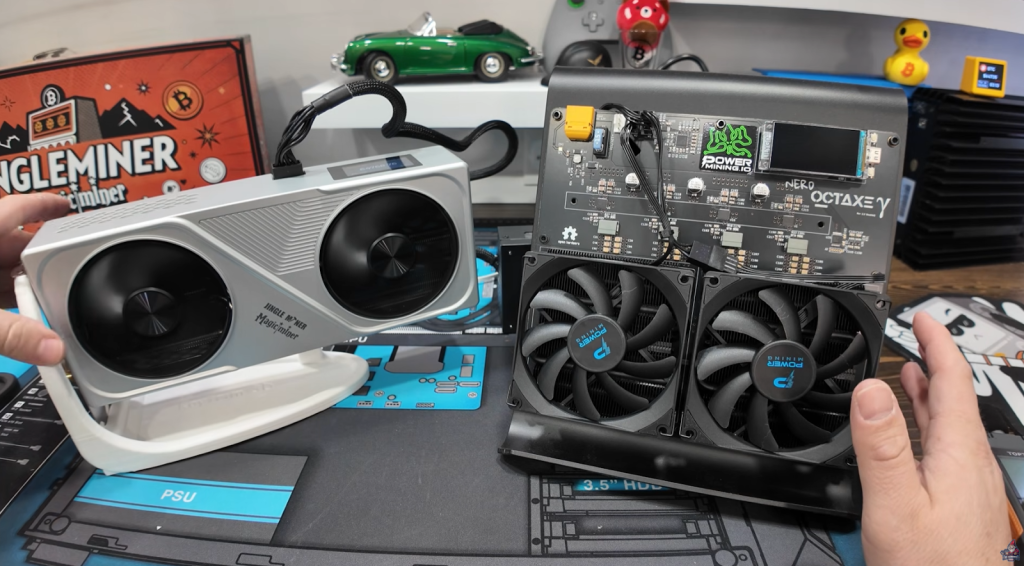
Alright, time for a real head-to-head. If you were eyeing the PowerMining Nerd Octaxe(9.6 TH/s), you’ll want to see how the Jingle BTC Hash Card measures up.
- BTC Hash Card: 12.5 TH/s @ ~$559
- Nerd Octaxe: 9.6 TH/s @ ~$827
Let’s do the quick math:
| Miner | Hash Rate (TH/s) | Watts | Price | Price/TH |
| BTC Hash Card | 12.5 | 200 | $559 | ~$44.72 |
| Nerd Octaxe | 9.6 | 150 | $827 | ~$86.14 |
“So if you’re looking purely from a shopping price perspective and the amount of hashrate you’re going to get… the Jingle Mining BTC Hash Card is the winner here!” – The Hobbyist Miner
Solo Mining Odds: Playing the “Bitcoin Lottery”
Mining solo doesn’t guarantee payout—think of it like entering a lottery every 10 minutes when Bitcoin has a block solved.
- Hash Power Used: 12.5 TH/s
- Net Odds (per year): 1 in 1,606 that your miner finds a full Bitcoin block
“When you purchase a Solo Bitcoin Miner like the Jingle Miner BTC Hashcard. You buy one lottery ticket and it just keeps re-upping, re-upping, re-upping every 10 minutes.” – The Hobbyist Miner
With Bitcoin’s current block reward at 3.125 BTC and a price hovering near $65,000, hitting a solo block could net you close to $200,000.
How to Calculate Your Odds
You can use sites like sololuck.com to estimate your odds:
With our Miner Hashrate: 12.5 TH
Odds per year: 1 in 1,606
Block Value: 3.125 BTC ≈ $202,938
Now let’s be Real! No, you’re not guaranteed anything, but the dream is alive!
Node Setup & Homepool Magic
Why Run Your Own Node?
- Direct Pool Control: You run the “pool” your miners hit, instead of relying on a third party.
- Privacy & Security: Your node, your rules, your data.
- Network Resilience: Boosts the Bitcoin network.
“I actually have a full video showing how to set this up on any old PC you’ve got lying around. It’s super beginner-friendly, and I definitely recommend checking it out.” – The Hobbyist Miner
Multi-Coin Mining with SHA256
Did you know? The Jingle Miner BTC Hash Card isn’t limited to Bitcoin.
If a coin uses SHA256, you can solo mine it! Some coins tested:
- Bitcoin (BTC)
- Bitcoin Cash (BCH)
- Digibyte (DGB)
These other coins typically have much higher odds of finding a block (since the network difficulty is lower).
Performance Review: Hash Rate, Power, and More

How does the BTC Hash Card actually perform in the wild versus what’s on the box?
Real-World Hashrate
- Advertised: 12.5 TH/s
- Tested: Consistently 13–14.4 TH/s (peaks even higher!)
That’s a pleasant surprise! It’s always nice when mining gear overdelivers on hash rate.
Power Consumption
- Advertised: 200W (+/- 10%, so approx. 180–220W)
- Tested at the Wall: 250W
So, power draw is higher than specs—by about 50W. Not a deal-breaker, but worth keeping in mind for your home’s electric bill and power planning.
Efficiency
Let’s do some quick math:
- Efficiency at 12.5 TH/s & 200W = ~16 J/TH
- Real-world: 14.1 TH/s at 250W = ~17.7 J/TH
Still in a solid range for home use, just note the advertised power is a little optimistic.
Tuning & Controls
The web interface lets you:
- Switch between different mining modes (Normal, Efficiency, Custom tweaks)
- Flip the screen orientation
- Adjust the fan (leave on auto for best results)
- Set pool & backup pool configs
Noise Levels and Safety Discussion
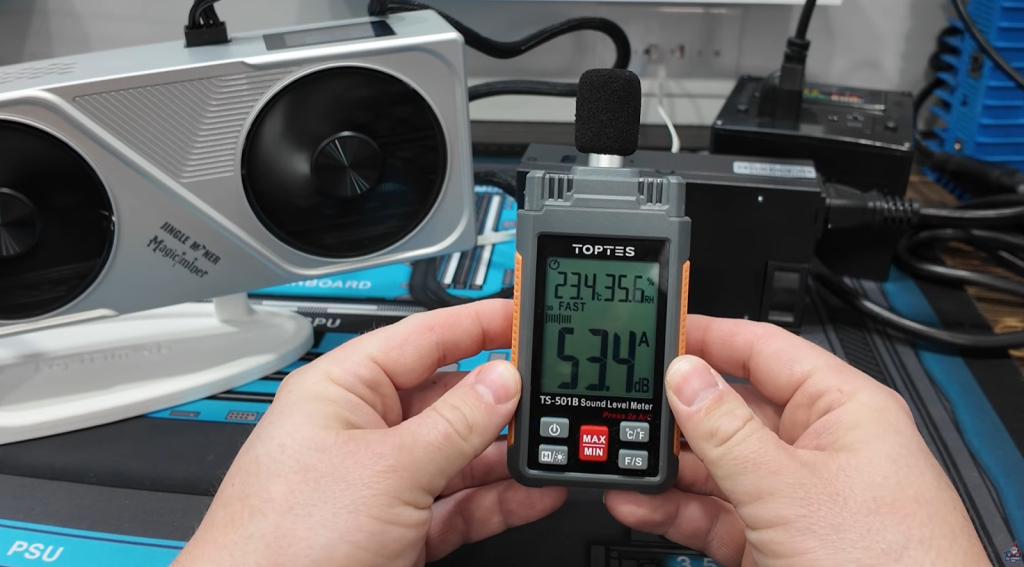
How loud is this thing, really? Is it bedroom- or office-safe?
“Just sounds like a ceiling fan or a rotating fan in that regard.” – The Hobbyist Miner
Measured with decibel meter:
- 6–8 inches away: ~53 dB
- About 3 feet away: ~50 dB (background noise in an office or living space)
For home mining gear, this is pretty quiet—definitely manageable outside of a bedroom and, for many, fine even in a home office.
Safety Considerations
A quick word of warning: Don’t daisy-chain adapters or use sketchy converter plugs. Mining uses a lot of current—play it safe and get quality cables.
Final Thoughts
The Jingle Mining BTC Hash Card makes a strong case for becoming the entry-level ASIC for home solo miners:
- Affordable price per TH
- Sturdy build and clean packaging
- Better-than-advertised hash rate
- Slick, useful screen
- Quieter than most home miners
- Easy setup with web UI and flexible network support
Of course, it draws a little more power than promised—but the high hash rate makes up for it. If you’re looking to play the Bitcoin “lottery,” keep the network decentralized, and maybe even hit the block jackpot—this miner’s a fantastic starting point.
And don’t forget, you can solo mine more than just BTC! With SHA256 support, you can help secure other networks with better odds.
See You Next Time!
Got questions? Join The Hobbyist Miner Comunity Discord for great fellow crypto miner conversation, community help and more! Join entirely free here!