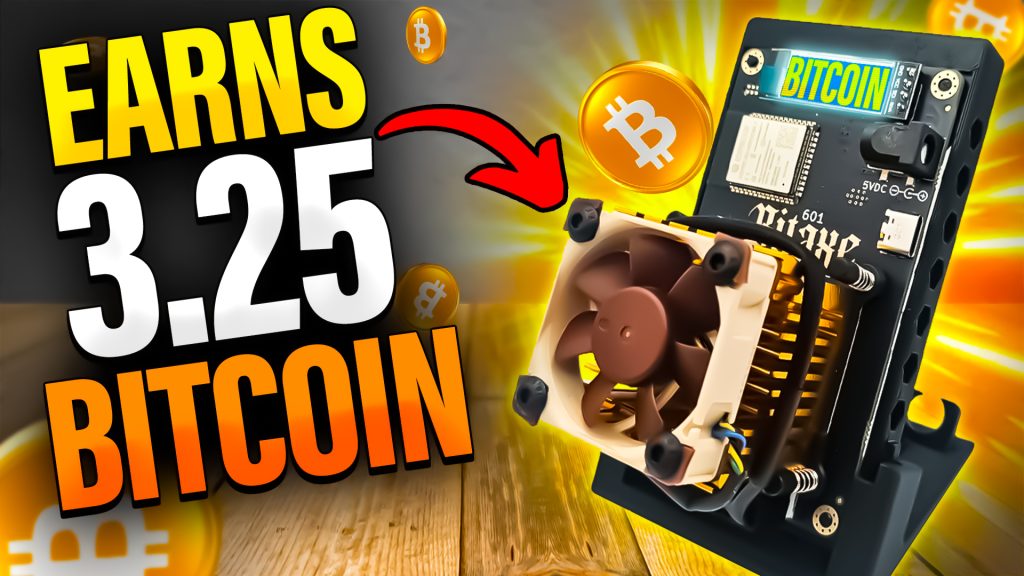
This NEW Nerd Octaxe Home BITCOIN Miner could Hita 3.125 BTC Block!
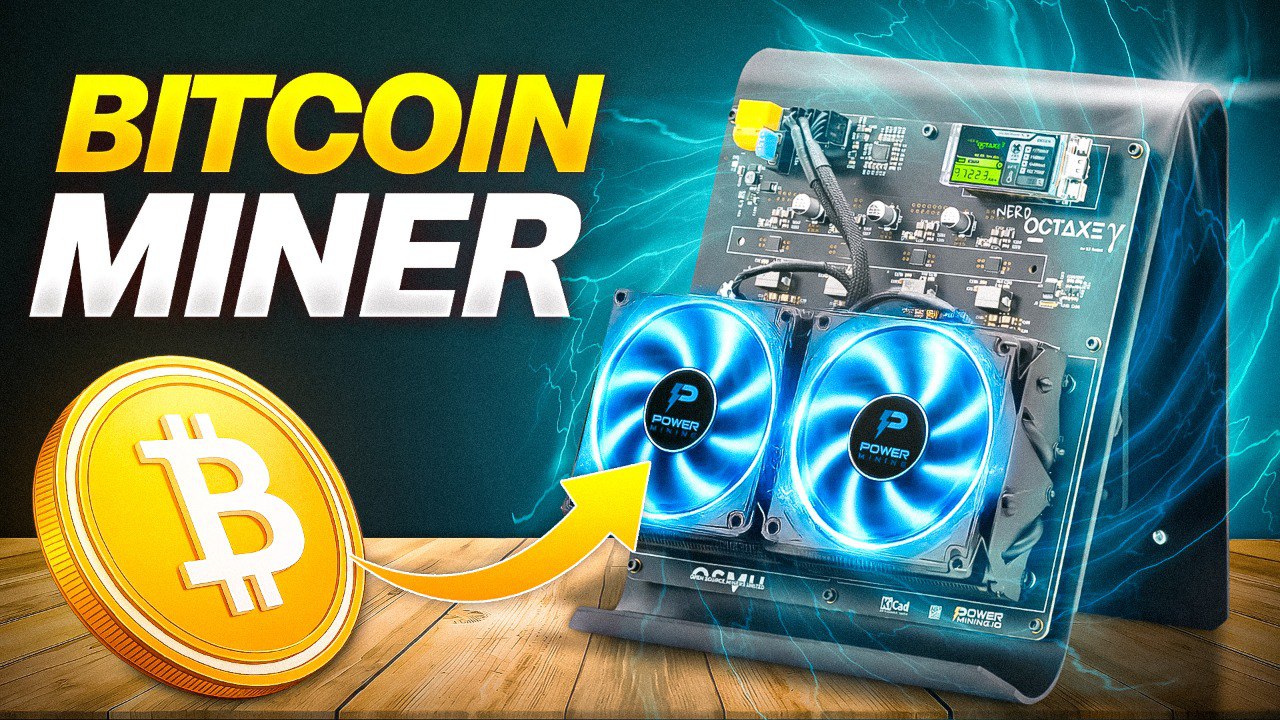
Hey guys! If you’ve ever wanted an inside look at what it’s really like getting started with home Bitcoin mining (and all the wild opportunities, roadblocks, and surprises that come with it), grab fresh cup of coffee and settle in. We’ve got a lot to cover – and trust me, you’re gonna want the visuals…
For more on this topic check out this detailed video: This NEW Home BITCOIN Miner could Earn you 3.125 BTC!
Table of Contents
- First Impressions & Unboxing
- Getting Familiar: Nerd Octax Gamma 2.2
- Hardware Highlights: What Sets This Miner Apart
- Hashrate & Power: The Double-Edged Sword
- The Complete Package: What’s In The Box?
- Real World Setup: Powering On & Connecting
- Live Demo: Startup, WiFi, and Software
- Profitability Reality Check: Bitcoin vs Bitcoin Cash
- Mining Pools, Solo Nodes, and Why They Matter
- Dashboard Deep Dive
- Live Performance: Wattage, Hashrate, Stability
- Wrapping Up: Final Thoughts & Links
First Impressions & Unboxing
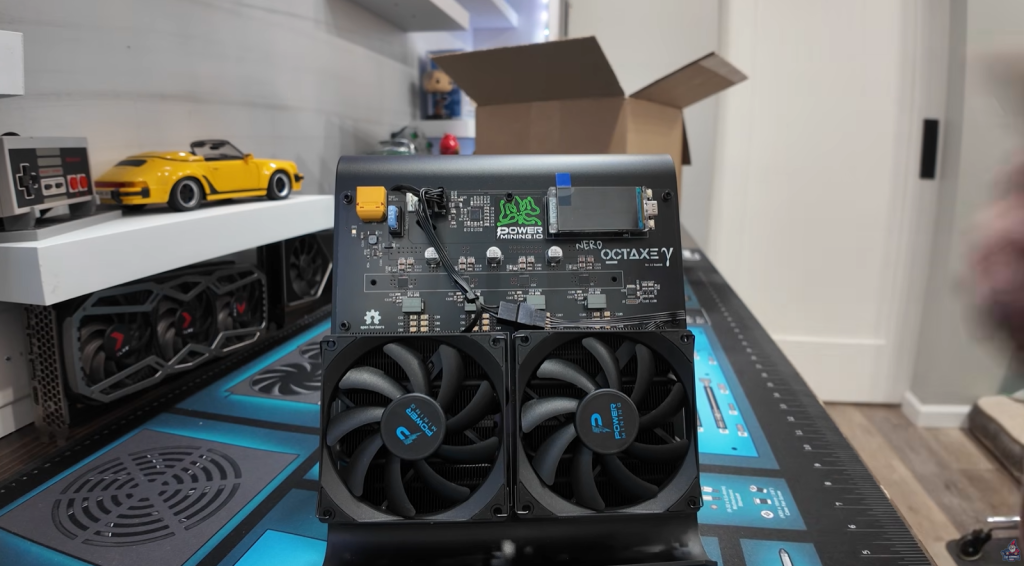
So here’s the scene: I just received a delivery from Power Mining. Big shout-out to their team for hooking me up! I can’t tell you how long I’ve waited to get my hands on this miner. The tech for home solo Bitcoin mining has come so far it’s kind of bananas, and it’s more plug-and-play than you’d ever imagine.
Getting Familiar: Nerd OctAXE Gamma
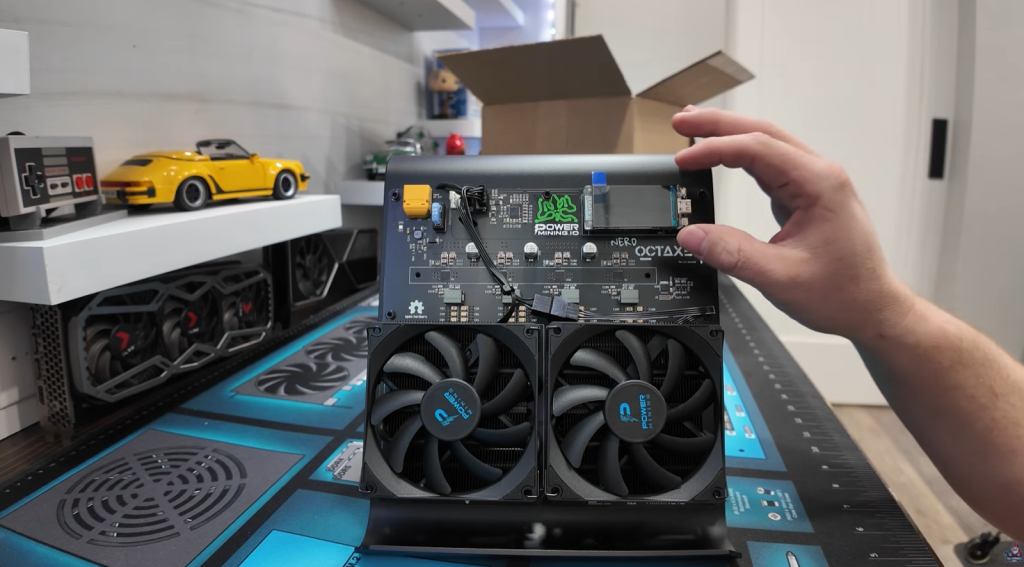
Front and center, we’ve got the newest revision of the Nerd Octaxe from Power Mining, stamped “Double Q” on the right-hand side. This is the Gamma 2.2 revision, and it comes loaded with improvements that make it way more than just a box of chips.
Let’s walk through what makes this thing so special.
Gorgeous, Sturdy Screen & Brackets
- The big LilyGo style screen instantly stands out. It’s not just for show – it’s sturdy, securely fitted with dual brackets so there’s no “wobbly” feel, like cheaper models.
- You won’t have to worry about the screen coming loose, even if you’re moving the miner around or plugging/unplugging cables.
Sweet New Power Connector
- The new XT style power connector replaces those old-school barrel connectors that got crazy hot in earlier models.
- This change means way more reliability and safety, especially over longer mining sessions.
Hardware Highlights: What Sets This Miner Apart
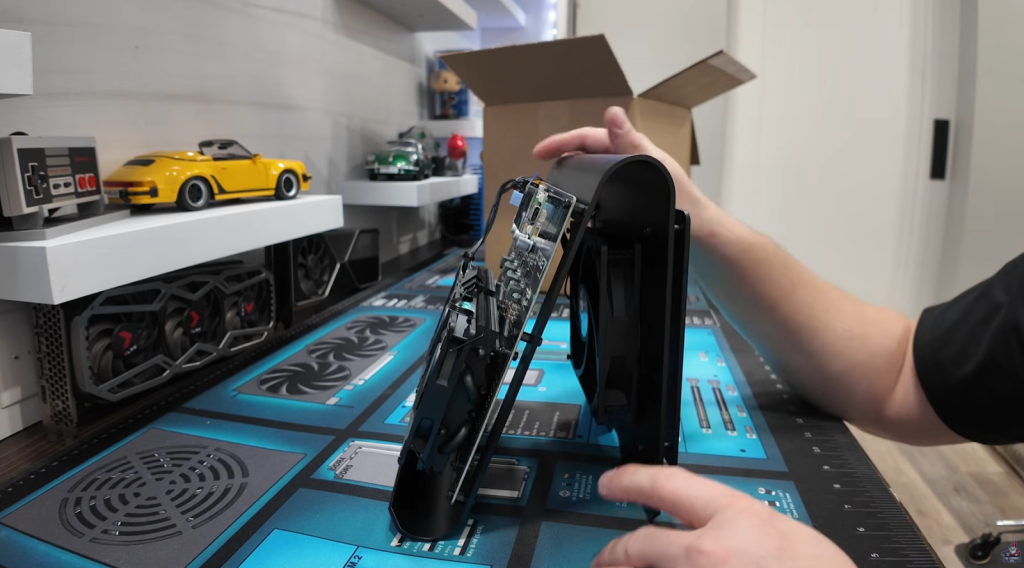
There are a bunch of details here you won’t see on your run-of-the-mill miners.
Cooling Like a Pro
- Dual power mining fans on the front give excellent cooling.
- Inside, there’s a third fan on the back, cooling the backside of the boards – airflow comes in, gets pushed through, and helps keep your hardware from overheating.
- The design here beats most home miners I’ve tested – if you care about stability, this is huge.
Build Quality & Cable Management
- Not a cheap 3D printed case – real metal, almost definitely aluminum.
- The cables are TIDY. Power Mining clearly spent extra time managing wiring – no spaghetti mess here.
“I am a big cable nazi. I love that they even took the extra minute to clean up the cabling in here.” – The Hobbyist Miner
Fuses & Safety
- Running a 15A fuse – and Power Mining even sends a backup fuse plus the needed Allen key for quick fixes.
- With the extra fuse and easy access, downtime for repairs gets slashed.
Hashrate & Power: The Double-Edged Sword
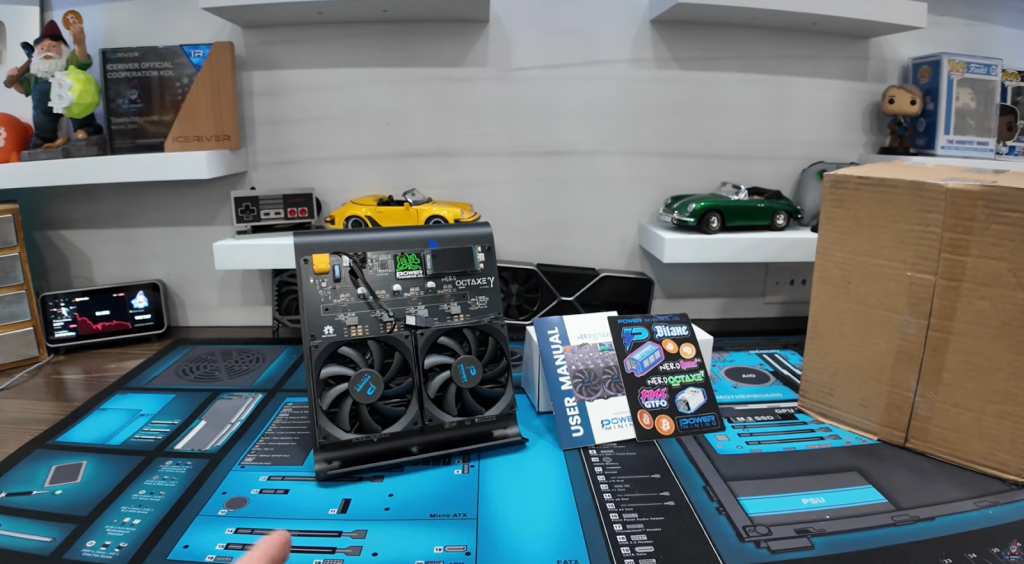
Now, let’s talk numbers. Here’s where things get juicy:
- Hashrate: The word on the street is this thing can do upwards of 10 terahash. That’s insane for a home miner. I still have (and love) my old 1 terahash Bitaxe… but this blows it out of the water.
- Power: It’s rated for about 180W out of the box, but if you overclock, the XT60 connector can handle up to 216W safely.
The Nerd Octax Gamma at a Glance
| Feature | Detail |
| Model | Nerd Octax Gamma 2.2 |
| Hashrate | ~9.6 – 10 TH/s |
| Chips | 8x BM13700 (S21 Pro class) |
| Power Consumption | 160-180W (up to 216W OC) |
| Cooling | 3x high-quality fans, airflow |
| Screen | LilyGo, High-Res |
| Connectivity | WiFi 2.4GHz, USB-C for debug |
| Software | AxeOS (open source) |
The Complete Package: What’s In The Box?

Let’s lay it out:
- Nerd Octaxe Gamma 2.2 miner
- XT60 style power brick (100-240V, 12V/18A, up to 216W)
- Backup 15A fuse
- Allen head key (for repairs/disassembly)
- Power Mining sticker
- Neat, pre-managed cables & brackets
It’s the full starter kit, so you can literally unbox and get mining in under half an hour.
Real World Setup: Powering On & Connecting
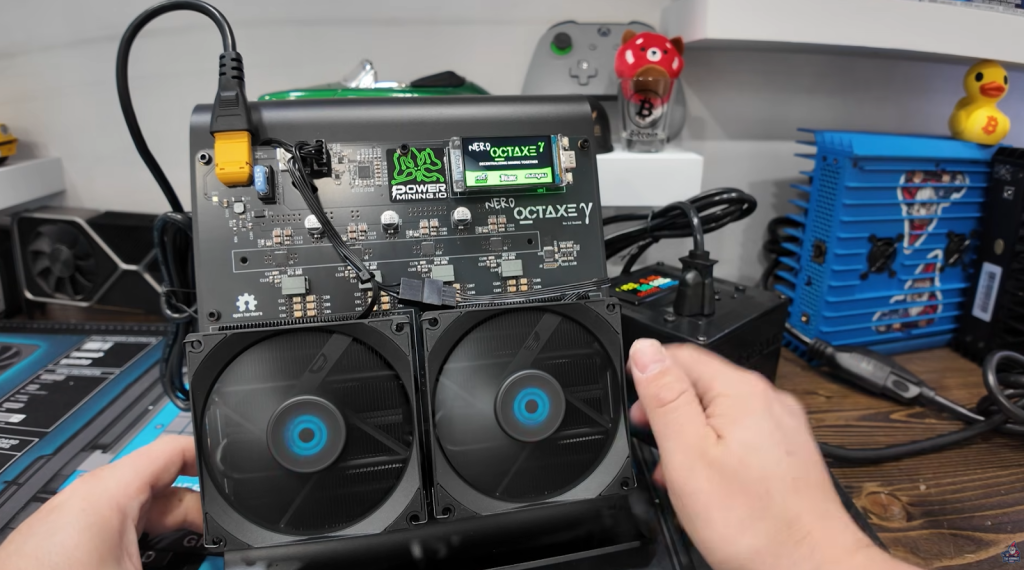
Alright, enough theory. Let’s power this bad boy up and walk through the real-world steps.
Connecting the Power
- Plug the XT60 power connector in snugly; it’s a male/female system so you can’t go wrong.
- Peel off that satisfying protective plastic from your LilyGo screen (everyone loves that moment).
Powering Up
- Flick the switch – fans kick on immediately so airflow starts strong.
- The screen lights up with your miner’s name (“Nerd Octaxe”) and then displays a WiFi configuration portal and SSID. You can literally connect from your phone like you would to a coffee shop Internet.
See the First Power Up for yourself in this video
Live Demo: Startup, WiFi, and Software

Connecting to the WiFi is easy – the miner starts up its own hotspot, you join, enter your home WiFi credentials, and you’re good to go. Once you’re networked, the software steps are just as straightforward.
Open Source Software
- Runs Axeos – entirely open source.
- If you want, you can use the USB-C port to plug directly into your computer for updates or debugging, but WiFi is the main way most folks set it up.
Display with multi screen options
- Real-time hashrate
- Power draw in watts
- Chip temperatures
- Fan speeds
- WiFi status
- Uptime and stability
- Quick links for settings, overclocking, firmware, mining pools
Profitability Reality Check: Bitcoin vs Bitcoin Cash
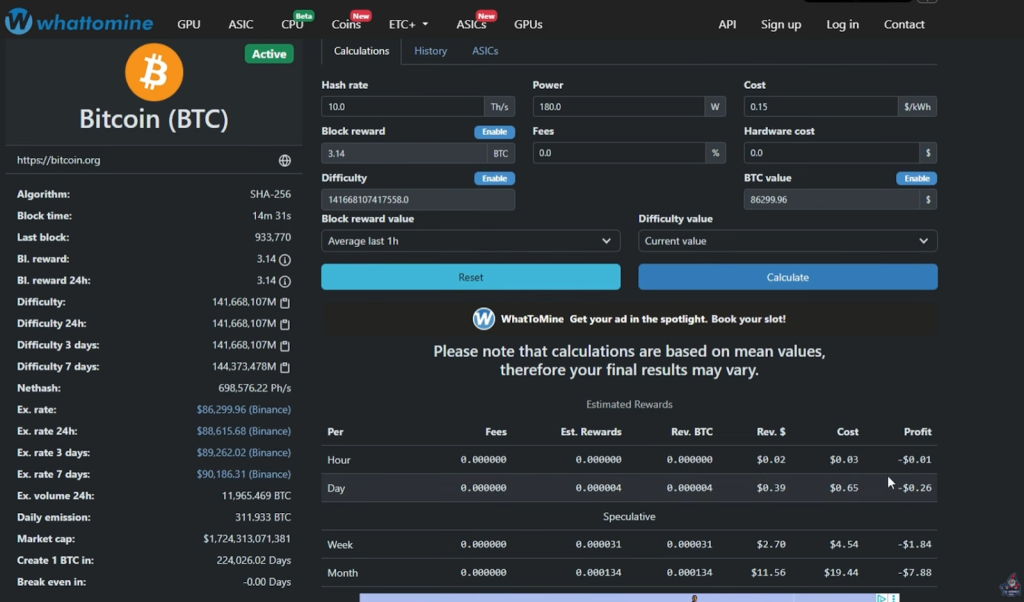
Here’s the elephant in the room: Is solo mining Bitcoin profitable with a 10 TH/s home miner?
Let’s look at the numbers and see what reality looks like.
Calculating Profit
- Hashrate: 10 TH/s
- Power draw: 180W (but can push up to 210W in real life)
- Electricity cost: $0.15/kWh (typical household US rate)
Plugged into a mining calculator, this is what you get:
| Item | Amount/Day |
| Revenue | $0.39 |
| Electricity | $0.65 |
| Net profit | -$0.26 |
So yeah, at today’s Bitcoin price and difficulty, you’re losing 26 cents a day if you’re pool mining directly. Solo Bitcoin mining = lottery ticket.
“Solo bitcoin mining is the process of solo mining bitcoin and this is kind of like your lottery ticket. Every 10 minutes a Bitcoin block is hit and it could be yours.” – The Hobbyist Miner
Odds of Hitting a Block (Bitcoin)
- One 10 TH/s miner: 1 in 1938 per year
- Block reward: ~3.125 BTC
- Value of a block: ~$221,000 (as of February 8th 2026 )
So it’s a long shot – but your “ticket” never expires.
Odds on Bitcoin Cash
Switch to Bitcoin Cash – almost the same process and equipment – and your luck improves:
| Coin | Odd per Year | Odds Per Month | Expected Blocks |
| Bitcoin | 1 in 1938 | 1 in 161 | <1 |
| Bitcion Cash | 1 in 13 | 1 in 1.08 | ~1 per year |
On Bitcoin Cash, you’ve got almost a guaranteed shot at a block each year – and many solo miners then swap their Bitcoin Cash rewards for Bitcoin, effectively “speedrunning” their chance to win.
“…your chances are significantly better on bitcoin cash versus bitcoin.” – The Hobbyist Miner
Mining Pools, Solo Nodes, and Why They Matter
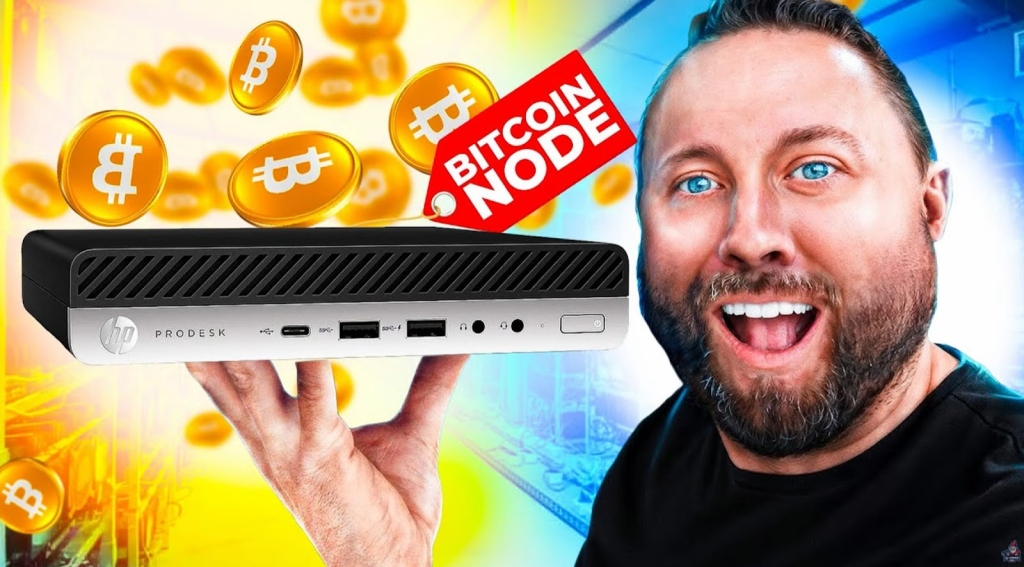
Why Run Your Own Node?
- Direct Pool Control: You run the “pool” your miners hit, instead of relying on a third party.
- Privacy & Security: Your node, your rules, your data.
- Network Resilience: Boosts the Bitcoin network.
“I actually have a full video showing how to set this up on any old PC you’ve got lying around. It’s super beginner-friendly, and I definitely recommend checking it out.” – The Hobbyist Miner
Dashboard Deep Dive

Once your miner is running and hooked to your node:
The Main Dashboard
- Uptime: Shows how long you’ve been hashing
- Current Hashrate: Real-time updates (should sit at 9.6-10 TH/s!)
- Power: Reported both in software and measured at the wall with a meter box
- Fan speeds, chip temps, WiFi status – all crucial for monitoring
Settings Page
- Edit miner name and WiFi settings (mine’s called “Pokecenter” for the kids!)
- Set mining address – always point to your home node/pool
- Overclocking: Tune frequency/voltage via Danger Zone (be careful, “danger” means it’s easy to blow a fuse!)
- Fan control: Manual or automatic – just don’t set it too low or your miner will overheat
Live Performance: Wattage, Hashrate, Stability

Checked after 15 minutes of mining:
- Hashrate holding steady: 9.6-9.7 TH/s
- Power at the wall: 210W (slightly higher than spec, but expected with real-world use)
- Fans: Quiet! Machine isn’t loud, so it could live in a bedroom or living room
- Screen: Cycles through stats, Bitcoin price, uptime, etc. You can even turn off the screen if you want (not sure why…)
Wrapping Up: Final Thoughts & Links
Huge thanks again to Power Mining for sending over this beast! Honestly, my first experience with their team and hardware has been nothing but impressive. If you’re serious about home mining (or just want the coolest Bitcoin paperweight out there), this is worth a look.
Key Takeaways
- 10 TH/s for home mining is here, and it’s real
- Stability, easy setup, and clean design make the Nerd Octaxe Gamma stand out
- Solo mining is still a lottery, but BCH gives you much better odds
- Running your own node/pool is the way to go if you want control
- Power Mining’s build quality and extras (like spare fuses) are a sweet bonus
Time to Go Big on Home Bitcoin Mining
If your in the market for a Powerful Home Bitcoin Miner checkout the Nerd OCTAxe over at Power Mining.
Use Code “TheHobbyistMiner732” for a Discount at Checkout!
See You Next Time!
Got questions? Join The Hobbyist Miner Comunity Discord for great fellow crypto miner conversation, community help and more! Join entirely free here!