This NEW Mini Home BITCOIN Miner could Earn you 3.125 BTC!
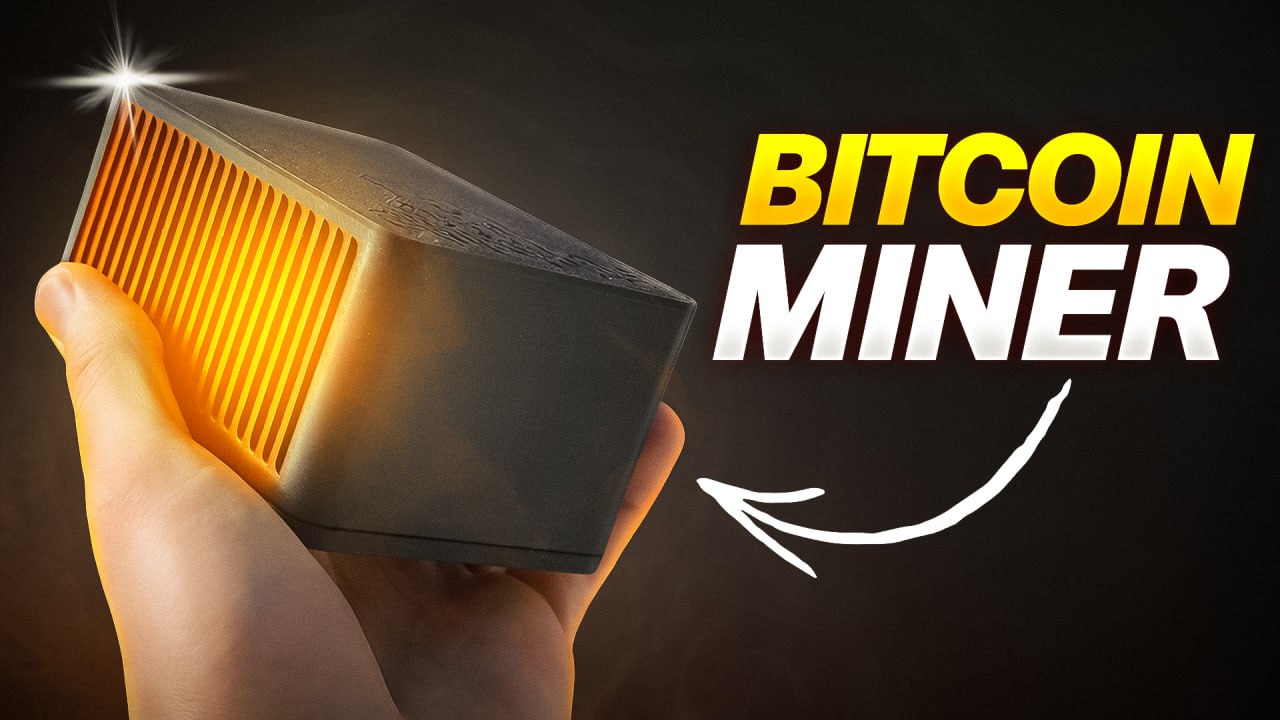
Welcome back, crypto miners! Today, we’re diving deep into one of the hottest new releases for home mining enthusiasts — the BitForge Nano Solo Bitcoin Miner fromDTV Electronics. Whether you’re already knee-deep in SHA-256 action or just Bitcoin-curious, you’ll want to keep reading as we unbox, explore, and review every detail of this pint-sized powerhouse. And stick around to the end!
For more on this topic, check out this detailed video: This NEW Mini Home BITCOIN Miner could Earn you 3.125 BTC!
Table of Contents
- Unboxing the Bit Forge Nano
- Getting to Know the Hardware
- A Peek Inside: Full Tear Down
- Setup & The Intuitive Interface
- Power, Noise, and Hash Modes
- Real-World Efficiency Results
- Comparisons and Competitive Edge
- What’s Missing? The Overclocking Discussion
- Final Thoughts & Where to Buy
Unboxing the Bit Forge Nano
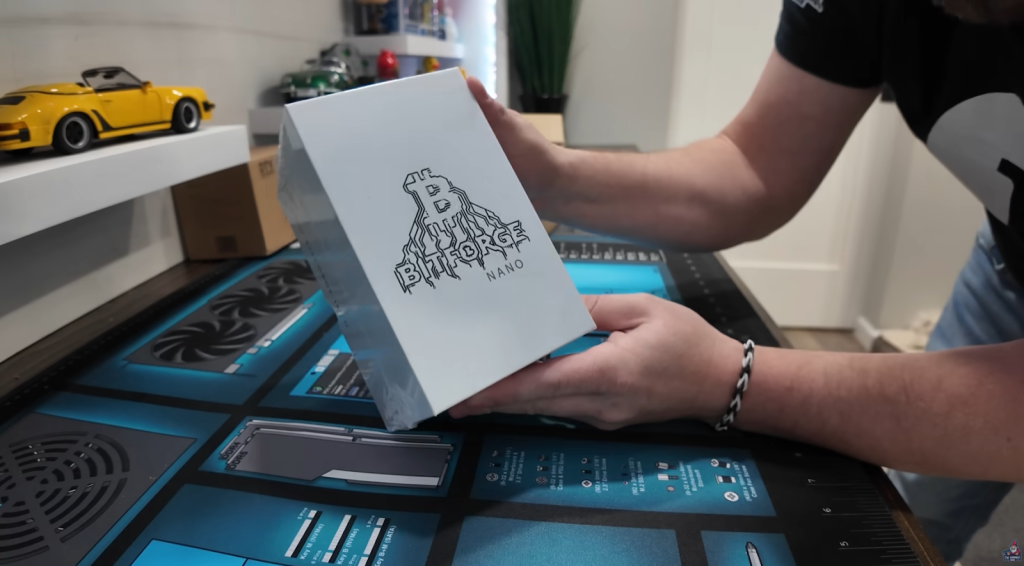
There’s nothing quite like the excitement of a fresh hardware unboxing, especially when it’s crypto gear designed by home miners, for home miners. That’s what makes the BitForge Nano unique right out of the gate. Here’s how the unboxing went down:
- Packaging: Clean, white, minimalist. “BitForge Nano” and the logo are printed on it
- What’s inside: We’re not here to admire boxes, but they’ve definitely put care into it. It feels like opening a premium device.
Let’s sum up what makes this miner stand out before we go further:
- Open Source: You read that right! You have access to the code and won’t be locked into a black box.
- Three Power Modes: Eco, Medium, and Power — a rarity at this price and class.
Getting to Know the Hardware
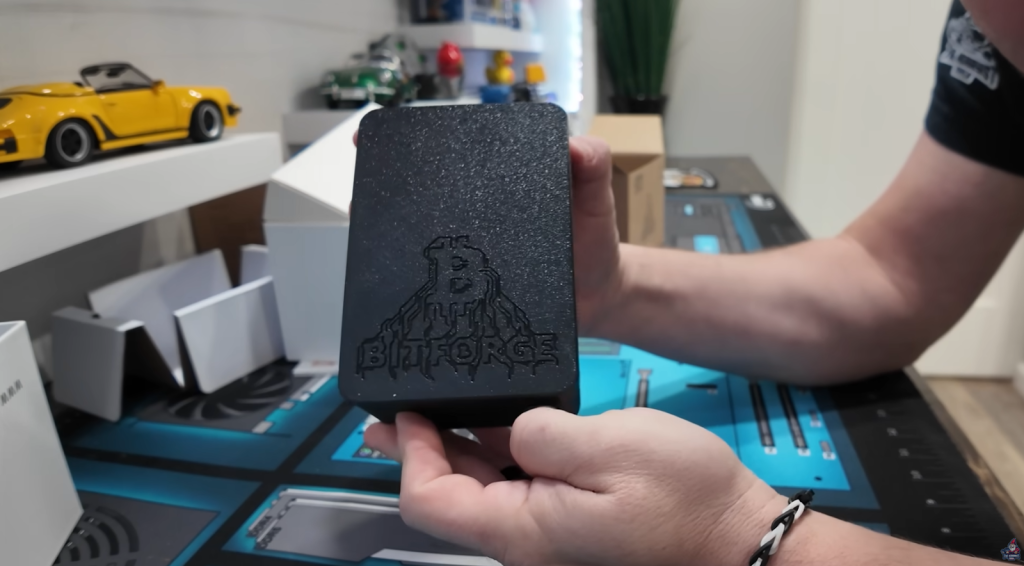
Let’s check out the miner up close.
Exterior Walkaround
- Front: BitForge logo is etched (yes, not just a sticker!), giving it a hefty feel.
- Ventilation: Panels feature ample cut-outs for airflow, with visible fans inside.
- Back: Clearly labeled with “DTV Electronics”
- Connectors: Barrel power connector (center pin positive).
- Bottom: Four screws — intentionally simple for access.
What Else Is in the Box?
- Manual: Surprisingly detailed. Shows how to open everything up.
- Power Supply: Beefier than expected! 12V, 8A, 96 watts with a barrel connector. Runs off a typical C14 to NEMA515 plug.
- Input: 100-240V, 50-60Hz, 3A
- Output: 12V, 8A
“In a utopian world, you’d never have to tinker with or repair your bitcoin miner. But in reality, you always have to clean, swap a fan, or re-paste at some point. The BitForge Nano makes that easy.” – The Hobbyist Miner
A Peek Inside: Full Tear Down

Let’s address one of the biggest pain points for home miners — maintenance! If you’ve ever had to open a traditional home bitcoin miner, you know the nightmare:
- Plastic stacked on plastic, glued lids, warranty void stickers…
- Or worse, you break a clip just trying to clean a fan.
The BitForge Nano Difference
With just four screws on the bottom, the BitForge Nano pops open without a fight — that’s a tremendous win.
What Do We See Inside?
- ESP32 Chip: Driving the logic — quick, robust Wi-Fi/microcontroller.
- Heatsink: Big chunk of aluminum for decent cooling and direct access for cleaning/replacing paste.
- Dual Fans: Small but (thankfully) not the super-loud “mosquito fans” from units like the Jasminer X4-1U.
- USB-C Port: For development, re-flashing, or direct config as an advanced user.
- Labels: Clearly marked “Designed in Germany” and “Open Source Hardware.”
- Reset and Boot Buttons: Right on the board, perfect for troubleshooting or firmware tweaks.
Maintenance Score
- Fan connectors are standard and easy to access
- Swapping thermal paste or even the ASIC module is a 10-minute job, not a half-day ordeal.
- No warranty-void drama for basic cleaning or repairs
Setup & The Intuitive Interface
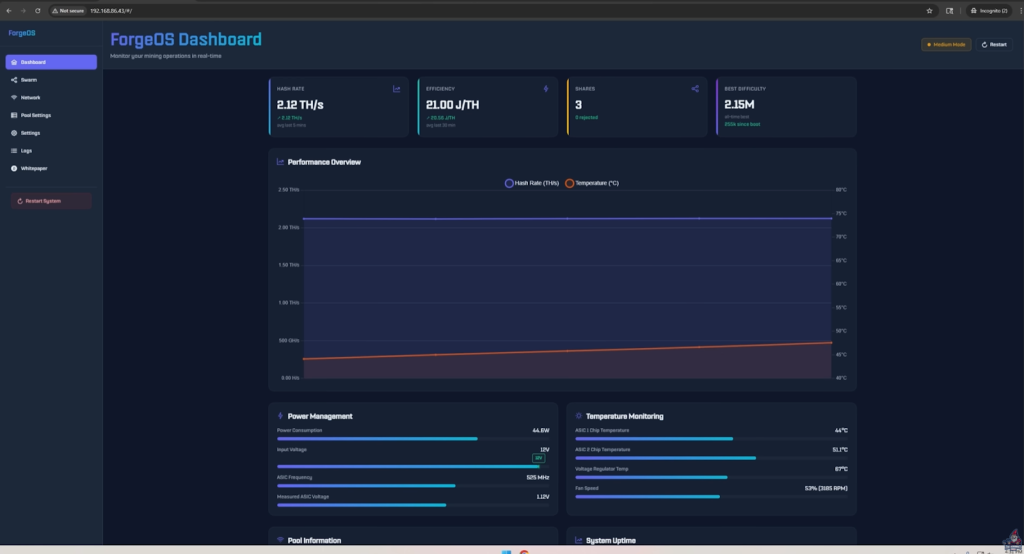
Now, let’s get this miner up and running and take a look at its control interface.
Step-by-Step Setup
- Plug in Barrel Power & Boot: No Ethernet port on this model; it’s Wi-Fi only — meaning you can set this miner up practically anywhere you get a signal.
- Wi-Fi Connection: On your phone or computer, connect to the miner’s ad-hoc wireless (shows up as “Nano” out of the box).
- Network Config: Enter your local SSID and password. Seamless and beginner-friendly.
Web Interface Tour
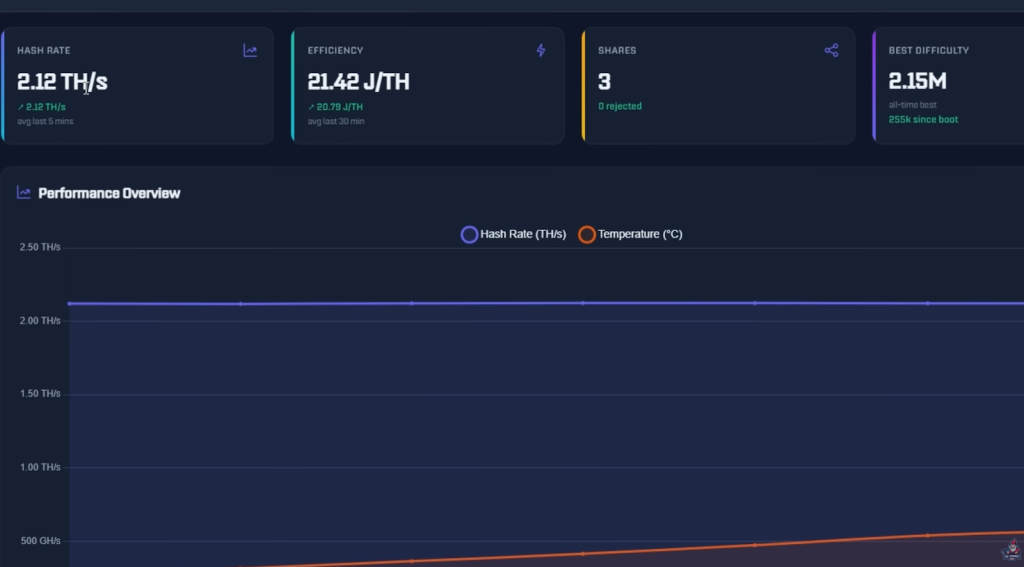
DTV’s web dashboard for the Nano is impressively slick. Here’s what you’ll find at a glance:
- Hashrate (live): Displayed in big, bright numbers.
- Power Mode Indicator: See which of the three is selected and switch on the fly.
- Pool Settings: Defaults to CK Pool, but you can input any SHA-256 compatible pool.
- Temperature and Uptime: Instantly accessible.
- Swarm Feature: If you have multiple Nanos, you can manage them as a group (pro miners rejoice).
Colorful, Intuitive Web GUI
“Lots of color, lots of information. Right now I’m at 2.12 TH/s, which is wild for a tiny box like this.” – The Hobbyist Miner
Configuration is easy, and you’re solo mining almost immediately.
Power, Noise, and Hash Modes
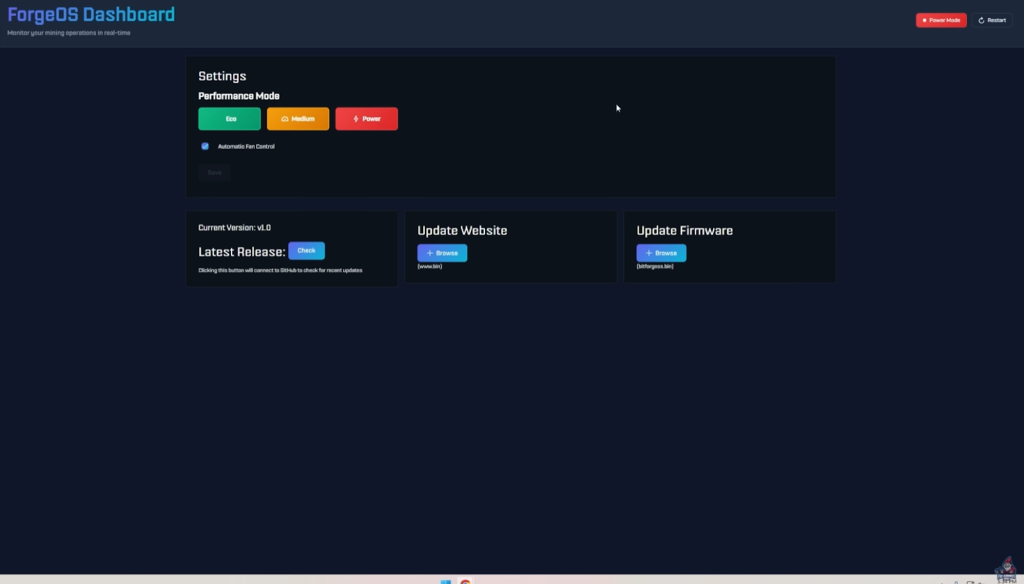
It’s no secret: Many home miners dread loud hardware that buzzes like a mini jet engine. How does the BitForge Nano stack up?
Hash Power and Noise
- 3 Power Modes:
- Eco: ~1.7 TH/s, 33 watts, whisper quiet
- Medium: ~2.1 TH/s, 51 watts
- Power: ~2.5 TH/s, 59 watts — still not bad on noise!
- Real-World Power Draw:
- Confirmed with a watt meter for each mode.
- Sound Levels:
- 39 dB (Eco), 44 dB (Medium), 48 dB (Power). All easily tolerable, even in a home office.
Fan & Internal Temperature
Automatic fan control is standard, so you don’t have to micro-manage temps or worry about overheating. The aluminum heatsink, dual fans, and open airflow keep everything running smooth.
Real-World Efficiency Results

Let’s talk turkey. Here’s the actual efficiency you’re looking at:
| Mode | Hashrate (TH/s) | Power (W) | Efficiency (W/TH) | Noise (dB |
| Eco | 1.7 | 33 | ~19 | 39 |
| Medium | 2.1 | 51 | ~23 | 44 |
| Power | 2.5 | 59 | ~22-23 | 48 |
That’s serious competition for other home miners at this price point.
“Especially for a price of $240, this is really competitive. I mean, you’re in the 20-25 W/TH range, right there with more established but way pricier models.” – The Hobbyist Miner
The Bitcoin Solo Mining “Lottery”: What Are Your Odds?
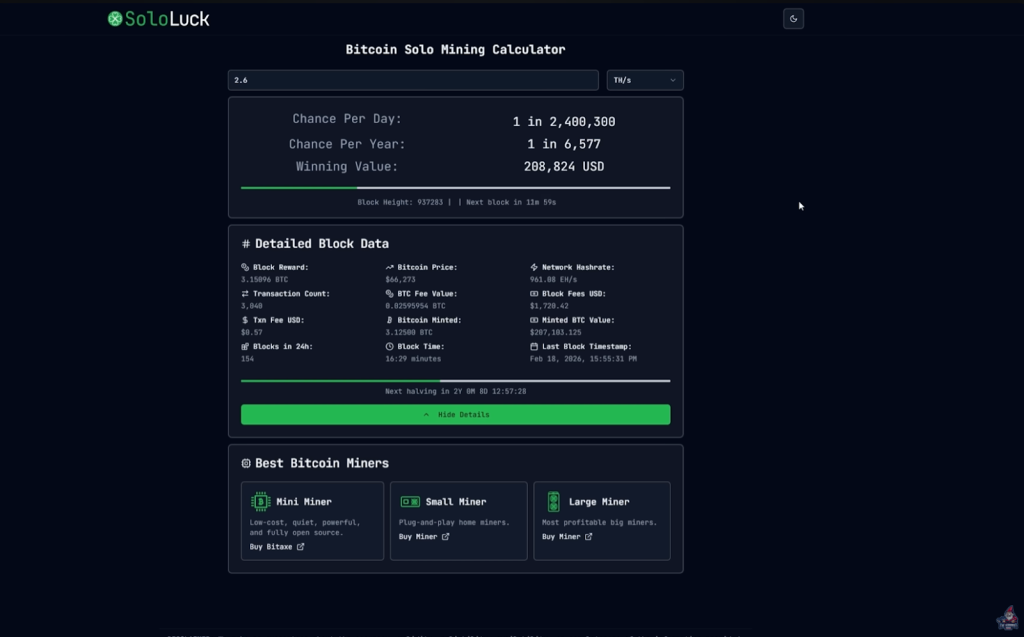
A big question for new solo miners: Just how likely are you to hit a block?
With the default settings and 2.6 TH/s of hash power, here’s what solo mining looks like:
- Bitcoin (BTC): 1 in 6,577 chance per year to mine a block solo
- Bitcoin Cash (BCH): 1 in 55 chance per year (much better odds)
- Digibyte (DGB): Estimated 21.96 blocks per year
You can plug these numbers into SoloLock to check your odds in real-time. For some, mining alternative SHA-256 coins (like BCH or DGB) and converting to BTC can be a more “profitable lottery ticket.”
“Remember, solo mining is like playing the Bitcoin lottery. If you hit, it’s massive. But the nice thing is, blocks occur every 10 minutes, so you always have a chance. However there are no guarantees!” – The Hobbyist Miner
Mining to Your Own Node
Why Run Your Own Node?
- Direct Pool Control: You run the “pool” your miners hit, instead of relying on a third party.
- Privacy & Security: Your node, your rules, your data.
- Network Resilience: Boosts the Bitcoin network.
“I actually have a full video showing how to set this up on any old PC you’ve got lying around. It’s super beginner-friendly, and I definitely recommend checking it out.” – The Hobbyist Miner
Comparisons and Competitive Edge
What Sets the BitForge Nano Apart in the Home Mining Scene?
- Open Source Hardware & Firmware: Most home miners are proprietary with little-to-no user freedom.
- Easy Maintenance/Repair: A unit you’re encouraged to open, not penalized!
- Sain Price: $239.99 means it’s accessible to virtually any enthusiast.
- Low Power Consumption: Under 60W, so you won’t need to rewire your house or battle with the electric company.
What’s Missing? The Overclocking Discussion
No review is complete without some real talk about what you don’t get out of the box.
Current Limitation:
- No official overclocking setting in the GUI yet.
- You get Eco, Medium, and Power, and that’s it.
But because it’s open source, we hope to see the community add a “Frequency/Voltage adjust” or advanced overclocking option in a future firmware update.
Final Thoughts & Where to Buy
To sum up: The BitForge Nano is a truly exciting step forward for home miners.
- Great Hash Power in a tiny, silent package.
- Super easy to maintain and repair.
- Open source — you own the hardware, not some mega-corporation.
- Three hash modes, Wi-Fi only, straightforward web UI.
- Affordable — way less than traditional desktop ASICs.
Ready to get yours or want more details?
Learn More about the Bitforge Nano ➡ Click Here
The Bitforge Nano is NOW on AMAZON ➡ Click Here
See You Next Time!
Got questions? Join The Hobbyist Miner Comunity Discord for great fellow crypto miner conversation, community help and more! Join entirely free here!