The PERFECT Mini Home Crypto Miner for Beginners: Goldshell Byte
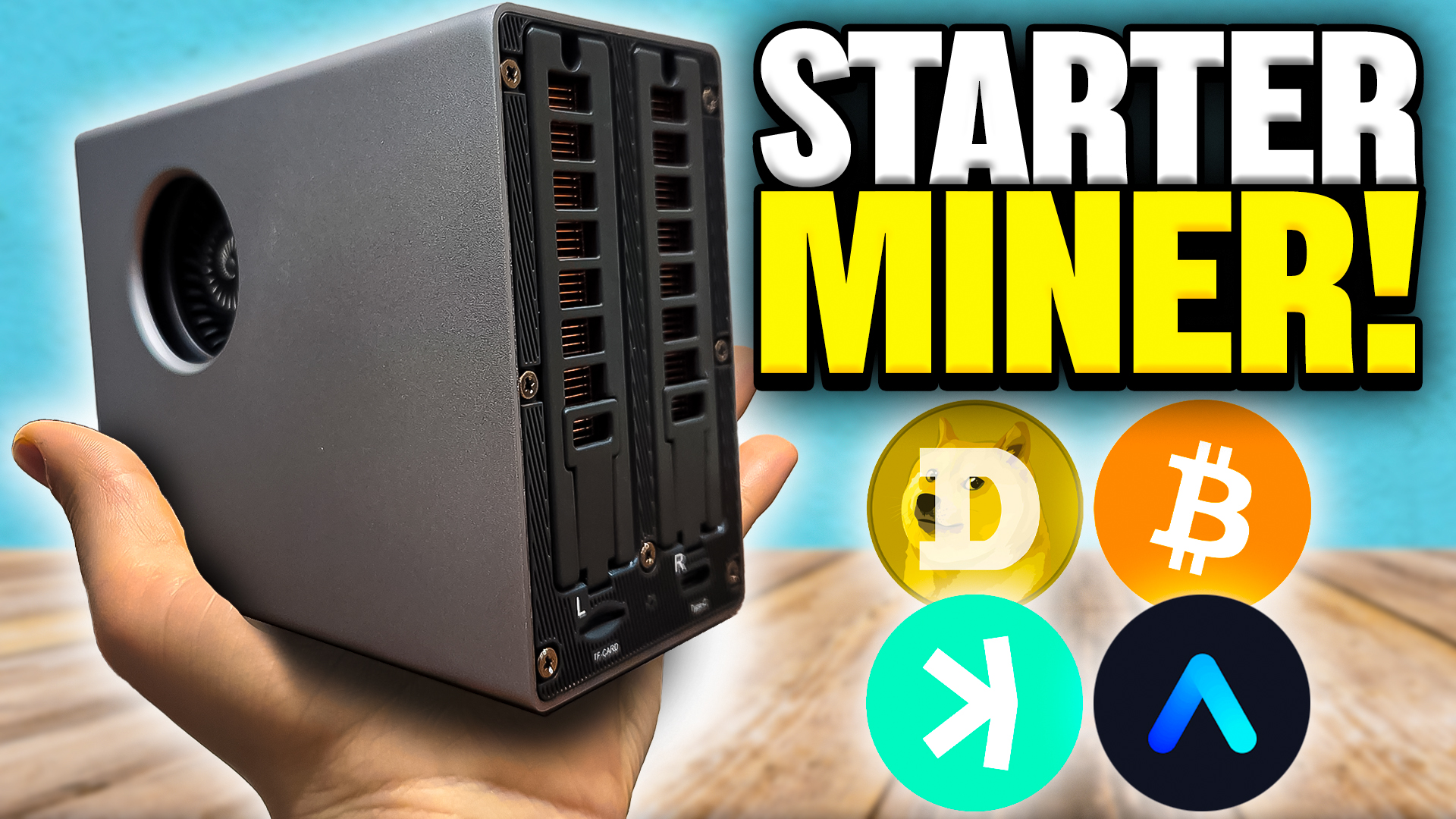
If you’ve ever been curious about crypto mining, or maybe you’ve got a friend or family member who keeps asking you for an easy entry point into the world of mining without breaking the bank, then you’re in the right place.
The Goldshell Byte is here, and it’s not just another miner in the crowded world of ASICs—it’s a clever, beginner-friendly little device that packs some truly unique features for home mining. Whether you’re new to mining or just looking for your first “test the waters” miner, read on. This in-depth walkthrough covers unboxing, setup, hardware details, profitability, and my thoughts on whether the Goldshell Byte deserves a spot on your desk.
For more insights on this topic check out this detailed video The PERFECT Mine Home Crypto Miner for Beginners: Goldshell Byte
Who’s the Goldshell Byte Really For?
Let’s get it straight right from the start:
“This miner is not for you. That miner is not for your everyday home GPU miner. That miner is not for a well-established home miner. That miner is not for a mining farm operator with big boy miners like this. So who is this perfect for?” – The Hobbyist Miner
The Goldshell Byte is built for that curious friend, family member, or co-worker who wants to start mining crypto, learn how it works, and possibly earn a few coins without emptying their savings account. If you’re a hardcore miner with racks of hardware, this probably isn’t the device for you. But if you or someone you know wants something straightforward, affordable, and actually kind of fun to use, the Byte is right up your alley.
Unboxing the Goldshell Byte

Let’s open up the Goldshell Byte and take a look at what you get.
The packaging is solid—not some cheap, thin plastic. Everything feels tightly packed and safe for its journey to your doorstep. Inside, the first thing that jumps out is the Byte itself. It’s actually a lot smaller than you’d expect, easily fitting on a desk or shelf. It sort of looks like a little turbocharger!
What’s Inside the Box?
- The Goldshell Byte chassis
- Power cable (with USB Type-C)
- International plug adapters (depending on your region)
- The mining cartridges (“data adapter cards”)
- Rubber feet pre-installed on the case
That’s it—simple, and nothing unnecessary.
Checkout the full unboxing of the Goldshell Byte in this Video.
Hardware Tour: Small but Strong
Lifting up the Goldshell Byte, you’ll notice how compact and sturdy it feels. This isn’t flimsy home tech; it’s got some real weight and solidity, more like a proper piece of equipment and less like a toy. Let’s go for a grand tour:
Around the Goldshell Byte
- On the sides: You’ve got two turbo-style fans for cooling, helping keep those cartridges (or “data adapter cards”) from getting too hot.
- Front: There’s a push button and extra ventilation.
- Back: Just a single USB-C port for power, no clutter.
- Bottom: Four rubber feet for grip and stability.
Peeking through the vents, you can see individual cartridges and the internal circuit board. Goldshell calls this setup a “mini server chassis,” and that’s exactly what it feels like.
Cartridges: The Game Changer

This is where things start to get really interesting.
Unlike most ASIC miners—especially ones designed for home use—the Goldshell Byte lets you swap out cartridges (or, as the manual calls them, “data adapter cards”). Think of them like little modular miners that slot right into the system. Here’s what’s especially cool:
- Every cartridge is completely independent, with its own mining configuration and stats.
- They connect using what looks like a SATA-style power & data connection.
- Each has its own copper heatsink, built-in cooling fan, and circuit board.
Supported Mining Algorithms
At launch, there are two main cartridge types:
- DG Card (Dogecoin / Litecoin, Scrypt mining): About 80 MH/s at ~65W.
- AE Card (Alephium mining): About 5.5 MH/s at ~65W (but often delivers up to 6.9 MH/s in real use!).
Combined, two cartridges use around 140 watts total. Not bad! And Goldshell has hinted at more cartridges coming, like a Kaspa version or even one for solo Bitcoin mining in the future.
How the Cartridge System Works
Setting up is super simple—just slide in the cartridges you want, press the clip down to secure, and that’s it.

“We’re just taking these here and we’re just sliding it in. Once it’s fully in, then we’re just going ahead and pressing down on the clip and there we go. It goes in nice and easy, nothing really to it and makes it really easy and convenient.”
Nothing complicated. Each cartridge is recognized independently in the dashboard, so you can manage and configure them separately.
Checkout the Goldshell Byte cartridges and install process in this Video.
Power and Connectivity
On the back, there’s just a USB-C port for power. Plug in the included power cable (with the right adapter for your country), then connect the miner to your home Wi-Fi network.

- USB-C power input
- Optional TF card slot (for future updates?)
- Only a single cable to worry about
After plugging in, you just access the Goldshell Byte via its web dashboard using its local IP address, usually 192.168.77.1. You can do all setup right in your browser—no command line stuff needed.
Initial Setup: Connecting and Configuring
Step 1: Connecting to the Byte
The Goldshell Byte does not have an ethernet network connection. So that means you need to connect to Goldshell Byte’s adhock wireless SSID to get started, via a cell phone or laptop. This is only needed for the intial setup of the Goldshell Byte.
Step 2: Open the Dashboard

Fire up a browser, type the IP in the address bar (e.g., 192.168.77.1) and hit enter. The dashboard loads up.
- Use password 123456789 to get in—change it later if you want to be safe!
- Unlock configuration with that password when prompted.
Step 3: Connect to Wi-Fi
You can connect the miner to Wi-Fi right from the browser dashboard or via the Goldshell Zone app, which is available for both iOS and Android.
What You Can Do with the App
- View live stats and hashrates even when you’re away from home
- Reboot or change pool configs remotely
- Get notifications if a miner needs attention
Adding Mining Pools: Dogecoin, Litecoin & Alephium
You’ve got your miner online—now let’s put those cartridges to work!
Need step by step guidance? Follow this video guide for the Goldshell Byte setup.
Setting Up LTC/Dogecoin (Scrypt) Mining
- Log into your pool of choice (here we use ViaBTC).
- Get your pool’s stratum URL (for Litecoin/Dogecoin) from the dashboard and copy it.
- In your Goldshell Byte dashboard, select the LTC cartridge, click “Add”, and paste the stratum URL.
- Pool username: usually your_username.worker.
- For password, just use x.
- Click Apply.
It takes a couple of minutes to connect and start hashing.
Setting Up Alephium (AE) Mining
- Register at your AE mining pool (here, DXPool).
- Copy the pool’s stratum URL for Alephium.
- Select the AE cartridge in the Goldshell dashboard, click “Add”, paste the stratum URL.
- For your username/worker: either your wallet address (older pools) or your pool account and worker name.
- Password: again, just use x.
- Click Apply and wait a few minutes.
What’s The Goldshell Byte Like In Use?

After 15-20 minutes, the miner gets up to full speed. Here’s what you should expect:
Hashrates
- Dogecoin/Litecoin Cartridge: ~80-84 MH/s (sometimes a little above spec!)
- Alephium Cartridge: Up to 6.9 MH/s (even though it says 5.5 MH/s on the tin)
Power Consumption
- Each cartridge is about 65 watts
- Dual cartridges: about 129-140 watts total (tested at the wall, not just in software)
Noise Levels
“So about 41 to 42 decibels, it’s not terrible. If you were to put this on your desk right next to you maybe while you’re working, you know, it sounds like a fan, like you have a fan blowing on you. So maybe not right next to you at all times if you’re into a bunch of meetings. But still it’s not obnoxiously loud or anything.”
It’s definitely quiet compared to big ASIC miners, but you’ll notice a gentle whir—think desktop fan, not jet engine.
Temperatures
- Exhaust side: Warm/hot to the touch (up to 130°F)
- Intake side: Cool air coming in, thanks to the dual fan setup.
- USB-C Power Adapter: Warm, but nowhere near dangerous (about 113°F after extended use)
Dashboard & Monitoring

The Goldshell Byte’s web dashboard is clear and surprisingly detailed for a device aimed at beginners. Here’s what you get:
- Hashrate and uptime stats for each cartridge
- Fan speeds, temps, and status
- Live hashrate graphs
- Easy identification of each “data adapter card” (cartridge)
- Warnings for unusual temperature or fan issues
Switch between each cartridge for individual settings or see the big picture all at once.
You can also see detailed stats over on your mining pool dashboards (ViaBTC and DXPool), which show both real-time and average hashrates so you can make sure your miner is performing as expected.
Profitability: What Are You Really Earning?
Let’s be clear—this device is not about getting rich quick. If you’re looking for huge profits and ROI, you should probably look elsewhere.
But the Goldshell Byte is awesome for learning and for people just starting out. Setting it up gets you familiar with all the basics without any real risks or headaches. Let’s break down the numbers.
Dogecoin/Litecoin (Scrypt) Cartridge
- Hashrate: ~81.85 MH/s
- Power: ~65W
Estimated Profits
- At average electric rates (like 10 cents per kWh), you’re looking at about $0.51/day in profit (as of this review on April 9th 2025).
- Daily coin yield: About 4.47 DOGE per day.
Alephium Cartridge
- Hashrate: ~6.7 MH/s (sometimes higher)
- Power: ~65W
Estimated Profits
- Revenue: About $0.78 per day
- Power cost: ~$0.15/day
- Net profit: $0.62/day
- As of this review on April 9th 2025.
Bear in mind, crypto prices move all the time. Both Dogecoin and Alephium have had their ups and downs in the past year:
“Dogecoin not at the best place but it’s a great time to mine if you’re just accumulating at 14 cents. If we take a look at the last year we had a great pump… over 40 cents. We’re now down to 14. So that does show you that Dogecoin does have potential to get back up to that point as well.”
Same goes for Alephium—one of the newer coins with lots of upside if prices recover.
Who Should—and Shouldn’t—Buy This Miner?
If you’re a veteran already running GPU rigs or full-size ASICs, the Byte isn’t built for you. Your operation needs way more hashrate and power than this little device can offer.
But for:
- Beginners learning the ropes
- Home users who want a quiet, low-maintenance miner
- Anyone interested in experimenting without a huge upfront cost
- People wanting to mine multiple coins/algos at home
The Byte is ideal. It’s a solid proof of concept device that could help you (or your curious relative/friend) get a foot in the door.
Where to Buy the Goldshell Byte
Goldshell makes the Byte available directly on their product website, but you can also pick it up from a few big-name resellers:
Buying Options:
- Goldshell Website: Ranges from $254 to $691 depending on the number and type of cartridges included.
- Use Checkout Code “GSBYTE20″ or GSBYTE50” for a discount at checkout.
- ASIC Marketplace: Offers combos like Byte + DG Card, Byte + 2 DG cards, Byte + DG + AE card, and more, with prices from $379 to $799.
- Use Checkout Code “TheHobbyistMiner” for a discount at checkout.
- Crypto Miner Bros: Similar configurations and pricing to ASIC Marketplace.
- Use Checkout Code “TheHobbyistMiner” for a discount at checkout.
- Helium Deploy: Sometimes the lowest price (as low as $353), but stock can sell out quickly.
- Use Checkout Code “HobbyistMiner10” for a discount at checkout.
- Prices as of this review on April 9th 2025
Tip: Use the “Notify Me When In Stock” feature on reseller sites to grab one when they’re restocked.
Real-World Tips & User Experience
What Surprised Me
- Sturdiness: This isn’t a toy. It feels strong, solid, and well-constructed.
- Modularity: Swapping out cartridges is super easy.
- Power Efficiency: Around 129W total for two separate mining algorithms.
- Noise Levels: Quieter than many other home miners, but still makes a fan-like sound.
Things to Watch Out For
- Heat: Exhaust side gets warm/hot. Keep in a ventilated spot.
- Power Brick: Gets warm, but holds up fine at ~130W.
- Profitability: This is for learning, not for making a fortune. If you want to get rich, look somewhere else.
- Not for Power Users: If you already have big ASICs or GPU farms, this will feel like a toy.
Common Questions
Can I mine more than two algorithms at once?
Right now, the Byte supports up to two cartridges simultaneously, each on a different algorithm. More cartridge types are rumored to be coming soon, which could add even more variety. Rumors are Kaspa and Bitcoin.
Is there remote monitoring?
Yes! The Goldshell Zone app makes it easy to track your hashrates, temperatures, and uptime, and even reboot/configure your miner from your phone.
How loud is it, really?
About 41–42 dB, which is like a medium desktop fan. Not silent, but perfectly reasonable for home or office use. I wouldn’t run it right on your desk if you’re in meetings all day, but you’ll barely notice it on a shelf.
Is it complicated to set up?
Nope. Setup is dead simple, especially compared to older ASICs and GPU rigs. The hardest part is copying and pasting pool URLs and account names.
Final Thoughts: Should You Get the Goldshell Byte?
The Goldshell Byte is a fantastic beginner’s miner. It’s:
- Affordable in comparison to most ASICs
- Quiet and power-efficient
- Modular and easy to upgrade with new cartridges
- Simple to set up—no tech degree required
If you, your buddy, or someone in your family wants to see what crypto mining is all about, you can’t go wrong here. The modular design means it has room to grow, and who knows what new coins you’ll be able to mine as Goldshell rolls out more cartridge options!
If you’re a pro with a stack of ASICs, pass this over to a newcomer instead—you’ll be equipping them with a great learning tool.
“I think this is awesome. For those of you guys looking to get into home mining, test the waters, a great proof of concept.”
Thanks for Reading!
If you enjoyed this guide, consider following for more reviews, mining guides, and the latest on DePIN projects. Got questions, ideas, or feedback? Comment below or hit me up on Twitter.
Happy Mining!
For more insights on this topic check out this detailed video The PERFECT Mine Home Crypto Miner for Beginners: Goldshell Byte