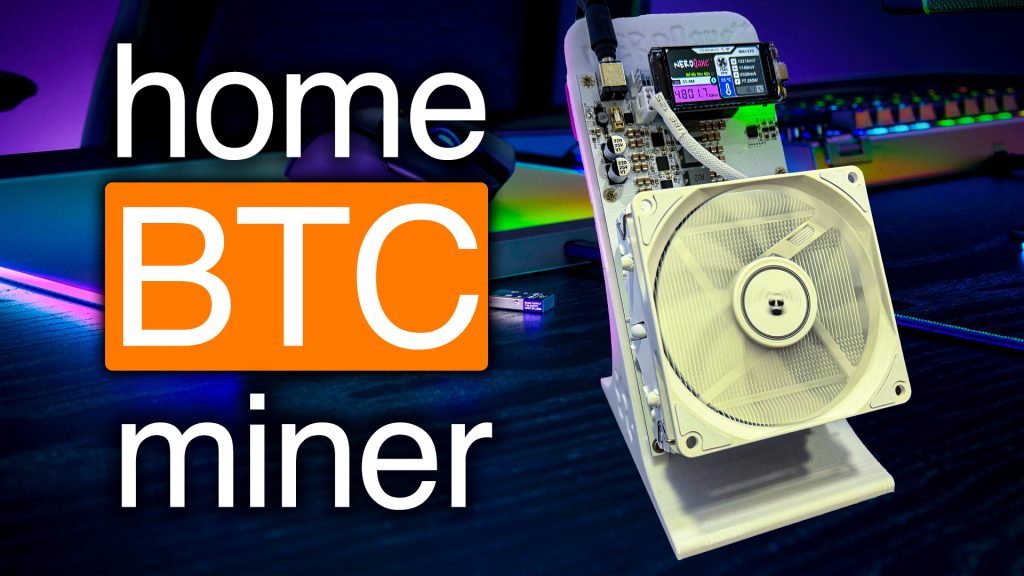
The Fluminer T3 is here! Worth the Wait for Home Miners?

Bitcoin mining at home has never looked quite like this. Today, I’m super pumped to share with you a deep dive into one of the most anticipated home ASIC miners for 2026—the Fluminer T3. Thanks to the awesome team at Helium Deploy, I got my hands early on this production model, not just a prototype. We’re going to break this down step-by-step with an unboxing, a hands-on impression, a design deep-dive, setup walkthrough, real testing of power modes, efficiency results, who this miner is ideal for, and yes, special offers.
Strap in as we walk through everything you need to know about the Fluminer T3 to decide if it’s the miner that will take your home Bitcoin operation to the next level.
For more on this topic, check out this detailed video: The BEST Miner for Mining BITCOIN at Home in 2026
Table of Contents
- Unboxing Begins
- First Impressions
- Design Deep Dive
- Setup & Power Up
- Power Modes Tested
- Efficiency Results
- Ideal Users: Who Should Buy?
- Special Offers & Discounts
- Conclusion & Community Feedback
- Crypto Mining Event: Mining Disrupt 2026
Unboxing Begins

Let’s kick things off at the beginning: the unboxing. Helium Deploy made sure this unit got to me safe and sound, and the packaging speaks volumes right from the first glance.
First Looks: What’s in the Box?
Opening up the Fluminer T3, the box feels heftier than past Fluminer models, like the L1 and L1 Pro. It’s not just in your head—this T3 has some real substance.
What you’ll find inside:
- Power Cables: At first, I spotted a power cable with a C19 end—it looked like a European plug to me. You definitely want to have the proper cable ready before your T3 arrives, whether you’re running on 120V or 240V and using a PDU. I’ve got links for those cables below so you’re never caught off guard.
- Foam Inserts: Tons of foam. This thing is packed like a tank to prevent any shipping disasters.
- Another Power Cable: Digging deeper, I found the right cable for U.S. households—a C19 to NEMA 5-15P.
Heads up: If you’re planning to plug into a PDU, this cable won’t work, but it’ll be just fine for traditional home setups. Again, check the links for cable options.
- Mounting Brackets: These are included so you can secure your miner wherever it fits best.
- Wireless Dongle: For Wi-Fi connectivity, though I recommend running your miner wired for reliability.
First Impressions
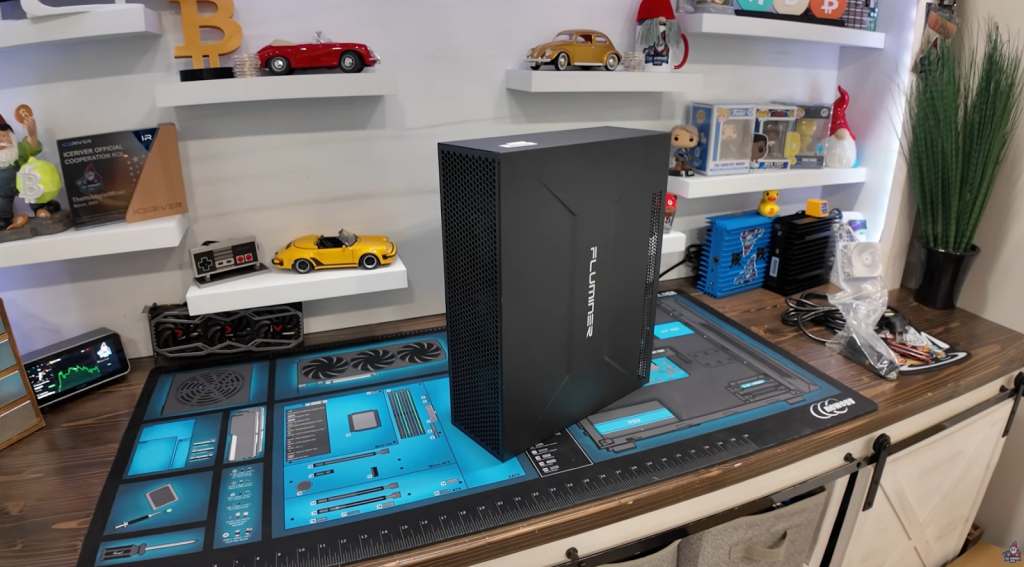
Watch a Full Unboxing and Review Video of the Fluminer T3 – The BEST Miner for Mining BITCOIN at Home in 2026
Heft, Look & Feel
Spinning the T3 around, it really does feel heavier than its predecessors. The first thing that sticks out to me is the sleek, desktop-style look. No screen on the front (unlike the L1 and L1 Pro), which previously gave you the IP address and that Fluminer logo—a bit of a departure, but I actually dig the clean aesthetic.
Design Deep Dive
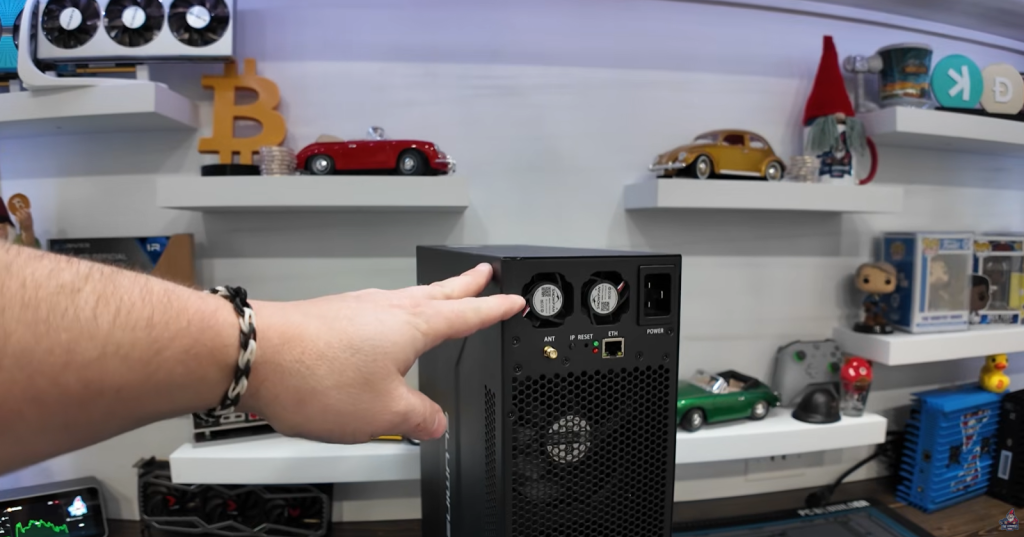
Let’s break down the design, inside and out. This miner packs some serious engineering.
Rear Layout & Ports
The back layout is pretty familiar for Fluminer fans:
- Power supply at the top (heat rises, so this is smart versus competitors with PSUs at the bottom)
- Antenna spot
- IP Report Button
- Reset Button
- Indicator Lights
- Ethernet Port
- Power Plug
Internal Architecture

Removing the side panel reveals the heart of the T3: a MASSIVE heatsink stretches across the mainboard. Here’s what you see inside:
- Power Supply Unit: Mounted up top for optimal airflow.
- Control Board: Connects to all the rear ports.
- Ribbon Cable: Goes from control board to hash board.
- Hash Board: Where the magic (SHA-256 hashing) happens.
- Bus Bars: Two bus bars run from the PSU straight to the hash board.
- ASIC Chips: Nested under that gigantic heatsink.
It’s actually pretty easy to work on compared to some models. If you need to repaste or do repairs, a long screwdriver will let you pull the heatsink off and refresh the thermal paste. I might update that down the line, especially if cooling turns out to be a concern.
Cooling: Fans & Noise

The Fluminer T3 comes with 6 fans—that’s top and rear for a push-pull airflow setup, just like the L1 Pro. They even sell an upgraded six-fan kit for more extreme cooling.
A critical question: Can these fans keep the T3 cool and quiet enough for your home? We’ll get to that with our sound meter readings during the test phase.
Quick Fact: The back panel is riveted, so you can’t just pop it off. Heat management here is a serious consideration.
Setup & Power Up

Getting this miner running is pretty straightforward, especially if your home is ready for it.
Power Requirements
I ran the T3 on my 30amp, 240V circuit—no other devices hooked up. Voltage tested at 247V, which is a little high but within spec.
- C20 to C19 cable used for safety and compatibility.
- Ethernet connected for reliability.
Initial Power Up
Plugging it in one-handed (upside-down and backwards, no less), the T3 powered up QUIETLY. At idle, the watt meter showed just 10W—almost silent. That’s unusually stealthy for a miner!
Power Modes Tested
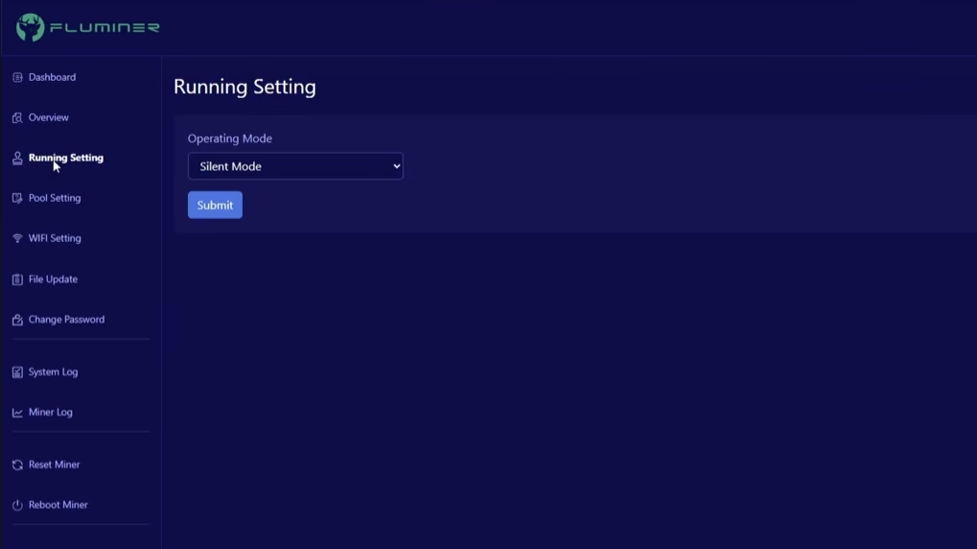
Now let’s get into the Nitros. The Fluminer T3 brings a unique feature: three distinct operating modes. We’ll check sound, power draw, and hash rates for each.
Power Modes Explained
Under Running Settings in the web interface, you get three choices:
- Silent Mode
- Normal Mode
- Efficient Mode
Let’s see how each stacks up.
Comparing Against the Avalon Q
I keep a testing sheet with real-world results (not just manufacturer numbers). My closest competitor for the T3 is the Canon Avalon Q:
| Mode | Avalon Q – Hash Rate | Avalon Q – Power Usage |
| Super | 93 TH/s | 1700W |
| Standard | 79.59 TH/s | 1371W |
| Eco | 53.2 TH/s | 846W |
Let’s see how T3 stacks up.
Silent Mode
Readings:
- Watts at the wall: 1667W
- Sound: 65 dB
- Hash Rate: 91 TH/s
Normal Mode
Readings:
- Watts at the wall: 2103W
- Sound: 66 dB
- Hash Rate: 110 TH/s
Efficient Mode
Readings:
- Watts at the wall: 2226W
- Sound: 70 dB
- Hash Rate: 122 TH/s
Real talk: The efficient mode beats out the Avalon Q in efficiency (18.1 vs 18.2) and absolutely trounces the S19K Pro at similar hash rates—with 800–900W less at the wall.
Efficiency Results

Let’s break down how the T3 compares to the competition.
Comparing Efficiency
- T3 Efficient Mode: 18.1 W/TH (best tested)
- Avalon Q Super Mode: 18.2 W/TH (neck-and-neck)
- S19K Pro: 122 TH/s at 3052W (vs T3’s 2226W for same hash rate)
Where the T3 absolutely shines:
- Hash Rate: Silent mode matches the Avalon Q’s super mode.
- Power Consumption: Far lower than S19K Pro for same output.
- Noise: This is where the T3 loses out. 70 dB vs Avalon Q’s whopping low 43 dB.
“This unit comes in at 70 decibels. So this is much louder. And I would agree you might be able to hear it in the background. The fans are very loud on this unit.” – The Hobbyist Miner
Potential Fix: Repasting with premium thermal paste could help lower temps and possibly reduce fan speed/noise.
Control Interface Overview
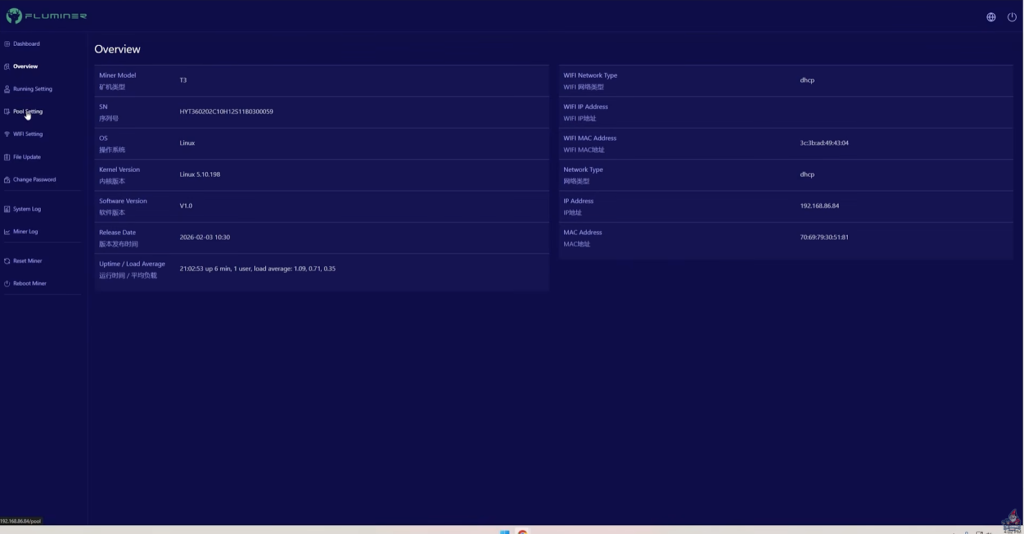
At a glance, the settings are familiar:
- Overview Page
- Pool Settings
- Wi-Fi Setup
- Firmware Update Option
- Password Change (default is root/root)
For pool connections, I had better luck with ViaBTC than Powerpool or others—rejected shares popped up with less common pools. Fluminer has announced a future firmware update to address some performance, efficiency and pool compatibility issues.
Fluminer T3 Price & Ordering
If you’re curious, Helium Deploy has the T3 listed at $2150. I also scored a $200 coupon code—”HOBBYISTT3″.
Ideal Users: Who Should Buy?

Let’s talk honestly—who is the Fluminer T3 really for?
Home Miner Considerations
Watts at the wall:
- Silent mode: Might just scrape by on a 15-amp U.S. outlet at 120V
- Normal/Efficient: Way too high—will pop your breaker without industrial upgrades
Most home miners run on 120V/15A. For this miner, you’ll need:
- Dedicated 30A 240V circuit
- Purpose-built shed/basement/garage for noise and heat
- Sound and heat management in place
Enthusiast Level
“I really do think it is for someone that is looking to take their home bitcoin mining to the next level. A bitcoin enthusiast really is who the Fluminer T3 is for.” – The Hobbyist Miner
- Loud (fan noise, 70 dB in efficient mode)
- High power (needs 30A/240V)
- Not ideal for beginners or casual setups
Perfect For:
- Advanced miners who have already upgraded their electrical circuits
- Enthusiasts with dedicated ventilation, heat, and sound accommodations
If you’ve got a garage, shed, or basement equipped for mining—this might be your next flagship.
Special Offers & Discounts
Check this out—only 20 units are available with $200 off for early adopters.
How To Get The Discount
- Go to Helium Deploy’s Fluminer T3 page
- Click “add to checkout”
- Choose your support plan (optional, read carefully)
- At checkout, use code: HobbyistT3
- This code only has 20 uses, so after that try “TheHobbyistMiner” for a discount.
- Price drops from $2150 to $1950, as of March 14th 2026
Note: Only the first 20 buyers get the discount, so if you’re on the fence, act fast!
Conclusion & Community Feedback
It’s been a long wait as the T3 was delayed for months, but now that it’s here—it’s delivering some serious performance.
Highlights:
- Multiple power modes
- Outperforms key competitors in efficiency
- Easy to work on for cooling upgrades
- Loud, but manageable if you’ve got the infrastructure
Questions for YOU:
- What do you think of the Fluminer T3?
- Is noise a dealbreaker, or would you trade it for higher hash rates?
- Would repasting help, or are fans the real bottleneck?
See You Next Time!
Got questions? Join The Hobbyist Miner Comunity Discord for great fellow crypto miner conversation, community help and more! Join entirely free here!