The COOLEST Home Bitcoin Miner Right Now: the Braiins BMM101 HomeMiner

Welcome back, crypto miners! If you’re on the hunt for an awesome, quiet, and feature-packed home bitcoin miner that also lets you run your own solo bitcoin node, you’re in for a treat today. I’m diving deep into the Braiins BMM101 Home Mini Bitcoin Miner —a device that might just change the game for home mining and cryptocurrency hobbyists. Whether you’re a seasoned solo miner or just starting out, this is one miner you’ll want to know about.
For more insights on this topic check out this detailed video: The COOLEST Home BITCOIN Miner Right Now!
Table of Contents
- What Is the Braiins BMM101?
- Unboxing & First Impressions
- Specs, Features & Touchscreen Goodies
- Setup: Getting the BMM101 Running
- Braiins OS & Performance Tweaks
- Braiins Store: More Than Just Hardware
- Special Features: Running a Solo Bitcoin Node & More!
- BMM101 Screens, Modes, and Stealth Mining
- Braiins Deck: The Next-Level Display
- Final Thoughts & Community Callout
What Is the Braiins BMM-101?

If you’ve ever thought “I wish I could mine Bitcoin at home without the crazy noise and with some awesome options to play with,” say hello to the Braiins BMM101! This isn’t your average, run-of-the-mill solo miner. It’s got a slick design, touchscreen display, multiple mining modes, and—thanks to the team at Braiins—has recently added the option to run your own solo bitcoin node directly from the device.
“This is not a normal home solo bitcoin miner. More recently, it’s had a new feature added to it and you can now run your own bitcoin node.” – The Hobbyist Miner
Now, that’s innovation right in your living room, office, or desk setup!
Unboxing & First Impressions

Let’s dig into the box and see what you actually get with the BMM101.
Follow along this unboxing with a Full Video on the Braiins BMM-101
What’s Inside
- Protective outer plastic and sleeve over the box
- Power cable (standard, feels like a laptop charger)
- Thank you card
- Four little rubber feet (for your desktop or wooden surfaces)
- Quickstart QR code card—makes setup a breeze
- The BMM-101, gleaming under that plastic just waiting to be peeled off
Setting up the miner is straightforward and feels premium from the get-go. I really appreciate the attention to detail. The power cable pops out as you open the box, the adapter is solid, and those rubber feet are crucial if you plan to place this beauty on a hard surface.
Specs, Features & Touchscreen Goodies
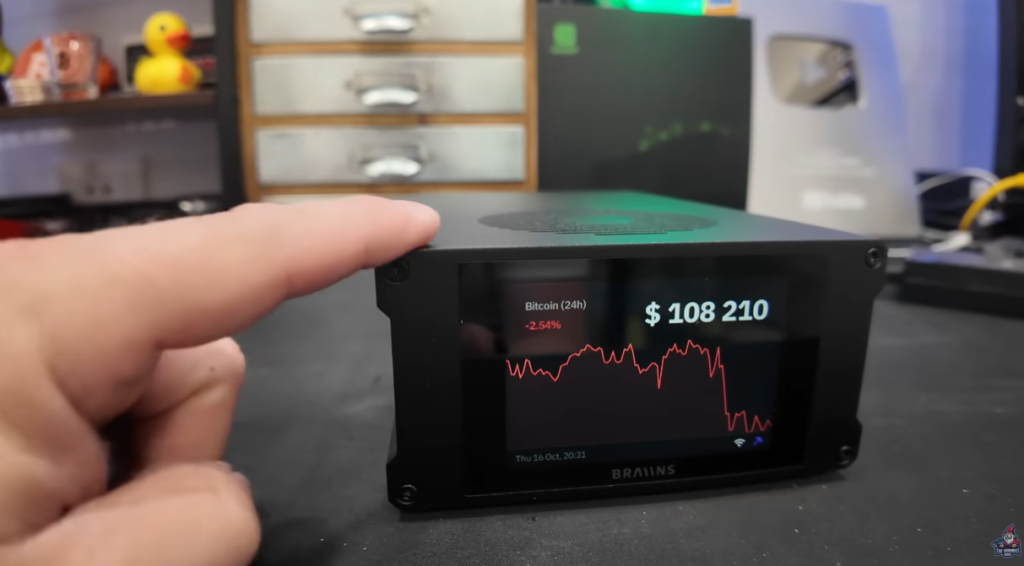
Let’s break down what makes the BMM-101 special.
Physical Build
- Dual fans for intake and exhaust—keeps it cool but incredibly quiet
- Full-color touchscreen on the front (more on the screens and modes below)
- SD card slot for advanced tinkering methods
- Ethernet port & WiFi capability (wired or wireless, your choice)
- Status LEDs for quick check-ins
“I record and hold meetings all day with no issue in this office. The BMM-101 is silent but also brilliant as a desktop piece—great conversation starter!” – The Hobbyist Miner
Key Features
- Touchscreen display: Switch between Bitcoin price, hash rate performance, and other network stats with just a touch.
- Adjustable mining mode: Set your hashrate and power target for efficient home mining with the BraiinsOS Firmware
- Bitcoin node capability: Run a pruned solo bitcoin node right on the device!
- Braiins OS integration: Clean, frequent firmware updates
- Wireless connectivity: Easy setup, accessible from your main device.
Setup: Getting the BMM-101 Running

Plug it in, and you’re greeted with a setup screen. You connect your laptop or phone to the device’s SSID (“mini miner setup”), scan the QR code, and get the IP address for configuration. From there, you’re basically just following a few steps to get hashing Bitcoin.
If you’re totally new to this, don’t sweat it— here is a beginner-friendly step-by-step video guide.
Within a few minutes, you can go from unboxing to mining solo Bitcoin right from your own home.
Braiins OS & Performance Tweaks
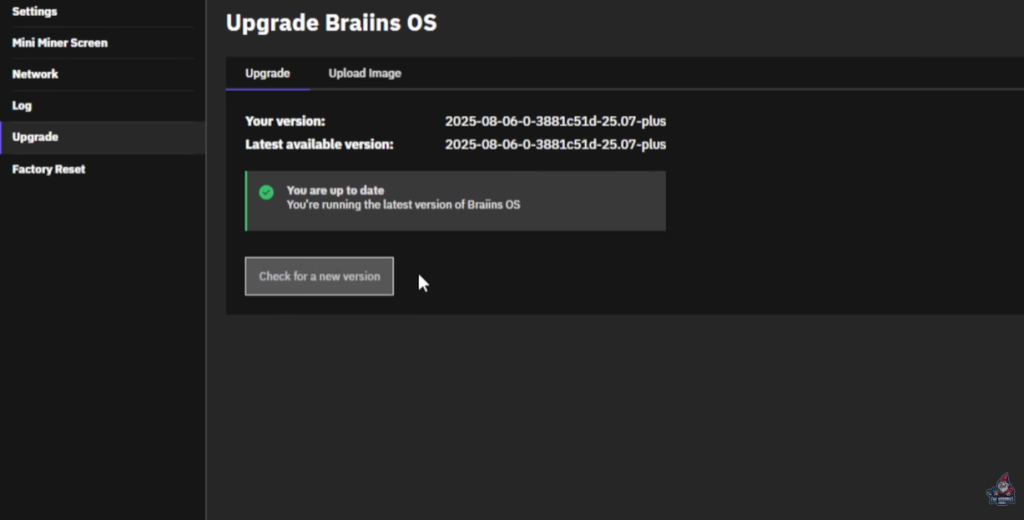
BraiinsOS is the Brains (pun intended!) behind the miner. It comes pre-installed, is always snappy, and supports frequent updates with new features. I had an update right out of the box that was needed.
The Dashboard
- Live data: hashrate, efficiency, current stats
- Touchscreen options galore
- Firmware updates—easy and regular
“Braiins OS always is by far the best OS out there with the firmware. Always amazes me, always looks really, really slick.” – The Hobbyist Miner
You can adjust terahash and power targets with a few taps. I’ve got mine at 1.2 TH/s—perfect for a home setup.

Why Run a Solo Node?
If you’re mining solo at home, running your own bitcoin node is HIGHLY recommended. Not only does it help with mining transparency and trust, it pushes the decentralization movement forward. It’s now easier than ever because the BMM-101 lets you do both mining and node duties—all in one!
Here is a Full Guide to doing this on the Braiins BMM-101
Braiins Store: More Than Just Hardware
Braiins isn’t just about hardware. They’ve got a ton of things happening behind the scenes! On their Braiins Store, you can find:
- The BMM-101 miner (EU and US plug versions)
- ASIC management tools
- Bitcoin mining guides
- Swag: sweatshirts, stickers, and more
- Immersion and hydro miners
- The awesome Bitcoin mining glossary (“good bathroom read” included!)
Pricing: The BMM101 is around $299. But use my discount code HOBBYIST for 10% off! Some of those extra funds help support the channel, too—thanks!
Special Features: Running a Solo Bitcoin Node & More!
Let’s geek out for a minute.
Thanks to the active devs and hackers on GitHub and the vetting by Braiins Team, the BMM-101 allows you to run experimental projects alongside Braiins OS.
What’s Possible?
- Run a pruned Bitcoin node directly on the device
- No impact on mining performance or firmware stability
- Play old-school games (Doom, Super Mario) right on the touchscreen!
“By accessing the machine, perhaps using Micro SD Card and a Void Linux Crute… you can run games, emulators, web browsers and even experimental Projects like a pruned bitcoin node, all without modifying Braiins OS.” – The Hobbyist Miner
Guide & Resources
Check out the Braiins Mini Miner Hacker Guide for a full walkthrough. If you want more features out of your home mining rig, this is a great place to start.
BMM-101 Screens, Modes, and Stealth Mining
The touchscreen display is the main event! It’s not just a pretty face—it’s customizable and packed with options.
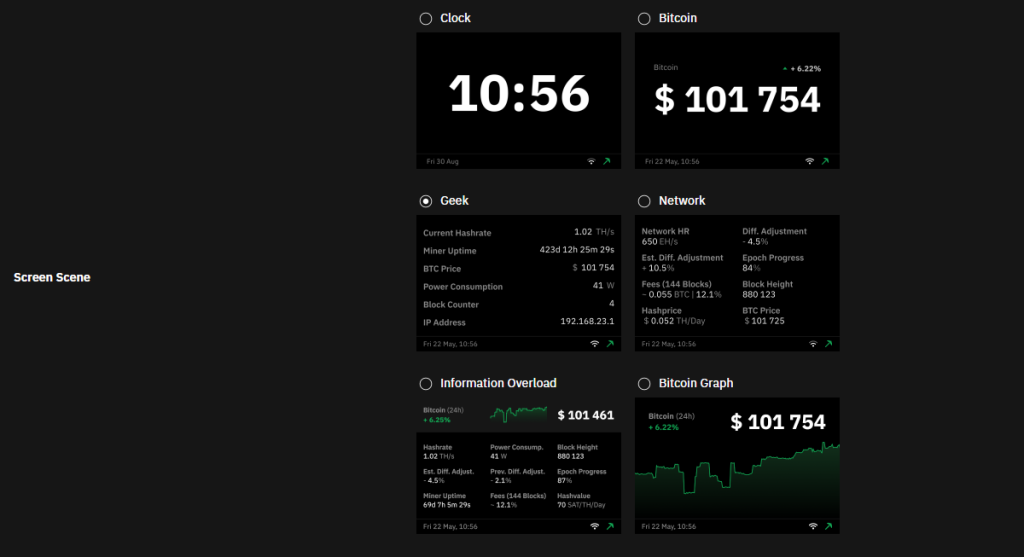
Display Modes
- Clock mode: Keep things low key and incognito
- Bitcoin price ticker: Live BTC price right on your desk
- Miner performance: Hash rate, network status, and efficiency stats
- Stealth graph: Minimal graphical interface for when you want to hide the action
Adjust brightness and switch to night mode for a softer look in the evenings. Whether you’re running meetings, recording, or sleeping nearby, it won’t bother you.
“Block Found” Dream
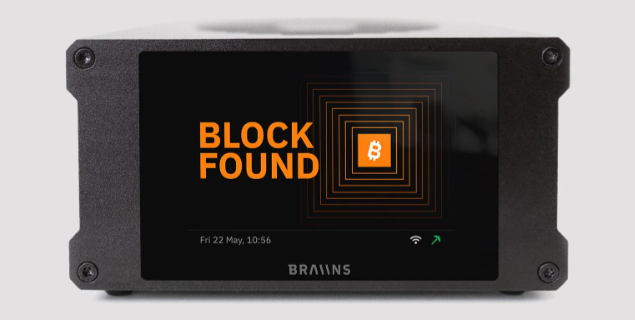
There’s a special screen here — a “Block Found” display that goes wild if your miner nabs a block. Hitting a solo Bitcoin block? That could be worth ~$350,000 at current prices. Talk about a payday! For now, I’m still waiting for that magic moment.
Braiins Deck: The Next-Level Display
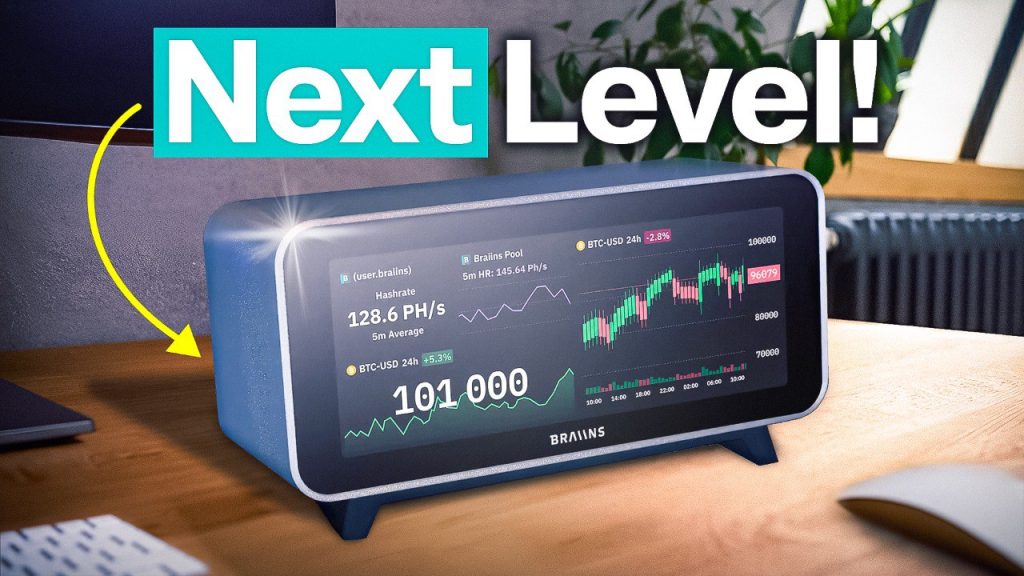
If you like the Braiins BMM-101, checkout the brand new Braiins Deck, just released!
What Is the Braiins Deck?
- Multi-module display panel (clock, hashrate, weather, alarms, price tickers, more)
- Shuffle feature for rearranging info as you please.
- Super slim design; fits any setup
- Is not a miner—just a pure information display ($249, plus discount)
Think of it like a crypto version of a fancy Apple product—super slick, customizable, and the perfect showpiece for your miner corner.
“This is like an Apple product right here. I’m not gonna lie.” – The Hobbyist Miner
If you want clean displays with instant info, the Braiins Deck is your next desk upgrade.
Final Thoughts & Community Callout
Mining at home isn’t just possible—it’s easier, quieter, and more accessible than ever. The BMM-101 brings performance, style, and flexibility to your desk or side table. Now with node functionality and game emulators? It’s just… cool.
If you haven’t got a home solo bitcoin miner yet, give it some real thought, the BMM-101 is a great option. If you have some old hardware sitting around, you can also build your own Bitcoin Mining Node. Here is how!
Happy mining!
For more insights on this topic check out this detailed video: The COOLEST Home BITCOIN Miner Right Now!