START Mining BITCOIN at Home like a PRO! Reviewing the GeKko Science Smart A2Z Miner

Welcome back, crypto miners! If you’re always on the lookout for the latest and coolest gear for home bitcoin mining, you won’t want to miss this. The team over at Gekko Science hooked me up with their brand new, unreleased miner—the Smart A2Z. I gave it a thorough hands-on test, and in this epic breakdown, I’m sharing everything you need to know about mining bitcoin at home like a pro with this unit: design excitement, setup tips, technical run-throughs, performance, noise test, and even a giveaway!
Let’s dive right in and get up close with the Gekko Science Smart A2Z home solo bitcoin miner.
Check out this video for more on this detailed topic: START Mining BITCOIN at Home like a PRO!
Table of Contents
- Unboxing the Smart A2Z Miner
- Design: A Fresh Look for Miners
- What is the Smart A2Z? Specs and Purpose
- Ports, Power, and Wireless Setup
- First Boot: Colorful Lights & Airflow
- Connecting to WiFi – Old School Setup
- Solo Mining: Power, Pool, and Profitability
- Dashboard & Monitoring
- Maxing Out Hashrate: 7 Terahash!
- Power Consumption & Noise Levels
- Final Thoughts
Unboxing the Smart A2Z Miner
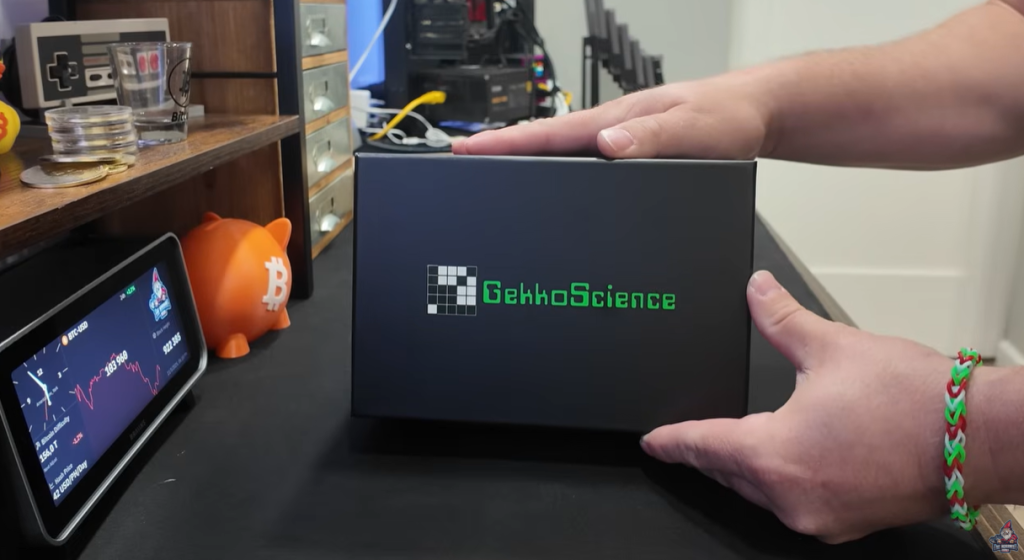
There’s nothing like that fresh unboxing feeling, right? I popped open the package and was greeted with something I rarely see in the mining world—a bright blue miner! Most of the time it’s silver or black boxes, but Gekko Science is already breaking the mold with some color.
In the Box
- Gekko Science Smart A2Z miner (blue casing)
- Beefy power supply
- Welcome note from Gekko Science
- Quick-start bits
Design: A Fresh Look for Miners
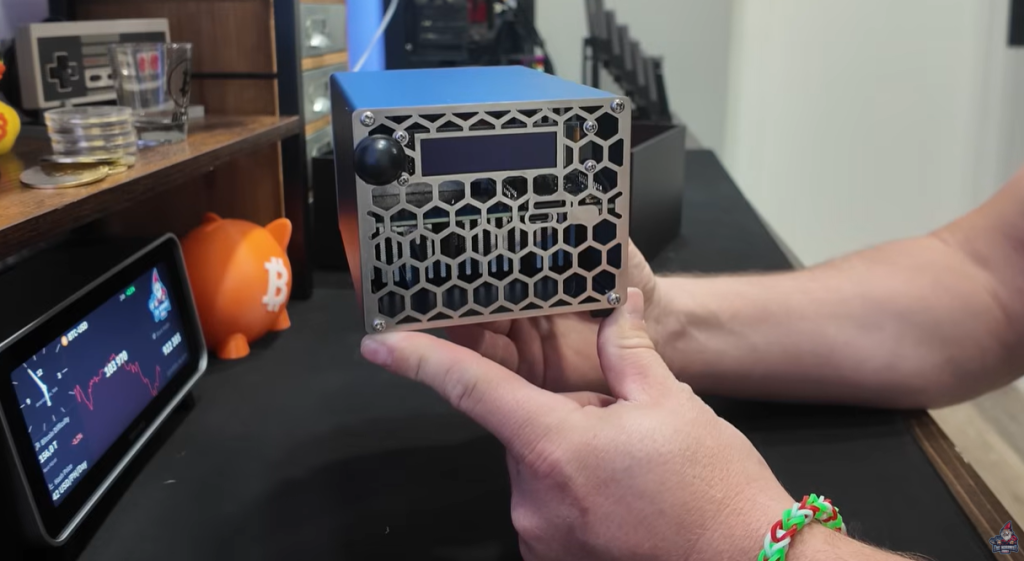
Take a good look: the Smart A2Z isn’t just bright blue, it’s compact, sturdy, and definitely designed with home tinkerers in mind. Here’s the full walkaround:
- Front Side: Features the main control screen, a USB-C port, SD card slot, and a mysterious little black knob (more on that in a second).
- Back Side: Big cooling fan, another USB Type-C port, and a power plug.
- Bottom: Simple feet for stability—no frills, but effective.
The shape and style give off an almost retro DIY feel, and everything’s easy to access. This isn’t an industrial monster meant for giant farms, but a unit for a desk, workbench, garage, or even your basement.
What is the Smart A2Z? Specs and Purpose
The Smart A2Z is a home solo bitcoin miner. It’s built to run independently wherever you’ve got a spare spot and a power outlet, cranking out a little heat but nothing wild—perfect for small rooms or home labs.
Key Specs
- Hashrate: Up to 7 terahash!
- Power: Beefy 24V/8A power supply (100-240V input)
- Networking: Wireless only—no Ethernet on this unit
- Size: Desk-friendly and easy to move
“Absolutely wild how far solo bitcoin miner hash rate has improved. Next thing you know, we’ll be talking about 10 terahash. And it’s crazy to think, out of just this little box, we’re getting 7 terahash!” – The Hobbyist Miner
Ports, Power, and Wireless Setup
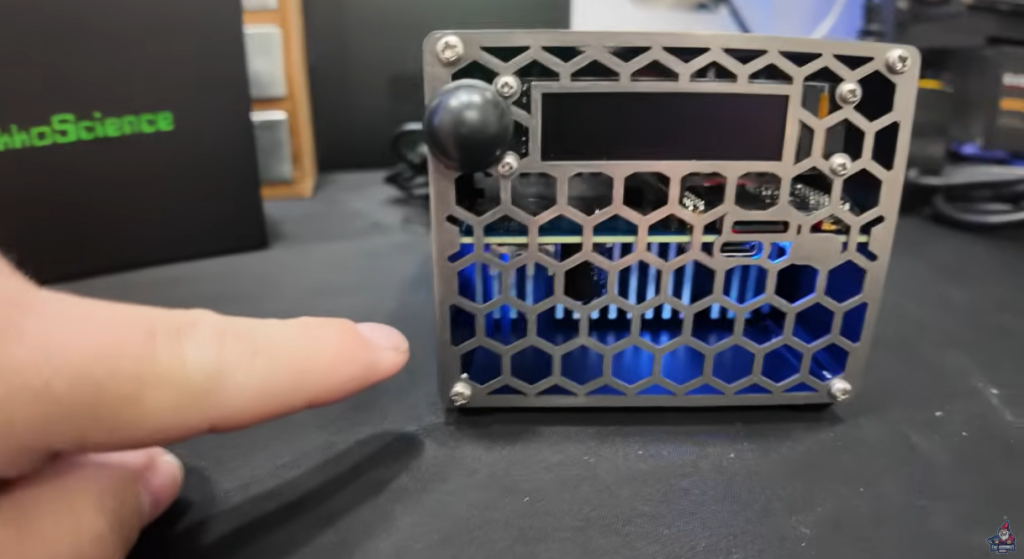
Let’s talk ports and setup. Here’s what the Smart A2Z offers:
- Cooling Fan: Moves air through the unit, across the ASIC, and out the back.
- USB-C Port: Two—front and back. The rear one didn’t seem to have a dedicated use (yet).
- SD Card Slot: For miner settings, including WiFi config.
- Screen: Built-in, shows mining status and prompts.
- Wireless Antenna Knob: Instead of a fragile gold antenna connector, this more solid knob sticks out less and feels less breakable.
Note: There’s no Ethernet port—this is entirely wireless only, so your home WiFi needs to be solid.
Power Brick
The included power supply is hefty—this miner needs the juice:
- Input: 100-240V AC, 1.8A
- Output: 24V DC, 8A
It’s clear this unit isn’t messing around in the power department!
First Boot: Colorful Lights & Airflow
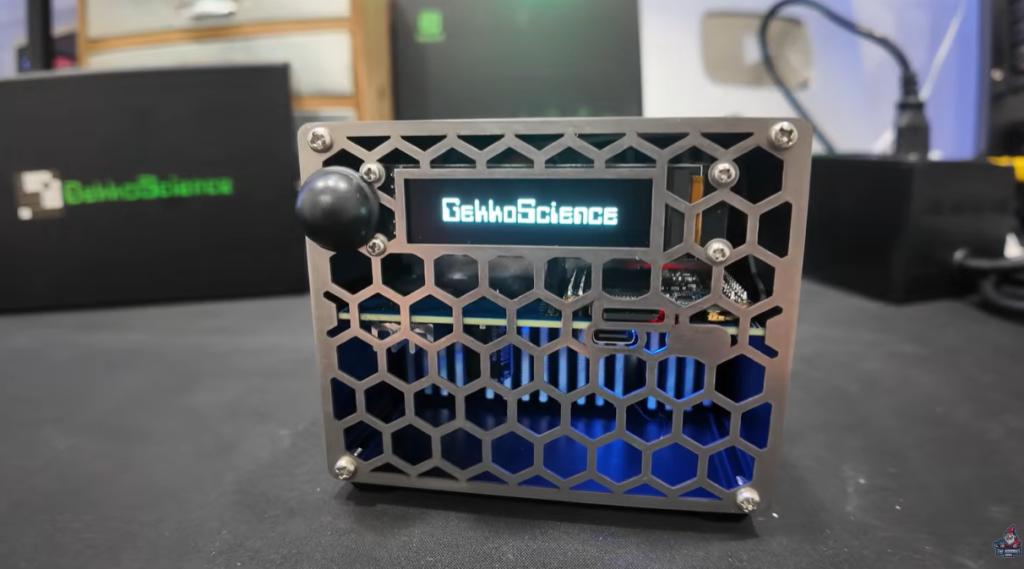
Plug in the unit and here’s what happens:
- Lights: There’s a blue glow from inside the unit, plus a red status LED.
- Fan: Immediately starts moving air. It’s doing a push-pull—air coming in through the body and out the back.
“Terminus A2Z Checking for Internet…”
Connecting to WiFi – Old School Setup
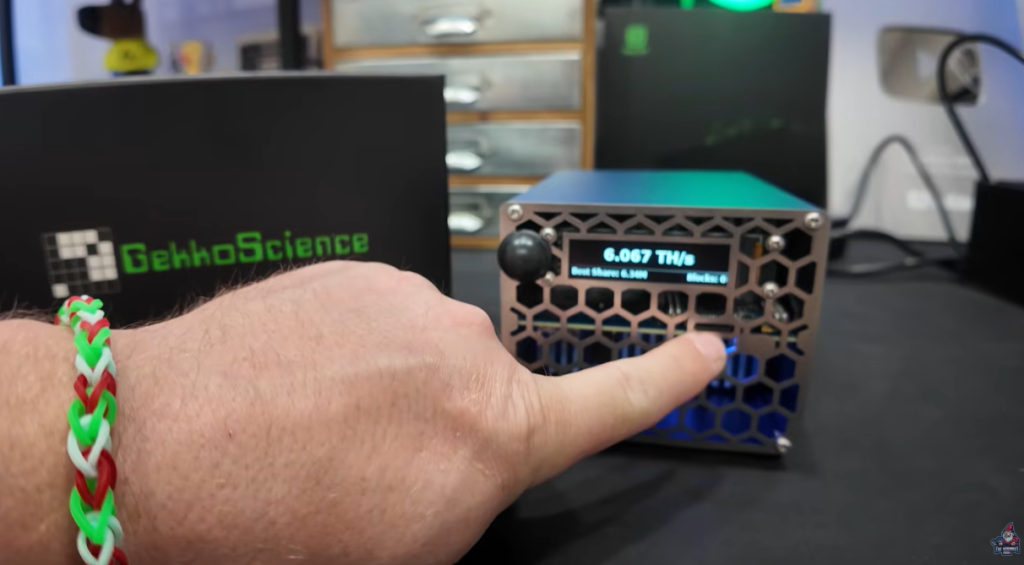
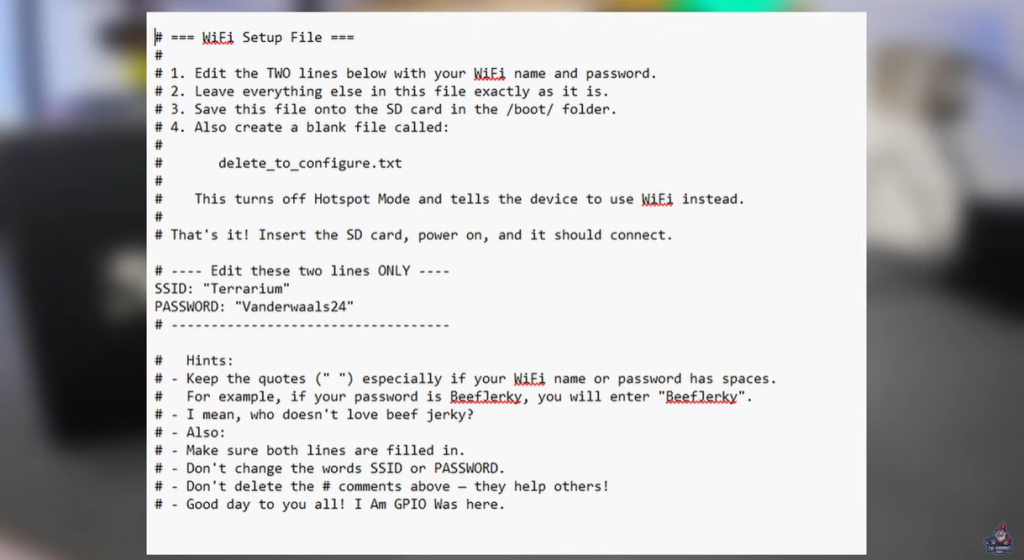
If you’ve been in crypto for a while, this part will feel like a blast from the past. Instead of an app or simple on-screen prompt, you have to do it manually:
- Pop out the SD Card.
- Plug it into your PC.
- Open a text file (wifi.txt).
- Enter your WiFi SSID and password.
- Save, eject, and pop the card back in.
- Let the miner boot—and you’re in business.
Setting up a miner like this reminded me of how things used to be in early bitcoin mining days—a little more hands-on, a little more fun for tinkerers.
“It was actually kind of fun, bringing me back to the way things used to be.” – The Hobbyist Miner
Solo Mining: Power, Pool, and Profitability
So, what can you actually do with the Smart A2Z? It’s built for solo mining, not pool mining—and here’s why that matters.
Is It Worth Pool Mining?
Let’s run the math. At 6 terahash and 117W, assuming $0.15 per kWh:
Hashrate: 6 TH/s (test value: 7 TH/s soon) Power draw: 117W @ 6 TH/s; 166W @ 7 TH/s Electric rate: $0.15/kWh
Calculator result:
- Revenue per day: $0.25
- Electric cost per day: $0.42
- Net: –$0.17 per day
You lose money daily running this as a pool miner. Don’t buy it for daily profitability—it’s not designed for that.
“This is absolutely not a pool miner. I would not recommend it, to be honest with you.” – The Hobbyist Miner
Solo Mining: Playing the Lottery
Solo mining is a lottery. Every 10 mins, a new block is found, and you have a shot—if your miner gets lucky. Using sololuck.com, here’s your yearly odds at 6 terahash:
- 1 in 3,445 chance per year of hitting a block!
The beauty? You don’t buy a new lottery ticket every 10 mins—your miner keeps recycling its chances all year.
Dashboard and Monitoring

Once online, the Smart A2Z’s dashboard is a little retro—a throwback that feels “early 90s.” Here’s what you’ll see:
- Block Height
- BTC Price and 24h Change
- Temperature (blue line)
- Hash Rate (green line)
- BTC Price (orange line)
Steady hash rate, clear temperature feedback, everything live.
Maxing Out Hashrate:
7 Terahash!
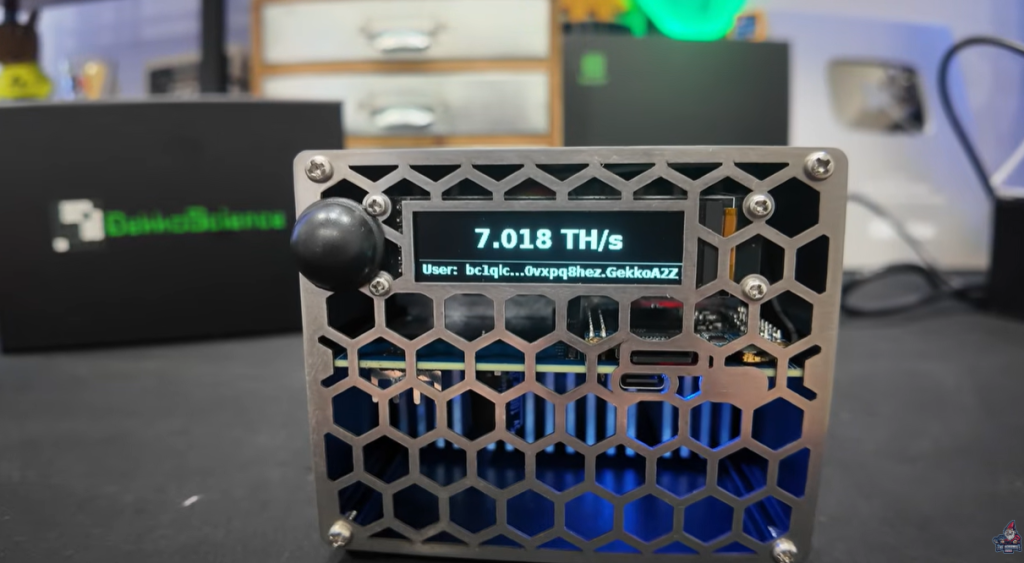
I couldn’t leave it at just 6 terahash. I dove into the settings and pushed the Smart A2Z to its limit—7 terahash!
Power Consumption at Max
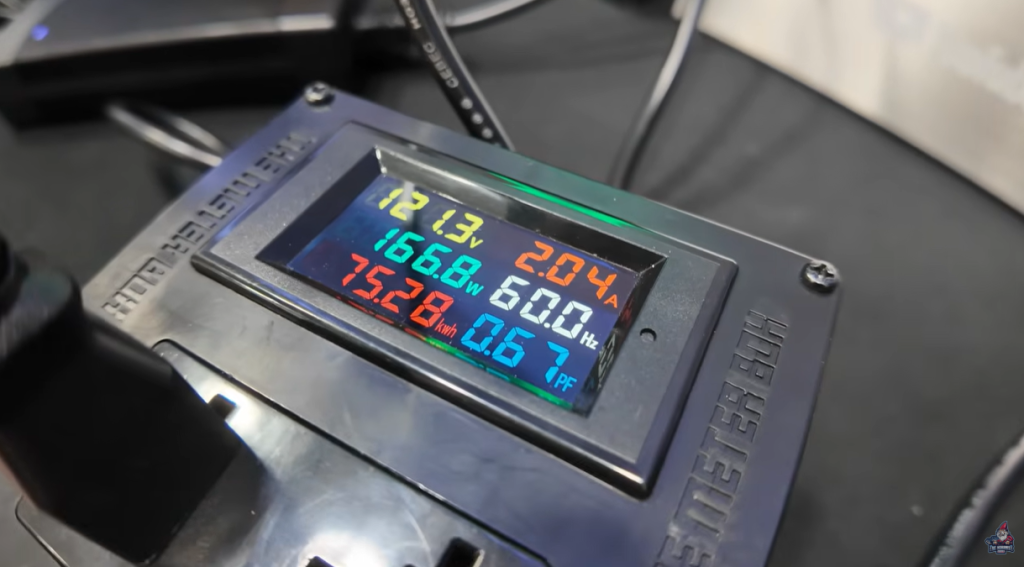
- 7 TH/s → 166-167W steady at the wall
- 6 TH/s → 117-120W
This is seriously impressive—for a box you can fit on a desk, you’re getting real power.
“To achieve 7 terahash, we need to push things—we’re at about 166, 167 watts. 6 terahash at about 117 to 120 watts.” – The Hobbyist Miner
Power Consumption & Noise Levels
A home miner must be quiet, especially if you want it running 24/7. I broke out my DB meter and measured noise at full tilt:
- Noise Level: 55–56 decibels
That’s equal to a regular box fan or someone speaking in a normal voice. Absolutely home-friendly, nothing crazy or disruptive.
“It’s someone having an oscillating fan nearby running, is kind of what I’m hearing. Like a box fan.” – The Hobbyist Miner
Final Thoughts
The Gekko Science Smart A2Z is exactly what home miners have been looking for—a real solo bitcoin miner for your desk, garage, or workspace. It’s stealthy, stylish, not insanely loud, and packs powerful hardware into a small space.
Is it right for you? Here’s the real story:
- Don’t buy it for pool mining—you’ll lose money due to power cost vs payout.
- Perfect for solo miners, lottery-style, who want to play for blocks directly onto their own wallet.
- Wireless only, so be sure your WiFi is solid.
- Built for the enthusiast who likes hands-on setup (including editing config files!)
- Retro dash, customizable naming, and easy integration with local pools and nodes make it a tinkerer’s dream.
Finally, a miner that makes home bitcoin mining fun, affordable, and real again.
Buy the Smart A2Z Home Solo Bitcoin Miner directly from Gekko Science
Use Checkout Code “HOBBYIST” for a Discount
Huge thanks to Gekko Science for sending over the Smart A2Z for review—and for giving an extra unit for our awesome community to win.
Go check their site for the full product page, and happy solo mining!
Happy mining, everyone! Stay tuned for more hands-on reviews, tests, and home crypto tips.