Hit a Solo Block and Earn 10,000 DOGECOIN! – Hands-On with the Hammer Miner
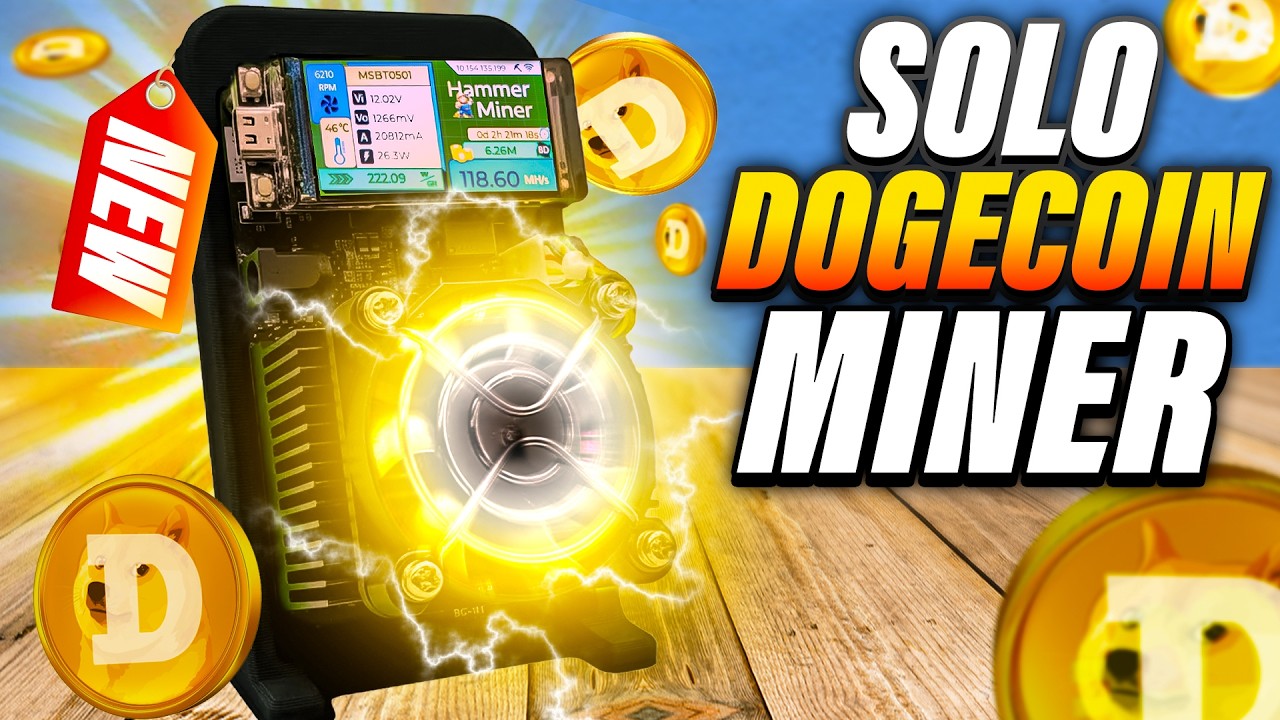
So, you’re all about solo mining, especially Bitcoin? Well, the new Hammer Miner is about to level up your mining game—this time, with Dogecoin. I recently got my hands on an early prototype, and in today’s post, we’re going deep on unboxing, setup, hash rates, odds of hitting that elusive solo block, profitability, a full walkthrough, and, yep, a giveaway too!
For more on this topic check out this detailed topic: Hit a Solo Block and Earn 10,000 Dogecoin!
Let’s dig into everything you need to know about the Hammer Miner.
Table of Contents
- Unboxing the Hammer Miner
- First Impressions & What’s in the Box
- Design & Build: A Closer Look
- Technical Specs: Under the Hood
- Setting Up the Hammer Miner
- Interface & Features
- Solo Mining with the Hammer Miner
- Profitability: The Real Story
- Pool Mining? Merged Mining? Let’s Talk Options
- Noise & Power Consumption
- Firmware: Overclocking and Customization
- Final Thoughts & Next Steps
- FAQ: Quick Answers
Unboxing the Hammer Miner

There’s just something awesome about unboxing new mining gear. Not gonna lie—maybe it’s the anticipation, maybe it’s the hope you’ll be one of the first to hit a big block, but the unboxing is always half the fun.
“This is like some of my favorite part of getting new miners – unboxing it. That kind of first look at the product.” – The Hobbyist Miner
Spoiler: The Hammer Miner I got isn’t even a final production model. There’s like five prototypes this close to retail, so this was basically a sneak peek!
Watch the Full Unboxing Here
First Impressions & What’s in the Box
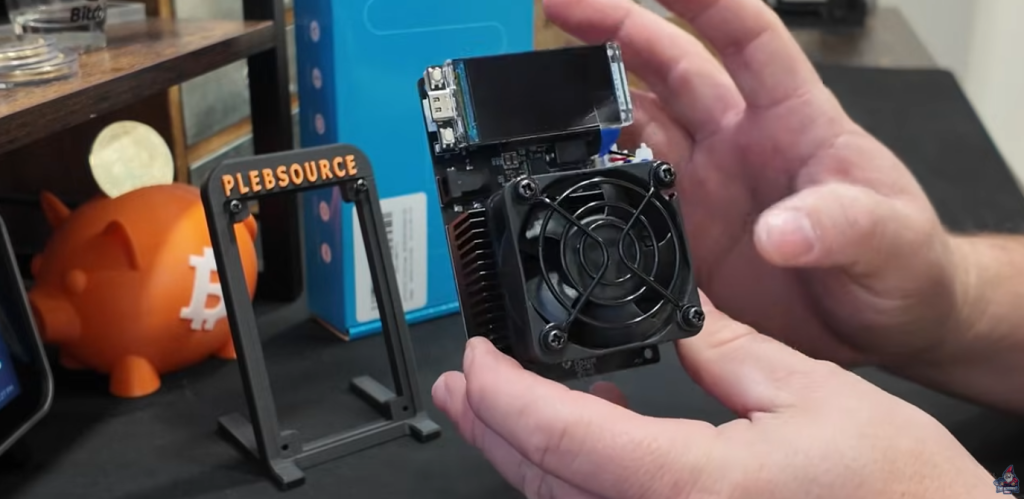
The packaging is tight, everything’s secure (maybe a bit too secure with all the bubble wrap and tape—I had to work to get it out). Here’s what greets you when you finally break into that blue box of mining goodness:
- Hammer Miner Unit (prototype)
- Blue box power supply
- Stand with “Plebsource” branding
- Accessories kit (screws, etc.)
The first thing that jumped out was the custom stand, clearly labeled “Plebsource”. That’s the manufacturer, though they’re not selling directly. All purchasing goes exclusively through Helium Deploy as of today.
Design & Build: A Closer Look
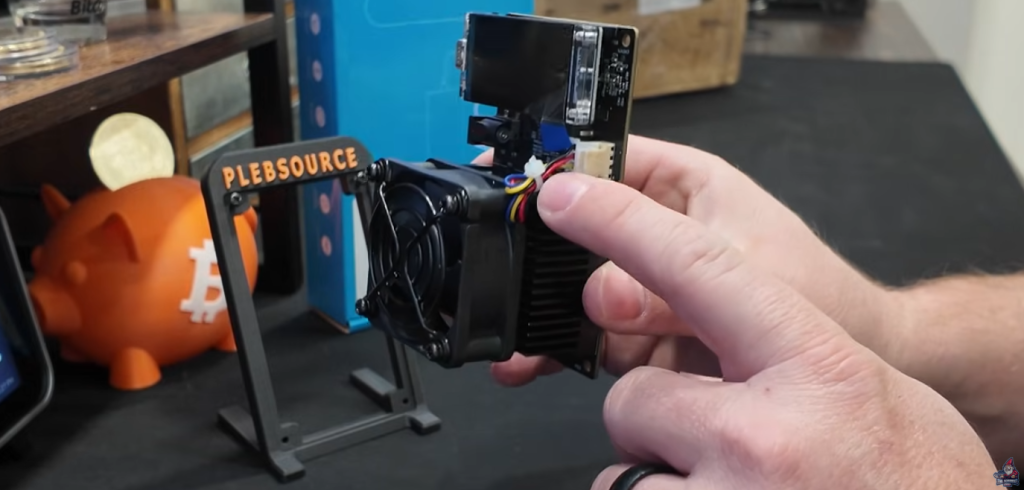
This thing is small. Way smaller than what I expected (especially if you’re used to beefy ASICs). But the screen—wow, it’s huge compared to the body. Here’s the quick breakdown:
- Chunky heatsink on the front
- Front-facing fan (looks powerful—and is!)
- Cabling is super tidy
- USB Type-C port (so you can possibly hook up to a PC or do a factory reset)
- Big, bright removable screen
“GM LTC05 is the model number, with parts of the initials a shoutout to the two main creators. So, there’s a lot of love and pride in this design.” – The Hobbyist Miner
Technical Specs: Under the Hood
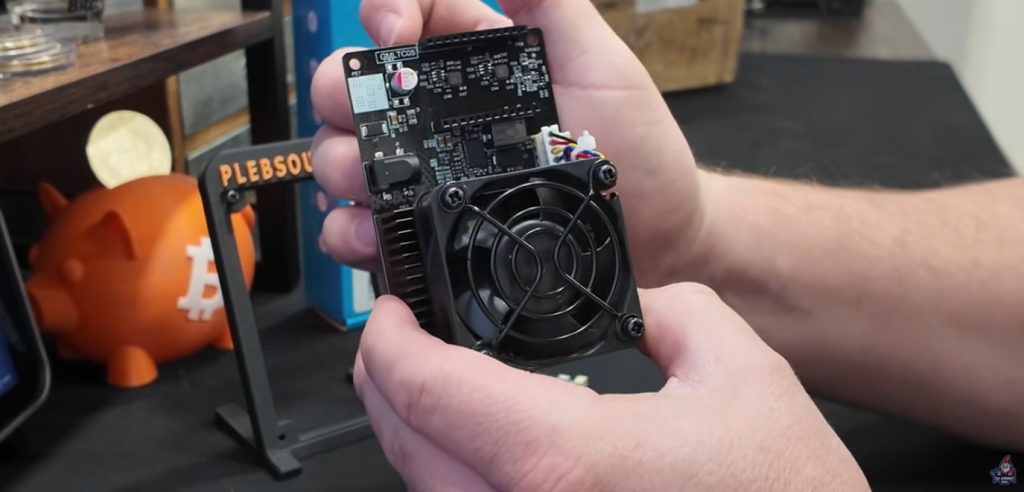
Here’s where this miner stands out for home mining:
- Hashrate: 105 MH/s (overclockable!)
- Power Draw: 25 watts (actual: closer to 38 watts with prototype fan)
- Algorithm: Scrypt (DOGE, LTC, and more!)
- Network: WiFi setup (super simple)
- Screen: Large, full color, detachable
The included power adapter has a 12V, 5A, 60W output. So you won’t need a dedicated 240V circuit or anything wild. However your power adapter most likely will be the limitation when overclocking.
Checkout this Full Video Overclocking the Hammer Miner
Setting Up the Hammer Miner

Setup is easy—if you’ve ever setup a Goldshell, Bitaxe, or similar miner, you’ll fly through it. Here’s the quick how-to:
- Plug in the miner and the screen.
- Power on and wait for the startup screen.
- The miner broadcasts its own WiFi network (SSID: like hammer_5295).
- Connect to this network with your phone.
- The browser opens automagically—choose your real WiFi SSID and enter your pass.
- Click save, it reboots, and you’re on your home network.
Interface & Features

The built-in display here isn’t just for show. It’s awesome—think “mini control panel,” full of color, with clear monitoring and easy navigation.
Main Home Screen
Here’s what you see:
- Miner name and model
- Uptime
- Current hashrate
- Fan RPM
- Temperature
- Current power draw
- Efficiency metrics
- Blocks found (if any)
- IP address
“Dude, this screen you can play video games on this thing like this is pretty sweet looking.” – The Hobbyist Miner
Solo Mining with the Hammer Miner
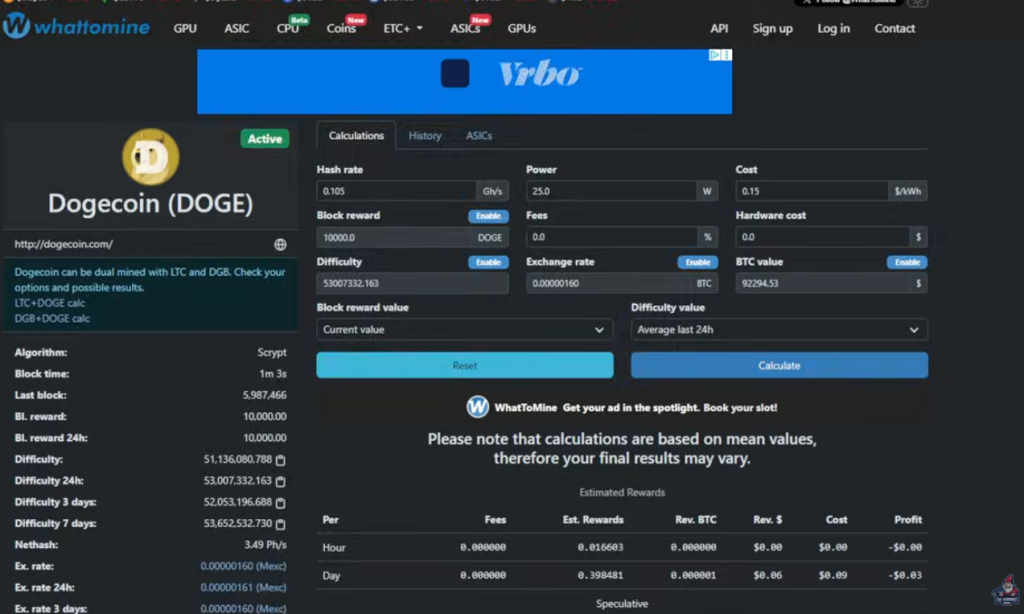
Here’s what makes this thing special: it’s built for solo mining DOGE (and other Scrypt coins). If you’re the kind of miner that dreams about waking up to that single, massive block—this miner’s for you. 10,000 DOGECOIN worth!
Odds of Hitting a Solo DOGE Block
- Block Reward: ~10,000 DOGE (worth about $1,480 at press time)
- Chance per day (at 105 MH/s): About 1 in 14,500
Not bad, right? That’s way better odds than solo Bitcoin mining on a home solo Bitcoin Miner.
How it works:
- You set your miner to solo mode (details below).
- If you hit a block, you bank the full block reward—no pool fees.
- Block rewards get paid directly to your wallet.
Profitability: The Real Story
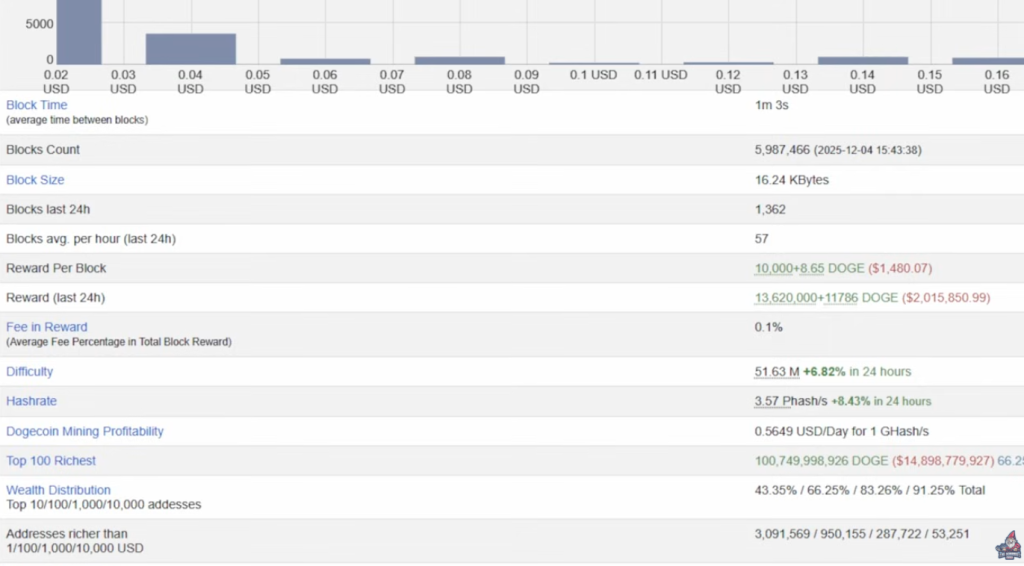
Let’s break down the real numbers, both hopium (“maybe I hit a block?”) and reality (“what if I don’t?”).
If You Solo Mine
- Every day your odds are 1:14,500 of a block. If (big if!) you hit, you get:
- 10,000 DOGE
- ~$1,480 at current price
If You Pool Mine
- Estimated daily earnings (pool, at 105 MH @ $0.15/kWh):
- About $0.06/day in DOGE even with merged mining
- Electricity cost ≈ $0.09/day
- Net profit: negative $0.03/day
“So it’s actually at the end of the day if you’re looking at revenue to cost, you’re actually making negative $0.03 a day. So I don’t recommend this for pool mining.” – The Hobbyist Miner

Noise & Power Consumption

Power
- Manufacturer spec: 25 Watts
- Actual (prototype): About 38 Watts
Much of the power draw difference seems to come from the fan in this early version.
“I honestly think a lot of this, like this fan, the RPMs on this fan, I mean taking a look on the screen here, are like over 6,000 … I think a lot of those watts are actually in this fan here.” – The Hobbyist Miner
The devs have said later versions should have a quieter, lower-RPM (and more efficient) fan.
Noise
- Fan RPM: 6,000 to 7,000 RPM (loud, but manageable)
- Future batches: Quieter fans expected
Real-World Testing: Hashrate & Efficiency
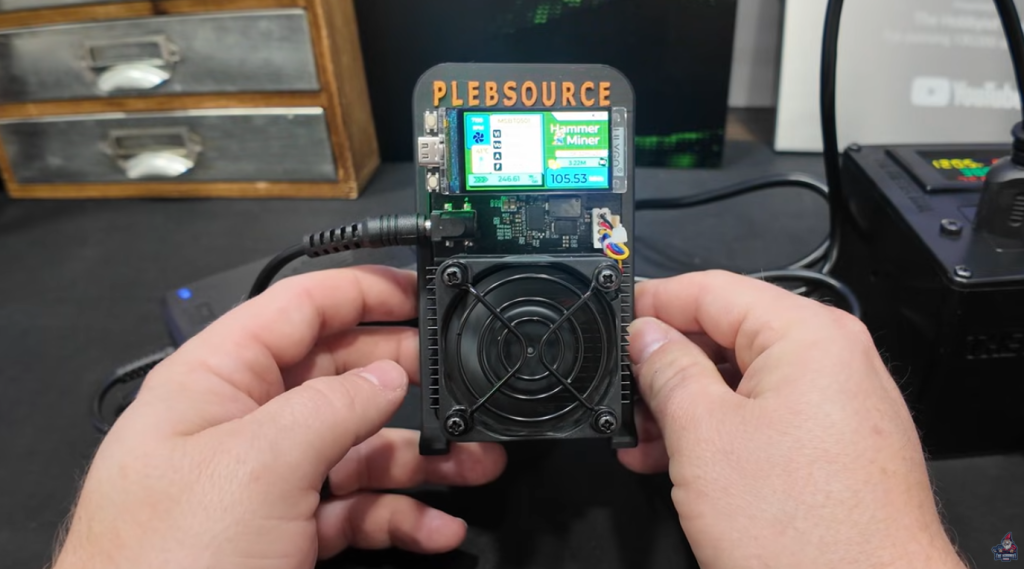
After 32 minutes of runtime, stats stabilized:
- Hashrate: 105 MH/s (manufacturer-claimed; matches reality!)
- Actual wall consumption: 38 Watts
- Temperature: 41°C
- Fan: 6,000+ RPM (yes, you’ll hear it)
Interface Walkthrough

The built-in GUI (accessible via web browser too) is slick, easy, and full-featured. Here’s what you can do:
- Live stats: Hashrate, shares, uptime, difficulty
- Thermals: Real-time temperature readouts, fan speed
- WiFi strength: Handy if you’re not hardwiring your network
- Firmware version and serial
- Pool settings: Both primary and backup (DX Pool and ViaBTC supported/tested)
- Work mode: Change between normal and custom
- Overclocking tools: Adjust voltage and frequency
You’ll even see your block stats—if you get lucky and solo a block, you’ll know instantly.
Mining Pool Setup: How to Solo Mine
On DX Pool
- Add your worker as you normally would.
- Navigate to the “Profits” tab under LTC.
- Go to “Solo” mode via the gear icon.
- If this isn’t set to solo, you’ll default to pool mining (and miss out on that 10k block).
On viaBTC
- In miner settings, pick LTC pool.
- Switch the pool mode from regular/PPLNS to “SOLO”.
“You have to have that configured on DX pool and on via BTC if you’re interested, to make sure that you are set up to do solo mining, as pool mining is the default.” – The Hobbyist Miner
Firmware: Overclocking and Customization
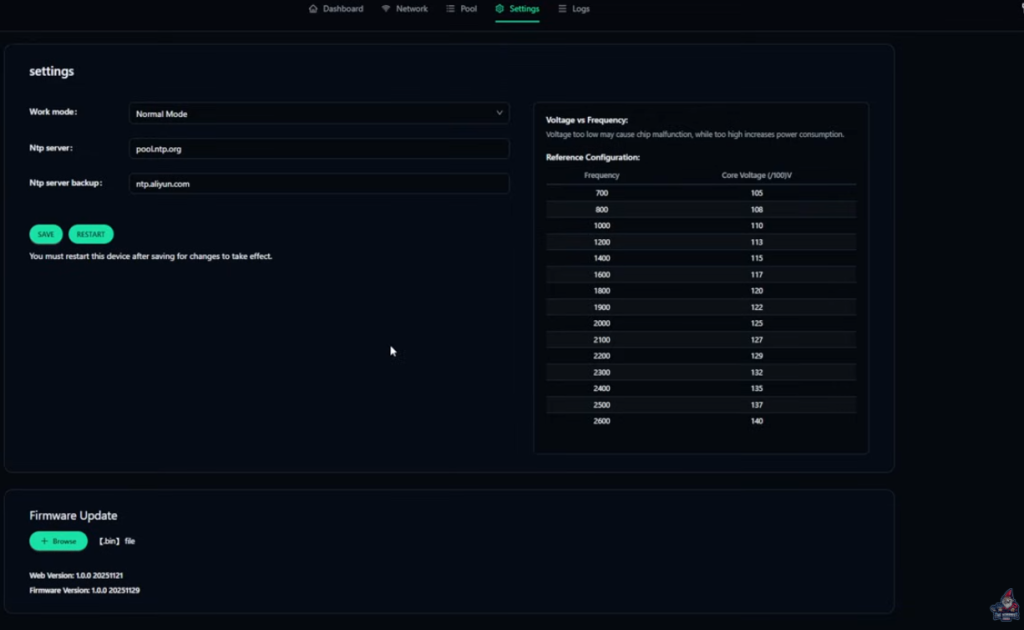
Want to tinker? The Hammer Miner gives you direct access to power users’ favorite options:
- Normal / Factory Mode: Default voltage and frequency
- Custom Voltage/Frequency: Crank up the core voltage or frequency to push for higher hashrates
“By default our core voltage is 127 and our frequency is 2300. So in a future video I’m going to go through testing out some of these and see how far we can push this miner. Maybe at some point we end up putting this in immersion. Who knows?” – The Hobbyist Miner
Checkout this Full Video Overclocking the Hammer Miner
Where to Buy & Shipping Info
You can only buy the Hammer Miner through Helium Deploy (not directly from the manufacturer, Plebsource).
- Price: $325
- Ship date: Starting January 2nd
- Direct Link to Buy
The Verdict: Who Is This Miner For?
The Hammer Miner is not for everyone:
- If you’re chasing quick ROI and massive daily payouts: Skip it.
- If you love to solo mine, tinker, and hope for a once-in-a-lifetime block reward: This is your dream box.
- If you want to play with Scrypt mining just like with Bitaxe or other home-friendly miners
- If you value a gorgeous GUI, simple wireless setup, and a plug-and-play experience
This miner scratches that tinkerer’s itch for everyone who loves trying new hardware and being part of a new product launch.
“I’m going to set this and forget it, but I’ll keep a close eye to see exactly how we do and if someday we hit a block, you’ll be the first to know.” – The Hobbyist Miner
Stay tuned, set it and forget it, and good luck solo mining!