Bitcoin Miner for Newbies — This Device Makes It Easy & Fun!
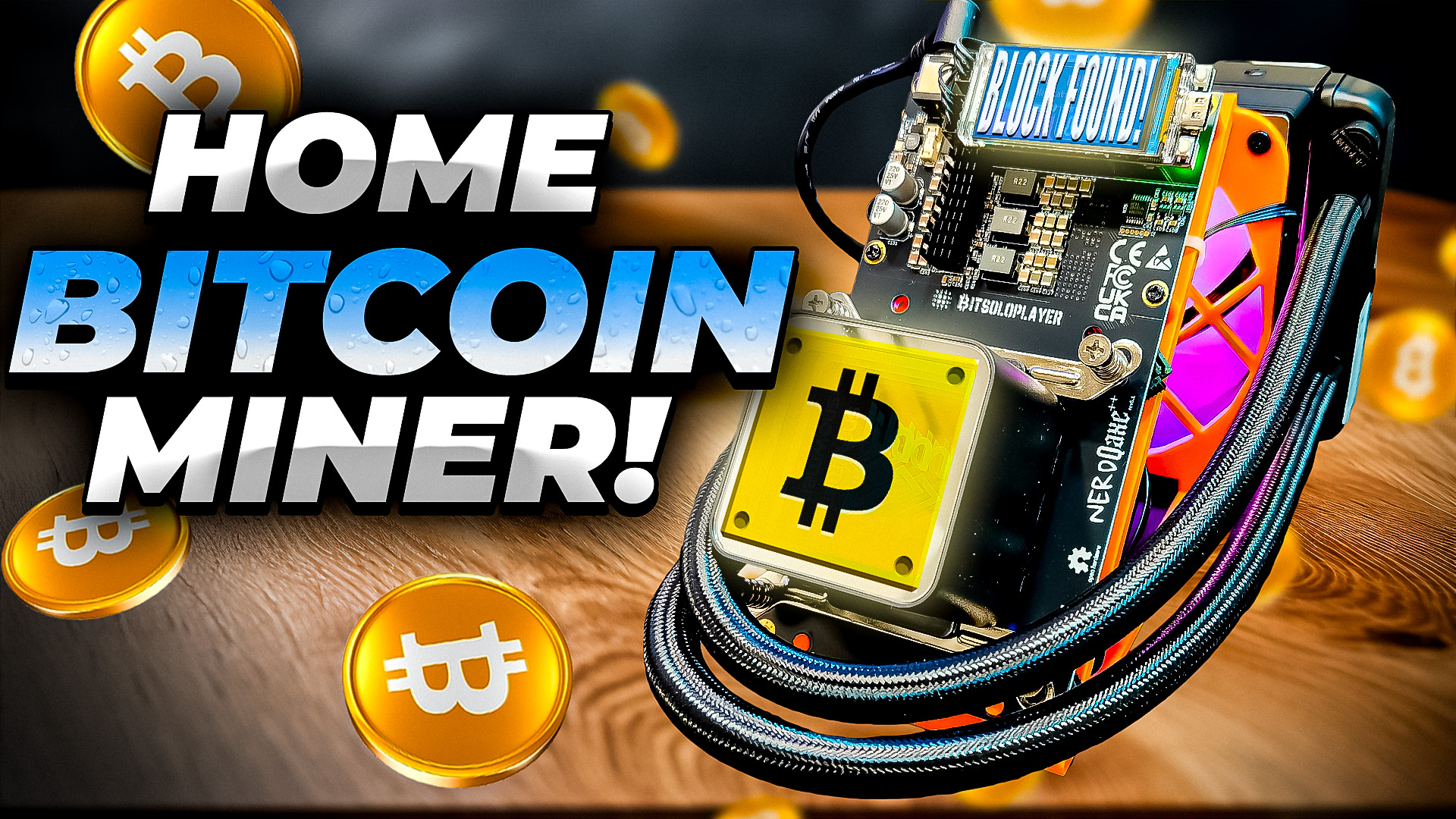
Welcome back, crypto miners! Today we’re diving headfirst into one of the most powerful solo home Bitcoin miners out there—the NerdQAxe++ Hydro. If you’ve ever wanted to get started solo mining Bitcoin, or you’re just looking for a beefy, feature-packed new miner for your home setup, this review is 100% for you.
So, buckle up as we unbox, explore, test, and even give away some seriously cool hardware. Whether you’re a seasoned miner or just diving into the world of home Bitcoin mining, you’ll find plenty of nerdy goodness and practical tips right here.
Check out this video for more on this detailed topic: Bitcoin Miner for Newbies — This Device Makes It Easy!
Table of Contents
- First Impressions & Unboxing
- Taking a Closer Look: The Nerd QX++ Hydro Features
- Solo Mining 101: Is It the Bitcoin Lottery?
- Rig Cleanup: Making it Tidy
- Let’s Power On! Setup & First Run
- Connecting the Nerd QX++ Hydro to Your Network
- Specs, Hash Rates & Watts at the Wall
- Solo Mining Odds and the Bitcoin Dream
- Deep Dive: Mining Pool Setup & Tinkering
- Tuning and Overclocking
- Final Thoughts & What’s Next
First Impressions & Unboxing
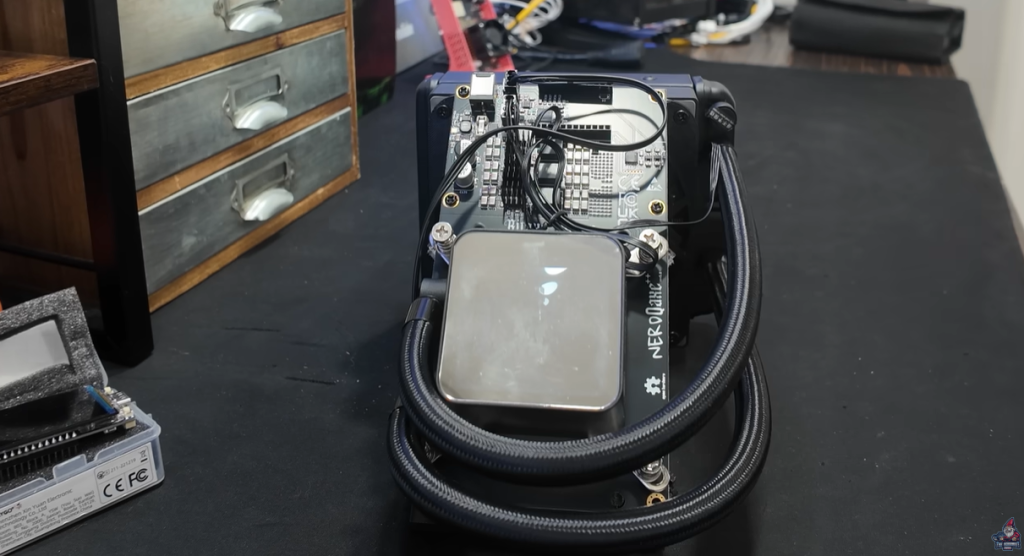
I’m always hyped to get my hands on new mining hardware and this time, the team over at Bitcoin Merch sent me something really special. The NerdQAxe++ Hydro isn’t your average plug-and-play miner, it’s packing some legit power and a few surprises.
So what’s in the box?
- NerdQAxe++ Hydro
- Power adapter (a massive 120W PSU)
- Display module
- Stickers and a sweet little Bitcoin coin (my kids already have their eyes on this one)
- A mini pamphlet with quick details
Unboxing is always part of the fun, especially when you’re not quite sure how much power is lurking inside that box. The pamphlet claims “4.8 terahash,” but Bitcoin Merch’s website says “5 terahash.” Which is it? We’ll test it out and see what this beast can really do.
Pro tip: Always check for stickers and little bitcoin swag hiding in the box. Adds collectible flavor to your mining cave!
Taking a Closer Look: The NerdQAXE++ Hydro Features

Pulling the NerdQAxe++ Hydro out of the packaging, the first thing that jumps out? This thing is chunky—in a good way. There’s no doubt it means business.
AIO Hydro Cooling
Straight away, you’ll notice a water block solution on top. This isn’t your standard fan-cooled miner. This is a mini liquid-cooled rig—think all-in-one (AIO) CPU coolers, but repurposed for mining.
- Inlet & Outlet: Cooling liquid flows over the main chip, picks up heat, and then loops back through a radiator where it’s cooled by a hefty RGB fan.
- 3D printed parts: The whole enclosure is both functional and kinda cyberpunk. Fan and pump fittings, radiator mounting—much of it’s 3D printed and surprisingly slick!
- Display Module: This is HUGE (and yes, that’s rare for home miners). The screen pops onto the front and spits out all your vital stats—hashrate, temp, and more.
You’ll also see several cables front and center—one for the block, another routed to the back for the fans. I’ll admit, it’s a bit messy out of the box, but nothing a little zip-tie action can’t solve.
Compared to Other Models
Here’s how the NerdQAxe++ Hydro stacks up against its siblings:
- NerdQAxe++ Hydro: 4.8–5 Terahash (TH/s), Hydro Cooled!
- Bitaxe SupraHex Miner: 4.2 TH/s Bitaxe Middle Child!
- Bitaxe Gamma 602: The OG, Lower Hashrate 1.2 (TH/s) and Compact!
Unpeeling the plastic from the display (satisfying, as always), let’s snap it into place and see how this thing fires up!
Let’s Power On! Setup & First Run

Alright, moment of truth—time to power up!
Here’s what happened:
- Plugged the miner into a digital watt meter (so we can really see what it draws).
- Hit the switch and immediately heard the hydro cooling loop kick in. (If you haven’t heard coolant flowing through a miner before, it’s oddly soothing.)
- RGB fan lights up like a gaming rig.
- Big display begins scrolling through vital info.
Look: The RGB doesn’t make it hash faster (but, like racing stripes on a Honda Civic, it definitely makes it cooler).
Check out the NerdQAxe++ Hydro in the Dark Bitcoin Miner for Newbies — This Device Makes It Easy!
Aesthetics
I’ll admit, the sideways logo on the display irked me a little. If you’re like me and crave perfect symmetry, you might want to open up the case and rotate the display. (But only if you’re confident—no need to break anything fresh out of the box!)
Connecting the NerdQAXE++ Hydro to Your Network

One thing I love about this miner: setup is so simple!
Here’s How You Do It:
- WiFi Access: On the display, you’ll see the SSID (“Nerdaxe_XXXX” in my test). Just connect to this WiFi network from your phone.
- Web Config: If a web page doesn’t auto-load on connect, just pop open your browser and go to 192.168.8.41 (your experience may vary based on the device).
- Enter Credentials: Drop in your own WiFi settings so the miner can hop onto your home network.
- Done! The miner will now join your main WiFi, and you’re ready to start mining.
This beginner-friendly process means you don’t have to mess with cables, switches, or any advanced config. Super smooth!
Specs, Hash Rates & Watts at the Wall
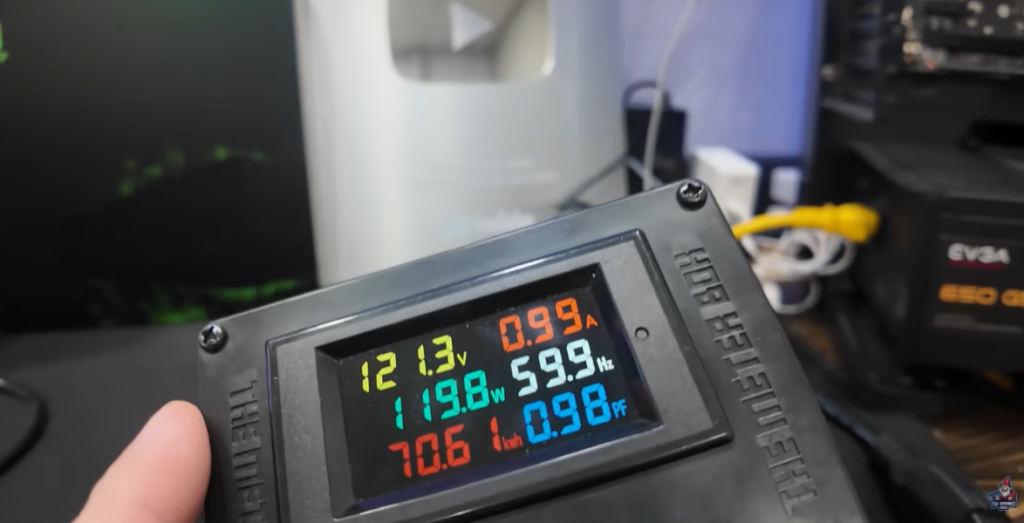
Let’s dig in on what matters: numbers.
- Hash Rate (real-world): Averaged between 4.8–5.2 TH/s after tuning
- Power Draw: As measured at the wall—119–120 watts
- Cooling Performance: ASIC core temp at 43°C after a short warmup
The 120W PSU is right at the edge here. If you want to squeeze every last bit of hash, you could swap in a beefier power supply (but for most, stock works fine).
Compared to the specs:
| Model | Hashrate (TH/s) | Power Usage (Watts) | Cooling |
| NerdQAXE++ Hydro | 4.8 – 5.2 | 119-120 | Hydro (AIO) |
| Bitaxe SupraHex | 4.2 | 75 | Air |
| Bitaxe Gamma 602 | 1.2 | 18 | Air |
Solo Mining Odds and the Bitcoin Dream
Now, how good are your actual odds if you solo mine with 5 TH/s?
Let’s use Solo Luck to run the numbers:
- Plug in 5 TH/s – Your chance of hitting a block per day:
1 in 1,584,030 - Your odds per year:
1 in 4,340
If you do hit a block, you’d walk away with: “$298,367”
(Based on current block reward and BTC price as of November 16th 2025)
Yeah, the odds are definitely long, but the payout is legendary.
As I keep adding more solo miners to my fleet (pushing 20–25 TH/s total across all units right now), the odds improve. Here’s how it stacks up with 25 TH/s:
- Chances per year: 1 in 856
Not bad for a home setup, right? It’s still the lottery, but with more tickets in play.
Deep Dive: Mining Pool Setup & Tinkering
Here’s where things get fun for the DIYers.
Direct Mining to a Local Bitcoin Node
Instead of pointing the miners at a big public pool, I’m mining straight to a local BTC node —a setup you can easily replicate at home, checkout this setup video.
Quick Setup Recap:
- Umbrel OS: Easy to install on any old PC
- Full Bitcoin Node: Keeps you synced with the network (does all block validation)
- “Public Pool” App: Fully open-source pool software running locally
- Receives work from your miners
- Lets you mine solo without giving up control to a big pool
“I actually have a full video on how to set this up with any old PC you guys have sitting around. Super beginner-friendly. I highly recommend you check it out.” – The Hobbyist Miner
Putting It Together
- Your NerdQAXE++ Hydro (and any other miners you have) connects over the local network.
- They all hash away and report to your personal pool.
- If any miner in your farm finds a block, guess what? All the BTC is yours.
Pro-tip: Since setup only takes ~15 minutes (syncing the blockchain takes much longer), there’s no reason not to set up your own node if you want full sovereignty.
Check out this video for more details on setting up your own pool: Stop Mining Bitcoin to Solo Pools! Here’s Why! | Umbrel Full Setup Guide
Tuning and Overclocking

Tweakers, rejoice!
Under the default mining settings, the NerdQAxe++ Hydro lets you edit:
- Frequency (default: 600)
- Core Voltage (default: 1150)
By playing with these parameters, I managed to push my hash rate as high as 5.3 TH/s, but realistically landed at 5.1–5.2 TH/s for stable runs.
What About Power?
At the wall, pushing things hard lands right at 119–120W—about max for the supplied PSU. If you swapped in a beefier supply, you could experiment even further (but be careful—safety first).
ASIC Temps: Even at these higher settings, the hydro cooler kept the chip at a perfectly reasonable temperature.
Solo Mining 101: Is It the Bitcoin Lottery?
Let’s talk solo mining. What does it really mean to run a solo Bitcoin miner at home?
Spoiler: This is not a daily cash-printing machine. Instead, solo mining is all about the Bitcoin lottery. Here’s how it works:
- Every 10 minutes, a new Bitcoin block gets found.
- That block is currently worth 3.125 BTC (post-halving numbers, baby!)
- Your solo miner is your lottery ticket. Every 10 minutes, you have a shot at finding a block and scoring the full reward.
Real Talk: Profits & Reality Check
No, you’re not going to be stacking huge sats every single day. Odds are long, especially with a small rig like this—but hey, someone wins the lottery, right? With solo mining, at least you control your odds.
And here’s the best part: these modern home miners are super energy efficient.
“You buy it once and you play that bitcoin lottery every 10 minutes with a chance to hit a bitcoin block. Does this use a lot of power? Absolutely not.” – The Hobbyist Miner
Final Thoughts on the NerdQAxe++ Hydro
Is the NerdQAXE++ Hydro right for you?
- If you want lotto odds at solo mining a Bitcoin block without running up the electric bill—absolutely, yes.
- The hydro cooling, big display, and solid build make it a conversation piece and a legitimate addition to any home mining farm.
- Setup is easier than ever, with future-proof software and support for real tinkering and custom nodes.
Quick Recap
- Hashrate: 4.8–5.2 TH/s (higher possible with tweaking)
- Power Draw: 120W
- Setup: Super easy, even for newbies
- Solo Mining Odds: It’s a lottery, but every miner increases your shot
Happy Mining!