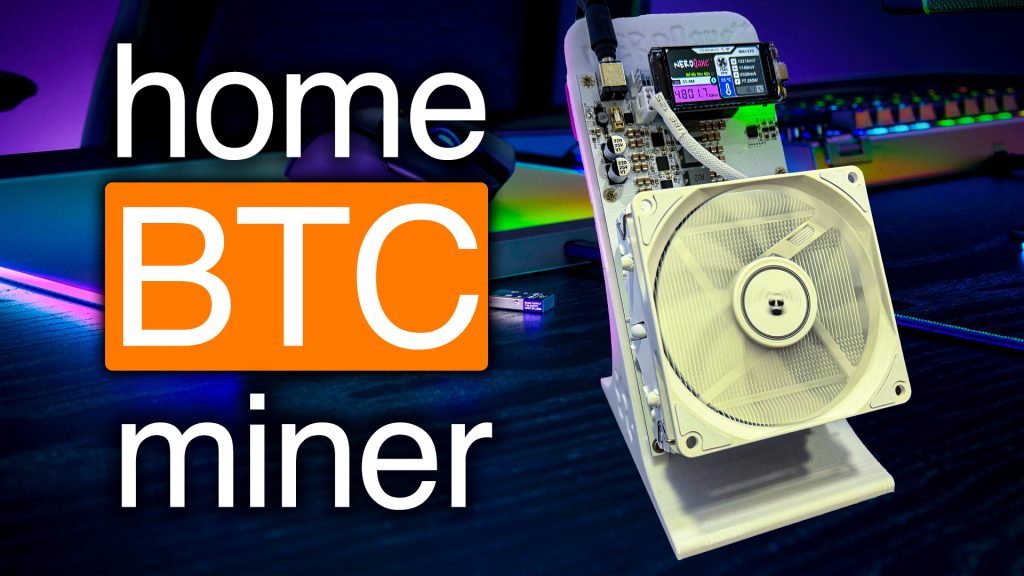
The BEST Miner for Mining BITCOIN at Home in 2025: Hands-On With the Canaan Avalon Q

Hey crypto miners! Today we’re taking a deep dive into the much-hyped Canaan Avalon Q—a miner that’s promised to be the king of home Bitcoin mining. In this post, I’m unboxing it, digging into every detail, setting it up, testing its modes, doing some profit calculations, and sharing where to buy it at the best price. If you’re considering home mining in 2025 or just love cool new mining gear, you’re absolutely in the right place.
For more insights on this topic check out this detailed video The BEST Miner for Mining BITCOIN at Home in 2025 | Canaan Avalon Q
Table of Contents
- First Impressions: Unboxing the Avalon Q
- What’s in the Box?
- Design & Build Quality
- Taking a Peek Inside: Internal Components
- Setting Up the Avalon Q
- Initial Power-Up & Troubleshooting
- Connecting With the Canaan Avalon Family App
- Web Dashboard Walkthrough
- Mining Modes: Super, Standard, Eco – Performance Tests
- Super Mode
- Standard Mode
- Eco Mode
- Noise, Heat, and Home Suitability
- Profitability & Power Cost Analysis
- Where to Buy the Canaan Avalon Q (And the Cheapest Place!)
- Final Thoughts & Giveaway!
- FAQ
First Impressions: Unboxing the Avalon Q
“Oh my gosh. This thing is huge.”
That was my genuine reaction when first getting my hands on the Avalon Q. For months, this miner had been on my radar as one of the most exciting home mining machines set to hit the market. Well, now it’s here—so let’s crack it open!
What’s in the Box?
Unboxing this miner actually felt a little like opening up a fancy new iMac or high-end appliance. Here’s exactly what came inside:
- 2x USB WiFi receivers (yep, you get an extra—nice touch!)
- Mining pool card (with F2Pool partnership details)
- Rubber feet for the base (to keep it secure & isolated)
- Manual (honestly, who ever reads this? 😉)
- Heavy-duty power cable – C19 to NEMA 5-15P (standard US outlet)
The overall packaging is secure, and you can tell the company cared about protecting this beast in transit. Everything has its place, and there’s no wasted space or janky packing.
Design & Build Quality
First thing’s first: build quality here is insane.
When you pull out the Avalon Q, you notice a few things straight away:
- Sturdy, clean construction: This isn’t some cheap, rattly rig. Everything feels solid, from the metal chassis to the rubber feet.
- Plenty of ventilation: Mesh grille on the sides helps airflow.
- Integrated carrying handle: Practical—makes moving this thing around a breeze.
- Rack mount holes on the side: You could absolutely rack-mount this like a pro if you want to.
Front Panel Features:
- Mesh intake
- Mysterious button (turns out to be reset—more on that later)
- Front-facing LED screen (displays key info: mode, IP, error codes)
- USB port (for the WiFi stick)
- Ethernet jack (if you’re old-school)
- Canaan logo – looks super sharp
Back Panel:
- Main power switch (big toggle, satisfying click)
- IEC C20 power input
- Rubber feet attachment points
All in all—the Avalon Q’s looks and feels like top-tier equipment. Honestly, it would look great on a tech shelf, but has all the functionality you’d expect from an industrial miner.
Taking a Peek Inside: Internal Components
I know you’re dying for a look under the hood. So before powering up, I cracked the case to check out the internals.
Here’s what stood out:
- Clean, detailed layout: Every part is labeled. “Front” and “Rear” markers make orientation easy.
- Airflow is well-designed: Intake fans at the front, pushing air across the hefty black anodized heat sinks, and out the back.
- Maintenance-friendly: The heat sinks are easy to remove for repasting if ever needed. Tons of screws hold everything in place for solid contact.
- Canaan-branded PSU on top—rated up to 1700W (just above its advertised consumption, good margin for safety).
- Direct bus bar connection for power delivery to the hashboard.
- Control board appears to be at the front (untraditional, but kinda cool).
- Temperature sensor right at the top.
- All cabling is super neat—nothing loose or risky.
“You can definitely tell this is like Canaan’s new flagship home miner. They really put in the time… This is not just a cheap little home miner that they put out.”
Setting Up the Avalon Q
Now that we know what’s inside, let’s get this miner ready to roll.
- Connect the power cable (C19 to your normal outlet, or run 240V with the right plug)
- Add the rubber feet to prevent it sliding (goes on its side, not vertically)
- Insert WiFi USB receiver (or plug into Ethernet)
That’s pretty much it—hardware-wise this is plug and play.
Initial Power-Up & Troubleshooting
Time for that big moment—let’s hit the power switch!
- Click! Fans spin up.
- Lights come on: white indicator in front, red and green inside.
- Watch the LED screen: It starts by flashing a code like W05 (common on initial setup).
- IP address shows as 0.0.0.0—meaning it hasn’t joined your network yet.
If it’s not blinking blue, you may need to reset it (hold the reset button 5 seconds to enter Bluetooth pairing mode). Seems like mine was tested at the factory, so it wasn’t in the right state for first setup—fixed with a quick reset!
Connecting With the Canaan Avalon Family App
To get the Avalon Q on WiFi, you’ll use the Canaan Avalon Family App (available for iOS/Android).
Steps:
- Hold reset for 5 seconds—puts miner into pairing mode (blinking blue LED).
- Open the Family App and it’ll find your Avalon Q by Bluetooth.
- Name it, connect to your home WiFi, and it should show up in your device list.
- App shows: Mode (Eco, Standard, Super), current hash rate, and IP address for further setup.
Pro Tip: This app also lets you manage other Canaan miners, showing status, hash rates, and more at a glance.
Web Dashboard Walkthrough
As soon as your miner’s on the network, pop its IP address into your browser to access the built-in dashboard.
- Login—just enter your password, no annoying QR code needed (huge improvement!)
- Main view: Shows current status, errors (like “no pool set”), mode, watts used (saw about 7.5W idle—which is basically nothing).
- You set up pools and check stats here.
- Switching modes must be done from the mobile app—just a heads-up!
Mining Modes: Super, Standard, Eco – Performance Tests
What’s really cool is that the Avalon Q offers three different mining “modes,” letting you tweak between max performance and lower power/noise as needed.
Official Specs (per Canaan’s site):
- Super Mode: 1,600–1,700W, 90 TH/s+, loudest/fanciest
- Standard Mode: 1,300W, 80 TH/s
- Eco Mode: 800W, 50–55 TH/s, super quiet and cool
But how do these hold up in the real world? I put all three through their paces—here’s how things shook out.
Super Mode
Got everything plugged in, switched to Super Mode…and POP! Tripped the circuit breaker.
Lesson learned: If you’re running one of these at home, your wall outlet’s 15A circuit probably can’t handle 1700W plus other devices. You’ll want a dedicated breaker (I used my mining room’s 30A, 240V line).
Results
- Wattage: 1,700W (spot on)
- Rear Heat: 112°F (44°C) exhaust
- Noise: 46–47 dB (like a ceiling fan—surprisingly quiet for the power!)
- Hashrate:
- Real-time: 93 TH/s
- 15-min average: 86 TH/s
Canaan claims 90 TH/s @ 1,674W, and that’s practically what I got. Actual wall draw was just a touch above specs, but within a few percent.
Standard Mode
Switched over to Standard Mode for another 15-minute test.
- Wattage: 1,300W
- Rear Heat: 114°F exhaust (slightly hotter as fans spin slower)
- Noise: 41–42 dB (quieter, fans much more gentle)
- Hashrate: ~79.6 TH/s
So the Standard Mode settles right near its advertised 80 TH/s at 1,300W—again, right in line with what’s promised.
Eco Mode
Now for the interesting one—Eco Mode. This is super impressive for anyone who wants solid performance but needs lower noise and power.
- Wattage: 845–846W
- Rear Heat: Barely warm air on exhaust
- Noise: 38–39 dB (barely more than a quiet office)
- Hashrate: 53.3 TH/s
The airflow and noise drop dramatically in Eco, making it something you could actually run closer to your living spaces if you needed to.
Quick Comparison Table
| Mode | Hashrate (TH/s) | Power (W) | Efficiency (J/TH) | Noise (dB) | Heat (°F) |
| Super | 86-93 | 1,656 – 1,700 | ~18 – 19 | 46-47 | 112° |
| Standard | ~80 | ~1,300 | ~16.25 | 41-42 | 114° |
| Eco | ~53 | 845 – 846 | 15.9 | 38 – 39 | Low |
The lower the Joules per TH, the more efficient.
Noise, Heat, and Home Suitability
Here’s some candid advice: while the Avalon Q is shockingly quiet for its output, Super Mode still pumps out a lot of heat (think mini space heater).
- In Super Mode, it’s not something you’d want in a bedroom or living room-particularly in warmer months.
- Standard and Eco Modes are a whole lot more manageable—Eco especially could run in an office or isolated closet.
“This thing literally just sounds like a ceiling fan… It’s just a slight hum.”
Canaan’s rated noise specs are totally accurate. Advertised as 45–65 dB, and my tests confirmed the lower end of that range in all modes.
Profitability & Power Cost Analysis
Let’s get into the money talk. Can you make a buck running this at home? The math depends heavily on your power rate.
Fast Look: Mining Stats Using miningnow.io (bookmark it!)
Using 90 TH/s in Super Mode:
- Daily Income: $5.02 (with Bitcoin around $66k–$68k, as of right now)
- Daily Power Use: 1,700W = 40.8 kWh per day
Electric Cost Examples
- At $0.07/kWh (my ASIC shed): $2.81/day
- Net: Earn ~$2.21/day (not including depreciation/hardware cost)
- At $0.15/kWh (more typical US rate): $6.00/day
- Net: Lose about $1.00/day
So, profitability is right on the edge at higher power rates. Standard and Eco modes save some cost, but your reward per terahash also drops.
Solo Mining Odds
“At 90 TH/s, you have about a 1 in 70,465 chance of hitting a Bitcoin block per day, or 1 in 194 per year. But that’s gonna cost you $2,200 a year in electric just to play the Bitcoin lottery.”
So, pool mining is almost certainly the way to go for all but the biggest whales.
Where to Buy the Canaan Avalon Q (And the Cheapest Place!)
Obviously, if you’re thinking about grabbing one, you want the best deal and to avoid scams. Here’s my research:
| Seller | Price (USD) | Discount Code | Final Price | Notes |
| Canaan Official | $1,888 | N/A | $1,888 | Check shipping; can be high |
| HeliumDeploy | $1,899 | HobbyistMiner50 | $1,899 | Stock Coming Soon! |
| AltairTech | $2,199 | TheHobbyistMiner | $2,146 | US Based Stock! |
| Coin Mining Central | £1,500 | No | £1,500 | Stock |
| Crypto Miner Bros | $1,879 | TheHobbyistMiner | $1,809 | US Based Stock! |
| ASIC Marketplace | $1,879 | TheHobbyistMiner | $1,779 | Best Price |
*Pricing as of June 7th 2025
“Don’t just Google and buy from any site—the ASIC miner space is full of scammers. Use a trusted supplier I’ve vetted…”
All my discount codes, links, and more are available at The Hobbyist Miner: Where to Buy for your reference.
Final Thoughts & Giveaway!
So, what’s the bottom line?
Do I recommend the Canaan Avalon Q for home mining?
Absolutely. The build quality, performance, and efficiency are better than almost anything else I’ve tested for the “home miner” segment.
- Build & Design: Best-in-class
- Performance: Hits (and sometimes exceeds) advertised numbers
- Noise: Super manageable, especially Standard & Eco modes
- Efficiency: Eco mode makes this a real winner for home setups
- Usability: Setup is straightforward; app management is handy
Only Big Caveat:
“I don’t know if a lot of people will be able to run this on Super Mode using 1,700W—that’s a lot for a traditional 120V/15A outlet. You may need to stick with Eco or Standard modes unless you’ve got extra dedicated power.”
Quick FAQ
Q: Can I solo mine Bitcoin with the Avalon Q?
A: You can, but unless you’re feeling insanely lucky (and don’t mind burning cash on power), pool mining is a much smarter approach.
Q: Will this run on a normal home outlet?
A: Yes! It’s designed to operate at either 120V or 240V. But Super Mode may trip a normal 15A US breaker. If in doubt, use Eco or Standard.
Q: How loud is it really?
A: Super Mode: like a ceiling fan (46–47 dB). Eco Mode: as quiet as a home office (38–39 dB).
Q: How hot does it get?
A: It dumps a lot of heat in Super/Standard Mode—think space heater. In Eco, exhaust is only mildly warm.
Q: What other home miners compare to this?
A: The Avalon Q outshines most older-gen home units on efficiency, noise, and easy setup.
Have questions, tips, or want to brag about your own mining setup? Tag me on Twitter – https://x.com/HobbyistMiner
Check back weekly for fresh new content, for the everyday miner! For more in-depth insights on this topic, enjoy the video below!