This Changed How I Run My Bitcoin Mining Farm: A Deep Dive Into Braiins Manager

If you’ve ever managed ASIC miners, you know the hustle. Whether you’ve got a handful of miners humming in your basement or a full-blown crypto compound lined wall-to-wall with hardware, keeping everything in check can be overwhelming. But what if there was a single tool to rule them all—a platform that makes managing your mining operation, big or small, a breeze?
Today, I’m sharing how Braiins Manager completely changed how I operate my Bitcoin mining farm. From setup to advanced automations and fleet management, I’ll walk you through every corner of this free solution that’s already trusted by major players like Mara, American BTC, and Barefoot Mining. Whether you’re tinkering as a hobbyist or wrangling thousands of miners, there’s something for every miner in Braiins Manager.
For more on this topic, check out this detailed video: This Changed How I Run My Bitcoin Mining Farm
Table of Contents
- Why Choose Braiins Manager?
- Getting Started: Installation and Basic Setup
- Setting Up Site Locations and Electric Rates
- Adding Miners: Network Scanning and Device Management
- Dashboard Views and Worker Management
- Building a Visual Site Map for Your Farm
- Automations: Control Flow with Triggers and Schedules
- Team Management, Ticketing, and Customers
- Energy Intelligence and Advanced Features
- Who Is Braiins Manager For?
- Get Started with Braiins Manager Today
- Final Thoughts
Why Choose Braiins Manager?
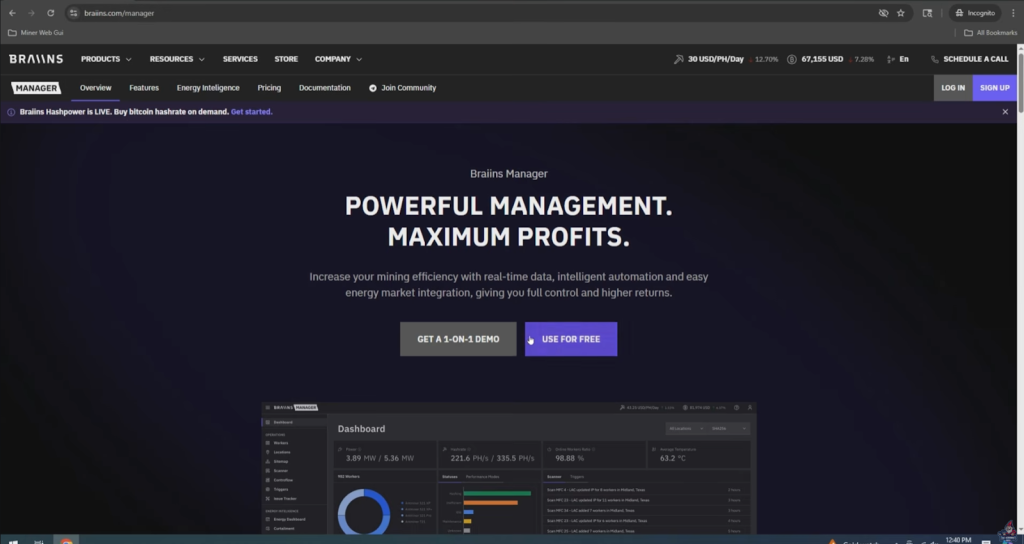
There’s no shortage of mining management platforms on the market, so why did I land on Braiins Manager for my own operation? Here’s what stood out:
- Real-Time Fleet Data: Instantly check the status, hash rate, and health of all your miners.
- Site Manager: Build detailed maps of your farm, separating locations, racks, and even individual slots.
- Automated & Scheduled Curtailment: Have miners boot up at night and shut down during expensive daytime rates—critical for anyone with a variable energy bill.
- Custom Triggers: Set automation rules to reboot a miner, change performance modes, or alert you when something’s off.
- Device Scanner: Detects not just Bitcoin miners but also altcoin miners.
- Client Power Rates: Essential for hosting farms with variable customer energy rates.
- Ticket & Team Management: Great for bigger operations; build a support system for maintenance and troubleshooting.
- API Integration: For those advanced automations and curtailment programs.
And best of all—Braiins Manager is 100% free.
Getting Started: Installation and Basic Setup
Let’s jump into how you actually set this thing up, because no one wants to struggle through another clunky installation.
What Can You Run Braiins Manager On?
You definitely don’t need a monster server to get this running:
- Raspberry Pi (great for small farms or home setups)
- Mini PC
- Windows PC (what I used for the demo)
- Linux Server (preferred for large operations or longer term)
Registering and Logging In

- Head over to Braiins Manager and hit “Use For Free.”
- Register for an account.
- Pick Your Path:
- Professional (good for businesses or serious miners)
- Hobby Miner (for tinkering at home)
I went with Professional—because, why not feel fancy? Put in your company name and role (I picked “Operations Manager”).
Adding Your Physical Locations
Immediately, you’re prompted to “create location.” Consider how your operation is split:
- Old shed vs. new shed? (That’s how I roll.)
- Each rack, room, or building as its own spot.
You can get as granular as you want.
Setting Up Site Locations and Electric Rates

This is huge for anyone dealing with variable electricity costs—a few cents per kWh can make or break your margins.
Creating and Customizing Locations
- Give each location a unique name (e.g., Old Shed, Crypto Compound).
- Enter your electricity rate so the software can track profitability and generate accurate energy reports.
Installation: Quick and Painless
- Choose your target OS (e.g., Windows 11, Linux, Raspberry Pi).
- Download and run the agent installer.
- Enter the Agent ID and Secret Key provided at registration.
Keep those credentials somewhere safe!
Adding Miners: Network Scanning and Device Management
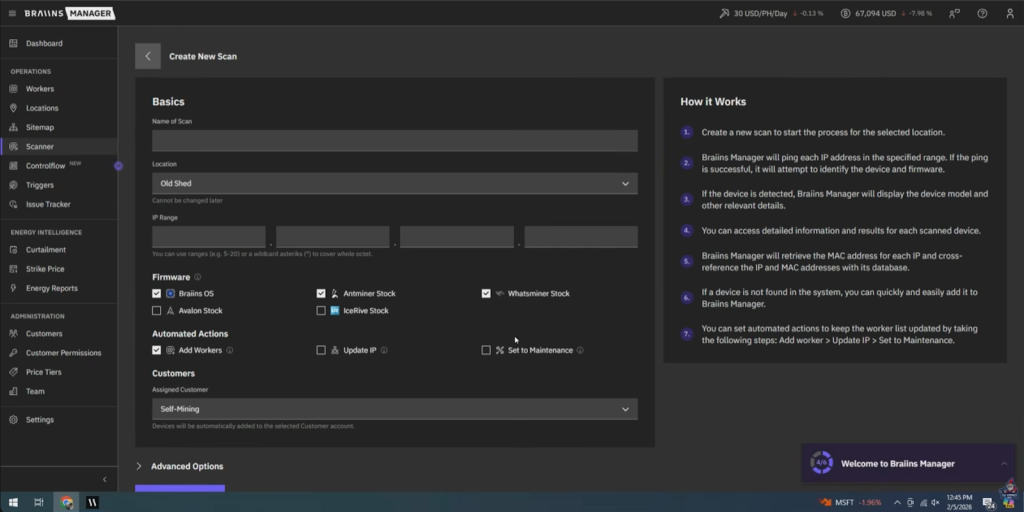
The heart of any mining farm is its workers. One of Braiins Manager’s best features is its built-in scanner.
Scanning for Miners
- Head to the “Scan Network” menu.
- Define your IP range/subnet (e.g., 192.168.6.*).
- Choose device types (Avalon, Ice River, Whatsminer, Bitmain, etc.).
- Click “Save and Run Scan.”
Advanced Scans for Larger Farms & Hosts
- Assign scans to particular VLANs or subnets.
- Auto-assign new miners to customers.
- Set up scheduled/automatic rescans (e.g., every hour).
What Miners Are Supported?
It picked up my Canaan, Bitmain, and IceRiver units—though not ElphaPex or Volcminer (yet; I dropped that in their suggestion box).
Dashboard Views and Worker Management
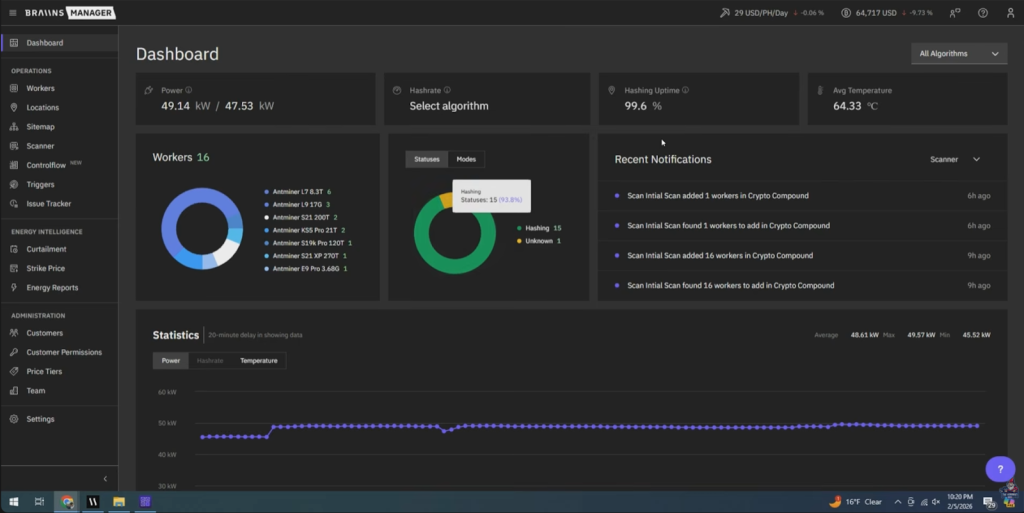
Once your scan is done, get ready to fall in love with your new dashboard. This is the mission control you always wished you had.
Dashboard at a Glance
- 50,000-foot overview of all miners: See model, firmware, status, hash rate, and uptime across your entire operation.
- Visual status: Color-coded alerts (yellow for issues, green for normal).
- Miner-specific details: Click into any miner for logs, real-time metrics, power consumption, and even firmware upgrades.
Some Tips
- Schedule hourly rescans to auto-import new miners (crucial for sites where hardware is added/swapped often).
- For models not detected, keep an “unassigned” or “manual” list. This is one area that Braiins developers need to improve upon, more model support across the industry.
Building a Visual Site Map for Your Farm

Ready to geek out on visual infrastructure management? The Site Map feature in Braiins Manager is borderline addictive for anyone who likes everything perfectly organized.
Use Cases
- Group miners by building: Old Shed, Storage/Maintenance, New Shed.
- Define racks and slots: E.g., two rows per rack, 10 slots each.
- Special areas: Add benches or immersion tanks.
You can even drag and drop miners into specific slots—amazing for visualizing hardware and quickly pinpointing issues or empty slots.
Pro Tip: Physical-to-Digital Tracker
“If you have a miner that’s broken or needs parts, ‘move it’ in Braiins Manager to your maintenance storage shed rack.” – The Hobbyist Miner
Placeholder Feature Suggestions
As of now, you can’t add unsupported miners (like Volkminer or ElphaPex) as placeholders. Which is problematic for someone like me who has a diverse ASIC miner fleet. Even a manual placeholder that I could put in place for the site map would make a big difference.
Automations: Control Flow with Triggers and Schedules

Let’s talk about what takes Braiins Manager from a fancy spreadsheet to an actual farm manager: automation.
What Is “Control Flow”?
Automate actions with Triggers and Schedule Rules:
- Trigger Rules: If X happens, do Y
- Schedule Rules: At this time, do this or that
A few real-world examples:
- Auto-reboot a miner if hash rate drops below a threshold
- Underclock/overclock based on time-of-day electricity rates
- Auto-curtailment for demand response events on certain days and times
- Temperature-based throttling (throttle up in winter, down in summer—set and forget)
How to Set Up a Trigger
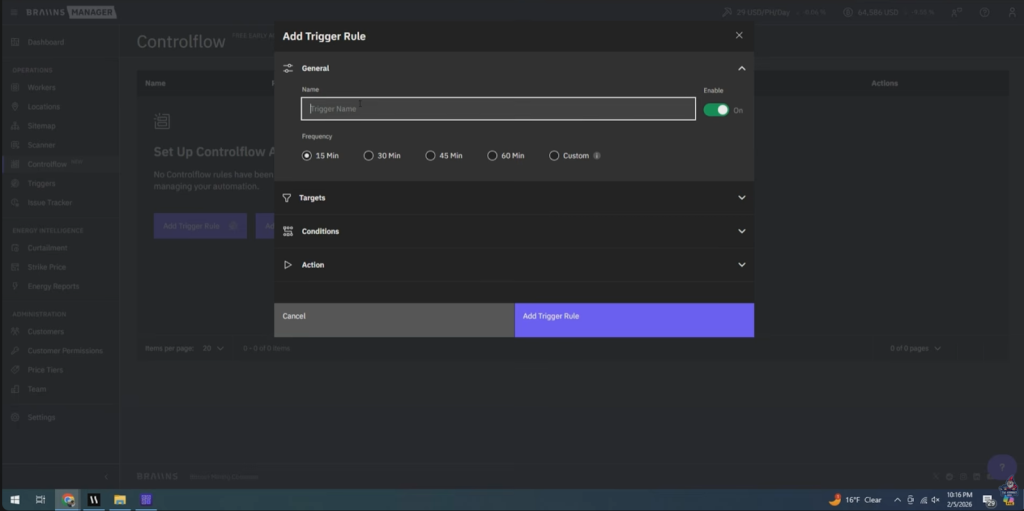
- Go to Control Flow > Add Trigger Rule
- Give it a name (e.g., “High Temp Throttle”)
- Set frequency (how often does it check)
- Pick your targets—device, group, location, or customer
- Add the condition (e.g., temperature > 80°C)
- Define the action (e.g., set all to lower performance mode or reboot)
Supported Actions
- Change performance mode (overclock/underclock)
- Swap pools
- Set specific power targets
How to Set Up a Schedule
- Go to Schedules > Add Schedule
- Choose target(s) (models, customer, location)
- Set event—e.g., nightly curtailment, routine maintenance
- Define the action (power off, curtail, change performance)
Perfect for aligning mining with best electric rates (night shift!) or regulated market curtailment windows.
Team Management, Ticketing, and Customers

If you’re running more than a one-person show (or even if you like to log your own work), Braiins Manager brings in all the serious tools.
Ticketing System
- Add issues, assign devices and teammates, diagnose problems.
- Track priorities, due dates, and repair status.
This is a dream for accountability, especially in a bigger farm. Even home miners can use it to keep tabs on what hardware needs love.
Users, Teams, and Customers
- Add unlimited teammates with custom permissions (e.g., support, operations, customer service).
- For hosting farms: add customers and restrict access so they see only their own miners and reports.
- Customer-level dashboards and permission settings.
Energy Intelligence and Advanced Features
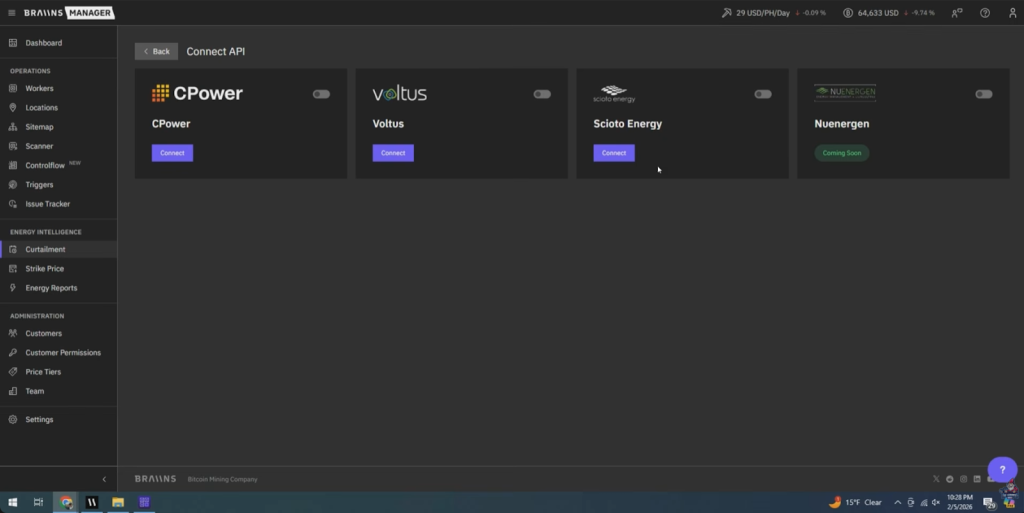
This is where Braiins Manager really shines for serious miners and pros.
Integrating Power Rates and Market API
- Load in real-time or variable energy rates.
- Schedule curtailment aligned with market rates.
- Integrate with energy solutions for true demand response automation (API support for the biggest players in power markets).
Energy Reports
- Generate power usage and efficiency reports at the location or customer level.
- Visualize consumption and optimize performance for better margins—especially useful if you run a hosting business and need per-customer billing.
Real-World Integration
- If your power company offers demand response programs, automate your shutdown/startup—no 3 a.m. alarms!
- Schedule underclocking during local peaks, or dynamic adjustments via API.
Who Is Braiins Manager For?
Literally everyone from home hobbyists to industrial-sized mining farms.
- If you’ve got one to five miners in a shed: Enjoy pro-level dashboards, alerts, and smart automations.
- If you’re running 100s to 10,000s of miners: You need scheduled scans, bulk management, advanced ticketing, team, customer support, and energy market integration.
- Hosting providers: Full support for customer-level dashboards, power reporting, and permissions.
“As a free product, Braiins Manager is perfect for anybody with one ASIC miner up to these massive mining farms with 3,000 plus ASIC miners. I think having a tool like this really changes the game out there.” – The Hobbyist Miner
Get Started with Braiins Manager Today
- Go to Braiins Manager’s site and grab your download.
- Set up your first location, add your miners, and play around with the dashboards.
- Start building your visual site map—you’ll never want to go back to old spreadsheets.
- Set up some triggers and schedules for automations right away.
- If you want the full deep dive, schedule a one-on-one demo with their team—links right on the site.
Final Thoughts
I honestly get lost in Braiins Manager’s data and controls—in the best way possible. Even before setting up all my automations and triggers, I feel more confident, informed, and on top of my bitcoin mining farm than ever before. No more missed alerts, no more mysteries about which miner went down, and far better control over power costs and worker performance.
See You Next Time!
Got questions? Join The Hobbyist Miner Comunity Discord for great fellow crypto miner conversation, community help and more! Join entirely free here!