
The $25 Mini Home Bitcoin Miner For Anyone! Unboxing, Setup, and Full Review of the NerdMiner2
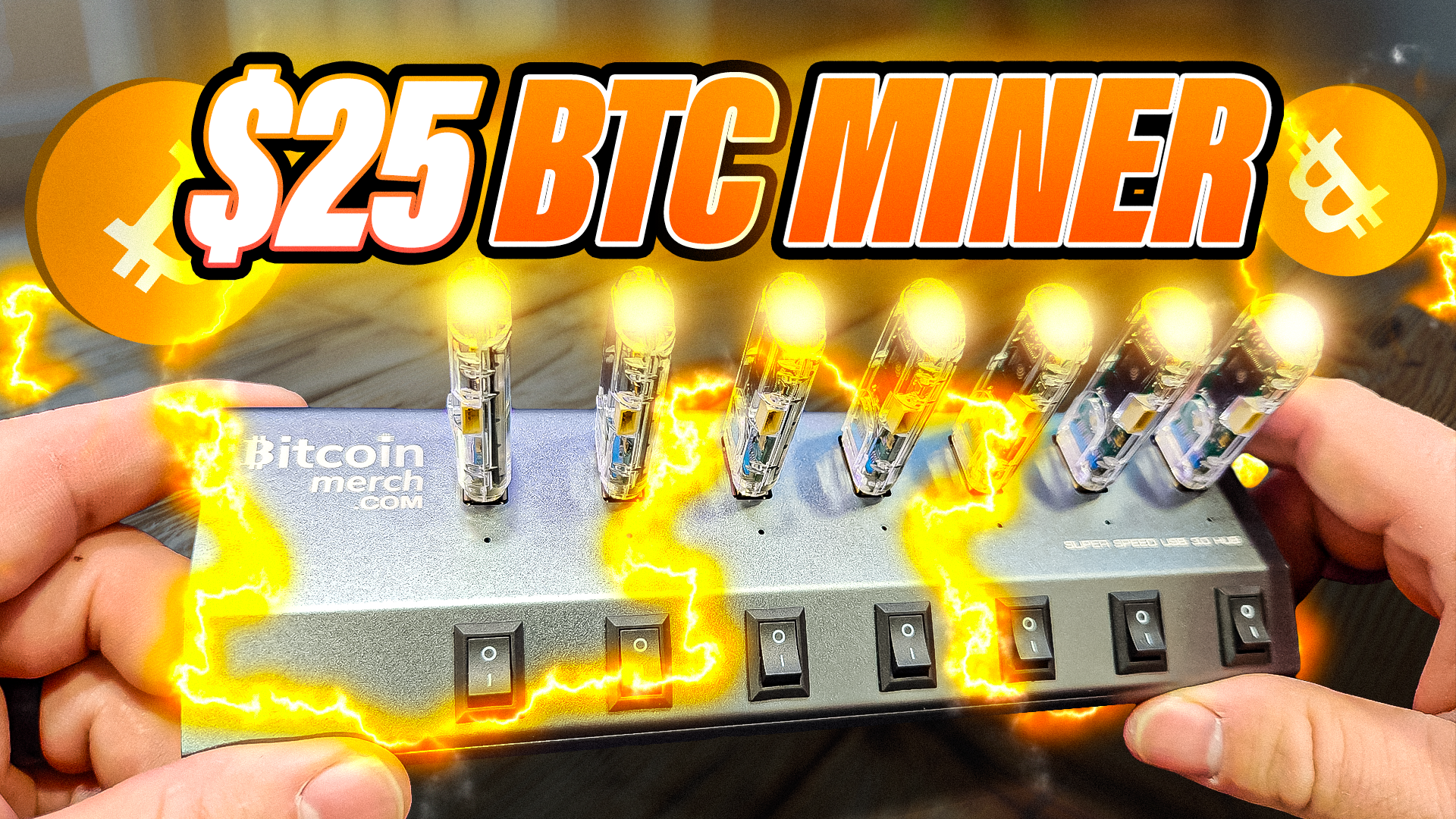
Hey crypto miners! Today, we’re diving into something super cool – and tiny! Imagine a bitcoin miner so small it basically looks like a USB flash drive, yet it gives you a chance to solo mine a bitcoin block right from your home… all for just $25! Sounds wild? Read on. We’ll break down everything you need to know about the NerdMiner V2, how to set it up, my hands-on experience combining seven of these little beasts, the pros and cons, and even a sweet giveaway. Buckle up!
For more insights on this topic check out this detailed video: $25 Mini Home Bitcoin Miner for Anyone
Table of Contents
- Introduction: The Tiny Revolution in Bitcoin Mining
- Unboxing: What’s Inside The NerdMiner2 Kit?
- What Makes The NerdMiner2 Special?
- NerdMiner2 vs. Traditional Bitcoin ASIC Miners
- Set Up Walkthrough: Going From Box to Bitcoin
- Hash Rates, Pools, and Monitoring Progress
- Hands-On Experience: Running Seven NerdMiner2 Units
- The Real-World Lottery: Your Shot at Solo Mining a Block
- NerdMiner2 Pros and Cons: Honest Thoughts
- Comparing Other Solo Miners From Bitcoin Merch
- NerdMiner2 FAQ: Your Burning Questions Answered
- Conclusion & Next Steps in Home Bitcoin Mining
- Giveaway Details: Win Your Own NerdMiner2!
- Share Your Thoughts!
Introduction: The Tiny Revolution in Bitcoin Mining
Remember when mining bitcoin meant filling your basement with massive, noisy machines and gutting your electricity bill? Forget all that, because now the game’s changing:
“This is the cheapest and maybe the smallest bitcoin miner in the world. And you probably could barely see it because actually it’s just a glorified USB drive.” – The Hobbyist Miner
Note: The NerdMiner V2 was replaced by the New NerdMiner2 USB miner, same price!
Meet the NerdMiner2. For just $25 (yep – you read that right), you can start solo mining bitcoin at home, with a device you could literally lose in your backpack.
But what if you’re feeling extra ambitious? String seven together (totaling just $200) and you’ve got yourself a compact solo-mining farm running right at your fingertips. Check it out here!

Unboxing: What’s Inside The NerdMiner2 Kit?
Let’s get hands-on and see what you’re actually getting.
Full unboxing video can be found here – $25 Mini Home Bitcoin Miner for Anyone
The Box – What’s Included?
- 1x USB 3.0 7-Port Aluminum Superspeed Hub (by BitcoinMerch.com)
- 7x NerdMiner2 Units (each in a protective slip case with padding)
- Power cable for the hub
- Toggle switches for each port (so you can power miners on/off individually)
- No computer required – each miner is completely independent

Imagine opening this up and seeing all these little miners lined up – it’s like Christmas for bitcoin enthusiasts!
Quick Note on the USB Hub
The hub isn’t strictly required – you could plug your miners into any powered USB ports (computer, even your TV!). That said, using the included hub keeps things organized, powered up right, and looks super clean.
What Makes The NerdMiner2 Special?
So, what actually sets this little dude apart? Here’s what stood out for me:
- Insanely Affordable: $25 per miner, accessible for beginners
- Tiny Footprint: Each is barely bigger than your average thumb drive
- Minimal Power Consumption: No crazy electric bills, unlike classic ASIC miners
- Independently Networked: Each NerdMiner2 has its own built-in WiFi card and display
- Plug-and-Play Simplicity: Set it up once. No daily maintenance or buying tickets – just “set and forget”
Plus, there’s a genuine thrill here – every day, every minute, you’ve got a shot at single-handedly cracking a bitcoin block. Not bad for something so simple.
“You just set this and forget it.” – The Hobbyist Miner

NerdMiner2 vs. Traditional Bitcoin ASIC Miners
Before we go further, let’s make a clear comparison:
| NerdMiner2 | Traditional ASIC Miner | |
| Price | $25/unit | $1,000 – $5,000+ |
| Electricity | A few watts | Hundreds to thousands of watts |
| Size | Tiny (USB stick) | Huge – shoebox or bigger |
| Noise | Silent | LOUD |
| Setup | Easy, quick WiFi | Complicated, can be tricky |
| Risk | Minimal ($25) | Large upfront investment |
| Mining Model | Solo (lottery odds) | Usually pool (consistent small rewards) |
| Maintenance | Plug and play | Requires cooling & cleaning |
“What is this miner? This is a solo bitcoin miner. And you might be like, all right, I get it. But what makes it so different?” – The Hobbyist Miner
Set Up Walkthrough: Going From Box to Bitcoin

Ready to get your miner hashing? Let’s walk through the setup, step by step. (Spoiler: it’s way easier than you think!)
1. Plug In The Pieces
- Plug your NerdMiner2 (or all seven, if you’ve got them!) into the 7-port hub.
- Connect the hub’s power cable to the wall.
- Make sure power switches are in the “off” position (toggle switch to the “o”).
2. Power On, One By One
- Flip the switch “on” for a miner. One at a time.
- The screen will light up, displaying “Initializing, use WiFi for setup”.
3. Use Your Phone for WiFi Setup
a) Connect to NerdMiner’s WiFi
- On your phone, go to WiFi networks and look for NerdMiner AP.
- Connect using password: MineYourCoins (case sensitive: MineYourCoins).
- I would recommend powering on 1 NerdMiner2 at a time, then configuring it, to make setup easy.
b) Ignore the “No Internet” Warning
- Your phone might say “no internet” – that’s normal. You’re communicating directly with the miner, not the regular internet yet.
c) Open The Browser to Miner’s Internal Page
- Once connected to a NerdMiner2
- Open your phone’s browser.
- Go to 192.168.4.1.
- Click Configure WiFi.
d) Fill in Details
- Pool URL: Leave on public pool with default port
- BTC Address: Copy/paste in your own Bitcoin wallet address (so your rewards go to you!)
- WiFi Info: Fill in your home network SSID & password
e) Save and Reboot
- Hit “Save.” Miner will connect to your WiFi – the display will update to show stats in a few moments.
- Repeat for each miner (yep, you gotta do this per unit, but it’s pretty quick).
“So taking a closer look after just a few minutes here, and you can see the screen is going by giving us lots of great information. We can see right here the hash rate, which is about 70 to 75 kilo hashes…” – The Hobbyist Miner
Hash Rates, Pools, and Monitoring Progress

What’s a Hash Rate?
Hash rate = how many mining calculations your miner performs per second. The higher, the better your odds. With a NerdMiner2, expect ~70 – 75 kH/s per stick.
Where’s All This Mining Happening?
By default, the NerdMiner2 connects to Public Pool., a popular (and the only option on this unit) public bitcoin mining pool.
This is one thing I don’t like about this miner, your limited to Public Pool
How to Check If You’re Actually Mining
- Each miner’s screen rotates through key stats:
- Hash rate (kH/s)
- Shares found
- Difficulty target
- Status (“solo mining”)
Pool Dashboard: Your Web-Based Control Center

Want to see all your miners’ performance in one spot? Head over to Public Pool
- Paste your Bitcoin wallet address into the “My Workers” search
- See every plugged-in NerdMiner2 as its own “worker,” with current hash rates, work submitted, stats
Keep in mind: actual hash rates flicker a lot. Sometimes you’ll see as little as 52 kH/s per unit, sometimes 100+. That’s totally normal – the important part is being connected and hashing.
Hands-On Experience: Running Seven NerdMiner2 Units

Okay, so what happens if you go all-in and plug in seven NerdMiner2s at once? Let me tell you:
“Pretty legit, huh? Looks pretty sweet. All of them have the blue light on them. As you can see on the screen here. It does go ahead and rotate through, giving you all the stats and information.” – The Hobbyist Miner
It’s oddly satisfying to have a tiny “farm” lined up, each with its own pulsing blue LED and screen flipping stats. No annoying fans. No heat blasting out. Actually, they only get slightly warm to the touch!
For more insights on this topic check out this detailed video: $25 Mini Home Bitcoin Miner for Anyone
Total Hash Rate
Seven * 70kH/s = roughly 500kH/s total.
Still, keep in mind: compared to even an entry-level ASIC, this is a drop in the bucket – but the odds aren’t zero, and it’s passive, fun, and educational.
The Real-World Lottery: Your Shot at Solo Mining a Block

Here’s the most exciting (and honestly, addictive) part: the lottery odds.
Most big-time miners join pools, get paid tiny fractions regularly. With the NerdMiner2, you’re “solo mining” – meaning, you only get paid IF your miner discovers the next block. But if it hits?
“If you hit it, how much is it worth? 3.125, which is a lot of Bitcoin. Even today in 2025. I’ll take some.” – The Hobbyist Miner
As of right now, that means scoring over $300,000 USD in a single go. Yeah, those odds are really small. But you’ve got a direct ticket, and unlike a real lottery ticket, your “miner ticket” is reusable every day.
Checkout your odds of hitting of hitting a Solo Bitcoin Block at Solo Luck
How Do You Know If You Win?
On your Public Pool dashboard, check your “Best Difficulty” – if it’s higher than “Network Difficulty,” you’ve hit the jackpot. (Most likely: you’ll see much lower numbers, but hey, someone’s gotta win eventually!)
NerdMiner2 Pros and Cons: Honest Thoughts

No piece of tech is perfect. Here’s my candid list of what rocks and what still irks me about the NerdMiner2.
The Good
- Insane affordability: Join the bitcoin mining game for the price of lunch.
- All-in-one design: Plug in, WiFi setup, done.
- Ultra-quiet: No fans or moving parts, just a warm glow.
- No daily cost: It just sips electricity.
- Beginner friendly: No mining experience necessary.
- Expandable: Run one, run seven, or fill a whole shelf for a miner wall.
The Not-So-Good
- Locked to Public Pool: No option to mine to a different pool (like ViaBTC). Advanced users may find this limiting.
- One-time setup only: After configuring, you can’t access the web interface again. There is a wipe tool, but it’s buggy. So if you want to change WiFi or BTC address, it’s a hassle.
- No Hardware Reset Button: Unit has a reset button on back, but it’s disabled in the Bitcoin Merch edition.
- Limited Power: Realistically, hitting a block is unlikely – this is more fun/hobby than a consistent earning solution.
- Manual one-by-one setup: Setting up multiple units means repeating the WiFi config steps.
- Unclear future support: Firmware updates could fix or improve things, but as shipped it’s pretty closed.
Comparing Other Solo Miners From Bitcoin Merch
The $25 NerdMiner2 isn’t the only budget solo miner on the block. BitcoinMerch.com has a growing collection:
- Bitaxe Gamma: Higher hash rate, bigger form factor
- Mars Lander: Mid-size unit with improved display and potential features
- USB “Big Screen” Miners: NerdMiner2-style with a larger, easier-to-read display
- Hex Solo Miner: 3 terahash monster (still compact, but way more punch – stay tuned for a future review!)
If you want to get a sense of what’s out there, start at their Beginner Miners page, which lists options by price and feature. (Use Checkout Code “HOBBYIST” for a Discount!)
NerdMiner2 FAQ: Your Burning Questions Answered
Q: How much electricity does it use?
A: Just a few watts – barely registers on your bill! Far less power than even a night light.
Q: Can I use this with any Bitcoin pool?
A: No. The Bitcoin Merch version only works with Public Pool. Other versions or future updates may allow alternate pools.
Q: What’s the noise level?
A: 100% silent. No fans, no buzz, nothing.
Q: Can I run it off my computer’s USB port?
A: Yes! You can plug it into nearly any powered USB (computer, TV, power brick, etc.).
Q: Can I reconfigure WiFi or my wallet address later?
A: Not via web – you’d have to attempt wiping the miner (Bitcoin Merch offers a tool, but results are mixed).
Q: What are the chances I actually hit a block?
A: Very small, but not zero! Solo mining is a lottery. Most miners won’t ever hit a block, but someone will.
Q: Can I mine altcoins?
A: No, these are strictly Bitcoin SHA-256 miners.
Conclusion & Next Steps in Home Bitcoin Mining
The NerdMiner2 won’t make you rich overnight or become a staple of a major mining outfit. But for $25 and a few minutes of setup, you get:
- A fun, hands-on introduction to real bitcoin mining
- Low cost and virtually no risk
- The thrill of being “in it to win it” for a block-sized payday
- Genuine learning: WiFi networking, mining pools, miner hardware
- Community: tons of tinkerers, modders, and crypto geeks are playing with these
“If you’re new, this is the best way to dip your toes into mining. If you’re already a miner, it’s still a cool desk toy and solo mining lottery.” – The HobbyistMiner
Thanks for Reading!
If you enjoyed this guide, consider following for more reviews, mining guides, and the latest on crypto mining projects. Got questions, ideas, or feedback? Hit me up on Twitter.
Happy Mining!
For more insights on this topic check out this detailed video: $25 Mini Home Bitcoin Miner for Anyone